Participant
May 16, 2022
Question

Text box

  • May 16, 2022
  • 4 replies
  • 271 views

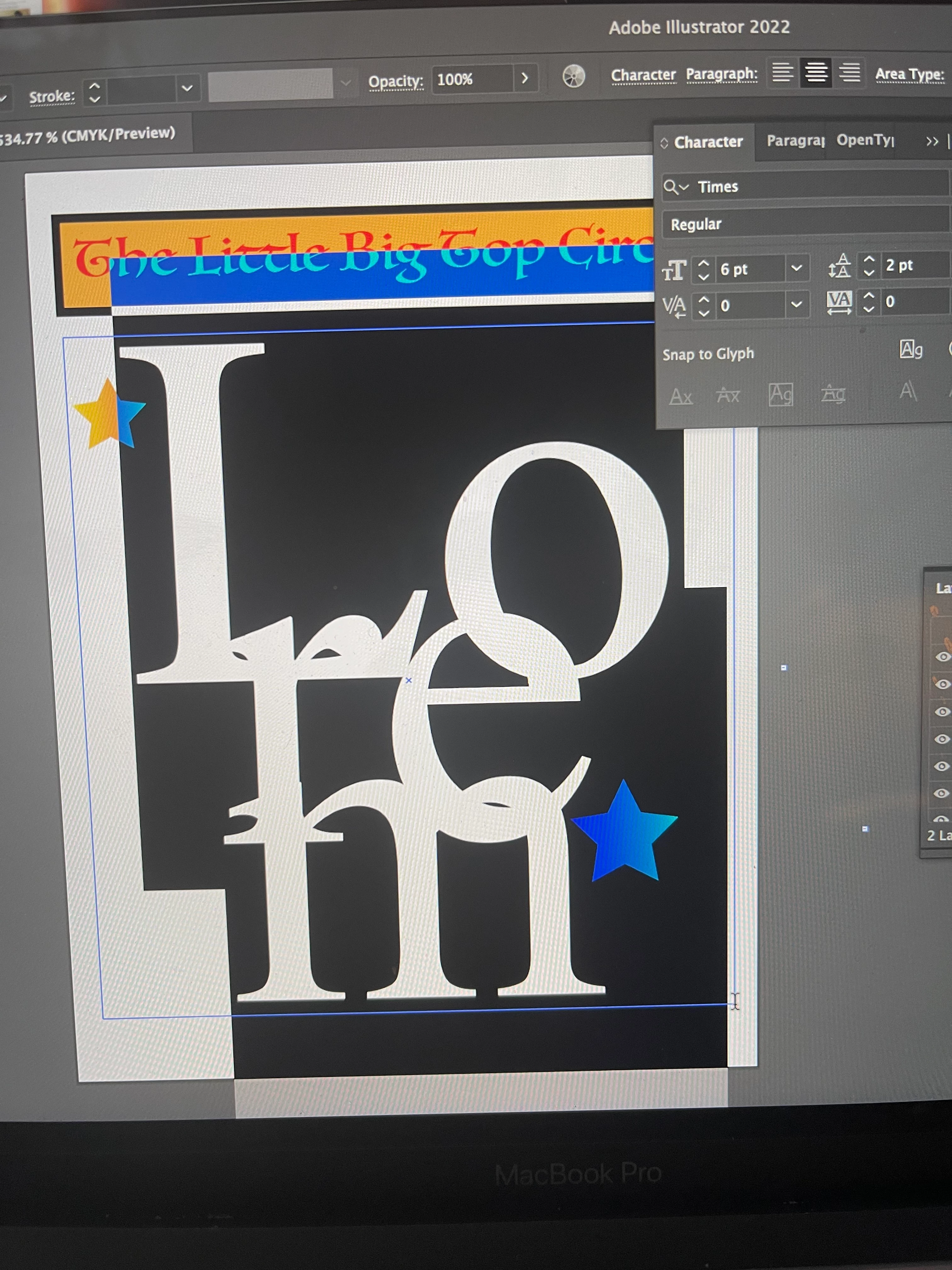
Hello, so I am having trouble with the text box in adobe illustrator. My issue is when I create a text box the words automatically come out huge I tried scaling it down I've tried changing the size it's still comes out huge. Any idea on what's going on? Please see image
This topic has been closed for replies.

4 replies

Anubhav M
Community Manager
Community Manager
May 16, 2022

Hello @Erika244656837659,


Sorry to hear about this experience. I hope the suggestions shared by Monika and Ton helped resolve the problem. If not, kindly try changing the Leading setting under the Character Panel to Auto as suggested by Pixxxelschubser and share your observations with us.

You may also try resetting the Character Panel as well


Looking forward to your response.


Thanks,

Anubhav

Ton Frederiks
Community Expert
Community Expert
May 16, 2022

Try to zoom out to 100% and increase the size of the th artboard and your text (box).

pixxxelschubser
Community Expert
Community Expert
May 16, 2022

If I understand you right (but it is impossible to enlarge your image because of a forum issue):

fontsize = 6pt

line spacing = 2 pt


Why?


Try to set line spacing to higher value.


Monika Gause
Community Expert
Community Expert
May 16, 2022

You are probably zoomed in at a few thousand percent?