Participant
September 30, 2020
Question

Text Box Rotates but Not Text

  • September 30, 2020
  • 3 replies
  • 750 views

When I write text and want to rotate the letters the text box rotates but the text itself does not rotate. See capture. Why has this just started doing this? 
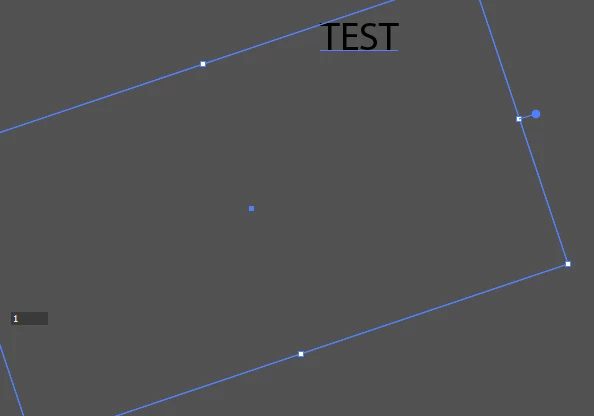


This topic has been closed for replies.

3 replies

happie_97
Community Expert
Community Expert
October 1, 2020

@Trinity5C08 It looks like you are trying to rotate area type. Illustrator uses point type and area type.

  • Area type is when you click the type tool and drag out a box to type in.
  • Point type is when you click the type tool and then click the screen and start typing.
  • If you use point type, you will be able to rotate it just by hovering over one of the corners. 
  • Yours looks like area type so it is rotating within the area of the bounding box. 

If this is confusing, I included a video if you need it. Please excuse the cracking of my voice, it's pretty late where I am. :c) I hope this helps.

michelew83603738
Community Expert
Community Expert
September 30, 2020

If you create a text box, this is the expected behavior. If you want the text to rotate, then use the dialogue box for the text tool. If you don't create a text box, however, when you select the text and get the baseline, the text will rotate. Perhaps that is what you are thinking of?

Monika Gause
Community Expert
Community Expert
September 30, 2020

Has always been like that.

You need to use the rotate tool to rotate area text.

Participant
October 1, 2020

For some reason I thought I could rotate the text. I'll use it this way. Thank you.
