


Participant
November 1, 2014
Answered

Text Copied from Illustrator CC 2014.1.0 Pastes as Image

I have seen similar discussions but none of the answers are of any help to me as of today.

Background:

I am running OS X Yosemite 10.10

All my CC apps are up to date as of (11/1/14)

I am also up to date on all other software on my Mac

My goal:

Copy text from illustrator

Paste in Mail, TextEdit, and Notes as live editable text

Results:

Text pastes as pdf or some type of an image depending on the app

What it looks like:
I'll start from the beginning to avoid some questions later.

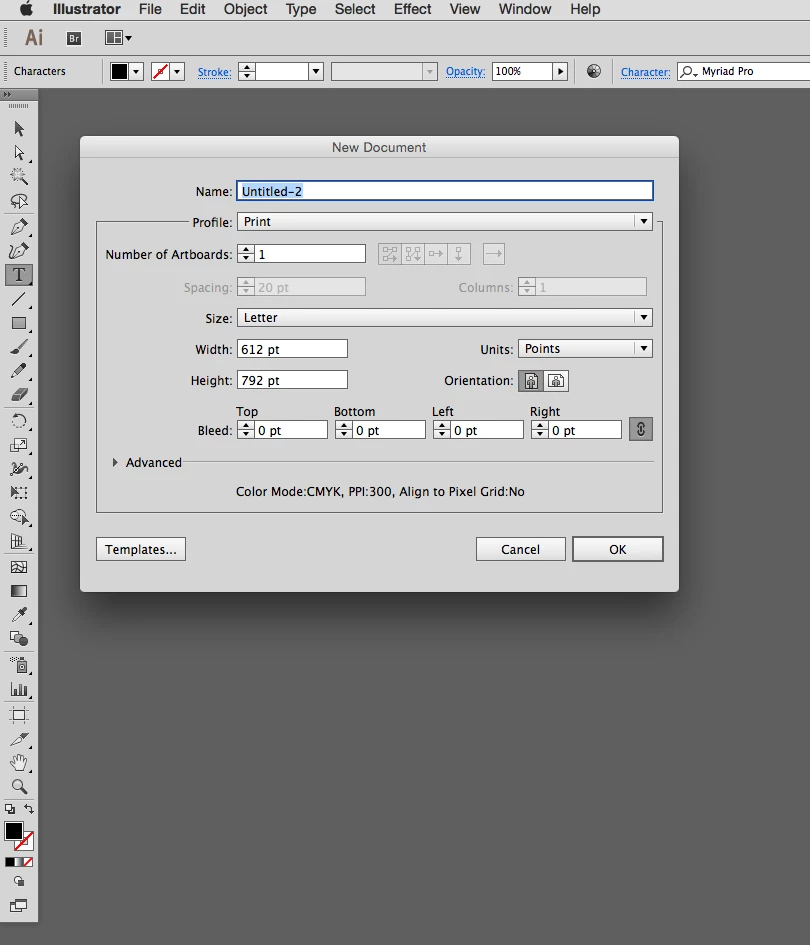
I open a new document in Illustrator.
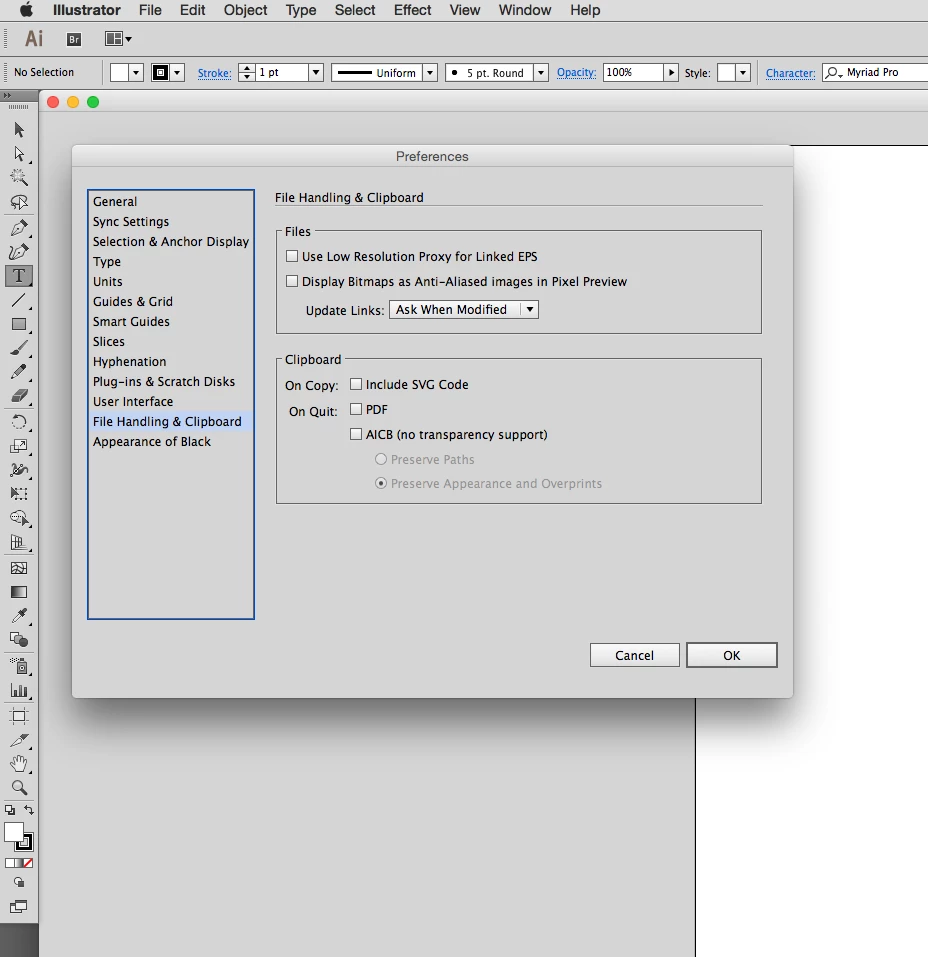
These are the clipboard settings in my preferences.

Please Note - I have tried every combination of these settings. Turning them on and off one at a time and in combination does nothing to change the end product. I have turned them all off for this example, so as to not muddy the waters.

I type some text. I did not use a text box in this example. I just clicked on the page with the type tool and typed this line. There are no added attributes. You can see the character settings are the most basic. Again, please note - I have tried using a text box with the same result.
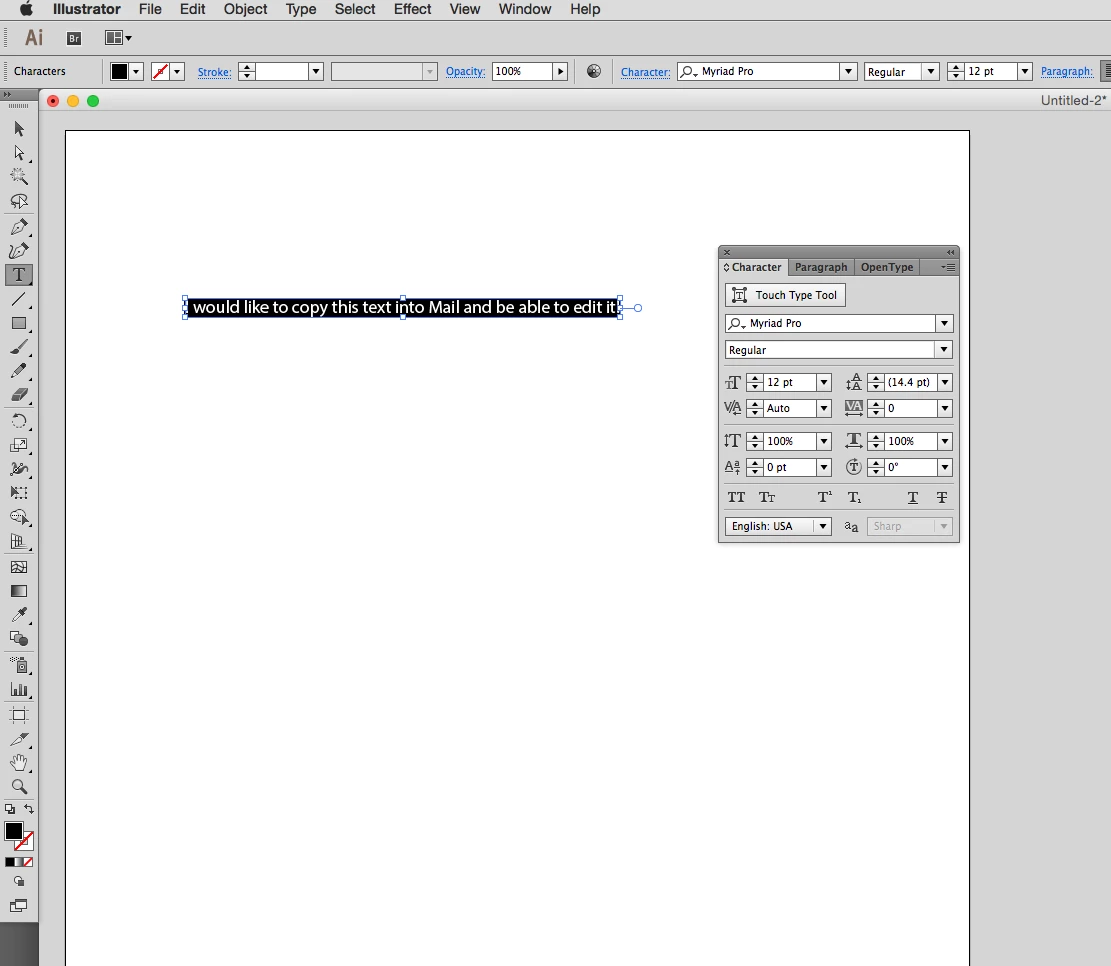
I use the type tool to highlight the text and then copy the text. I did not use the selection tool to select the text and copy.
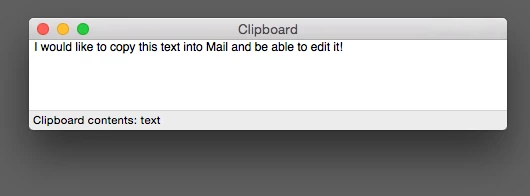
This is what the clipboard looks like. Note that the contents is "text".

If I type text in PS (as an example) and copy to the clipboard it says "text". However, the text I copy out of PS I can paste anywhere as editable text.

If I type text in Notes and copy to the clipboard it says RTF. This text can also be pasted anywhere as editable text.

This leads me to believe that this is an Illustrator centric problem I am experiencing.

I click into the body of an email and paste. Looks fine, but when I try to click into the text (such as between the words "into" and "Mail") I cannot do it.
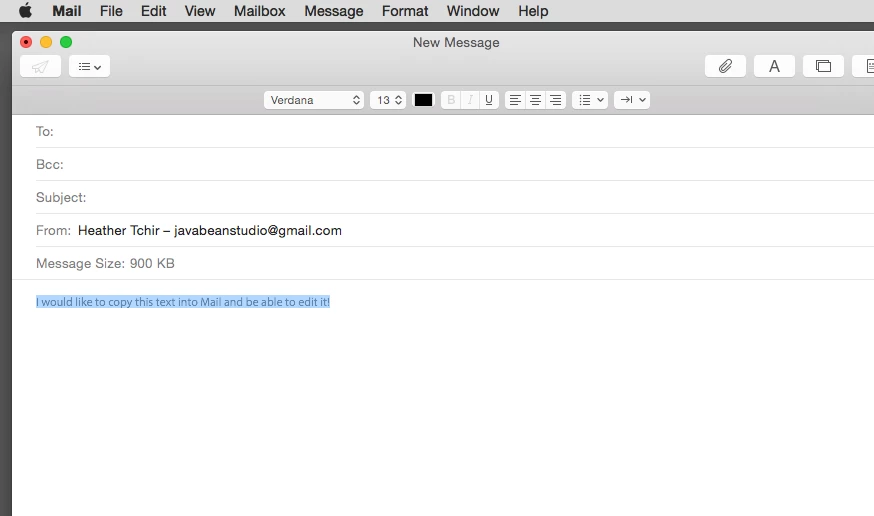
The line of words is highlighted and not editable at all.
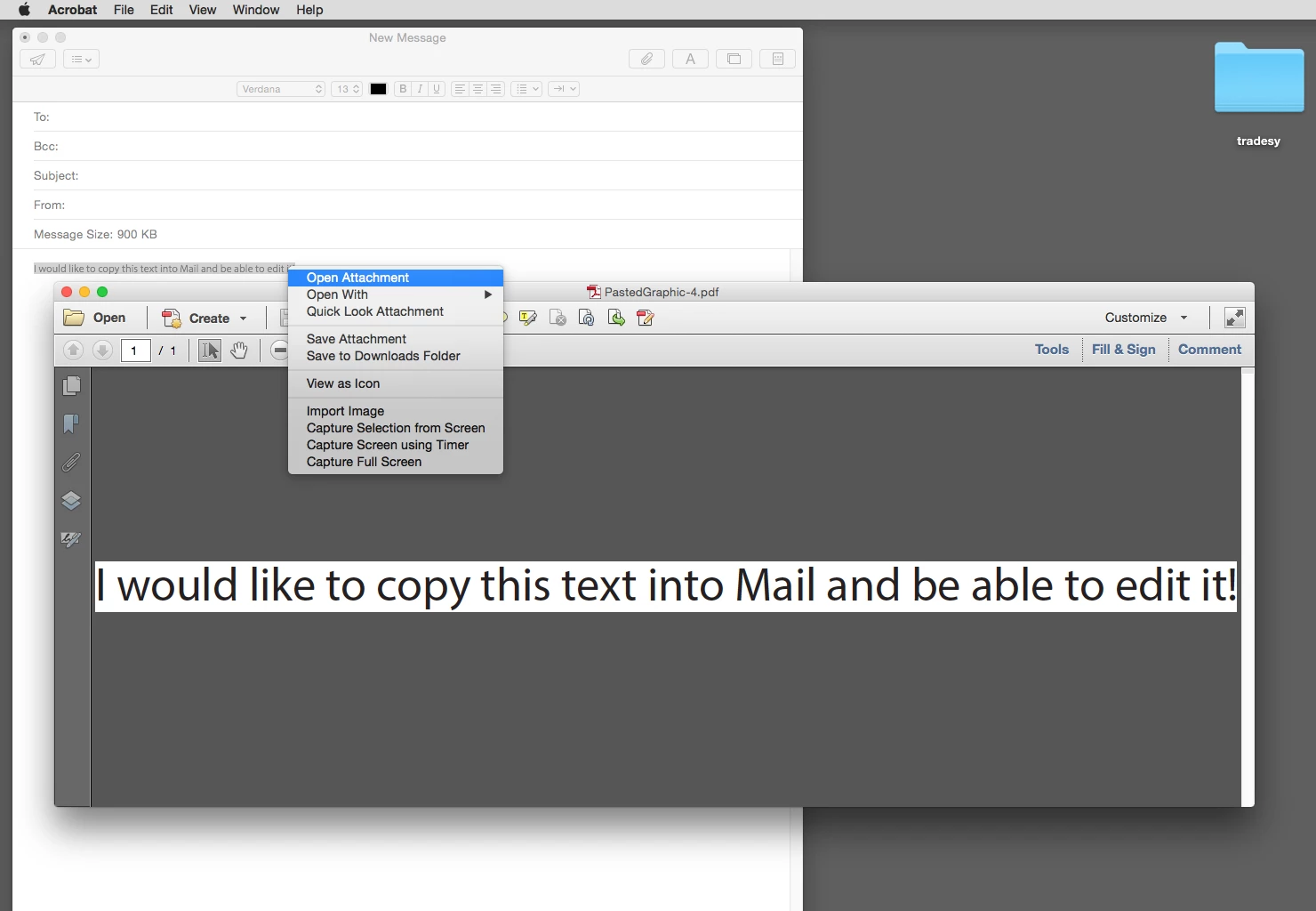
If I right click on the image of the line of text and highlight "open attachment" you can see the clipboard pasted in as a .pdf and not editable text.

Interestingly, if I open a new note and try to paste the line of text, it also pastes as a .pdf but just the icon show up. Double clicking on the icon will open the text as a pdf in acrobat.

I did not have this issue until CC2014 updates were made. I would like to know if there is something that can be done or is this a bug in Illustrator. If it is a bug I don't want to spend time looking for workarounds. I will use another program when I know there will be a good deal of copy and paste work to be done. It's inconvenient for my older Illustrator files now have this issue when I open them in CC2014.

I know I can use the "paste and match style" but it's a force of habit to use the shortcut for paste. It's also a ridiculous change to Illustrator for the cut/paste to act this way. If it indeed was planned and not a bug, what would the benefit be?

If anyone has insight into the problem I am eager to know what's going on.

Finally, if there is no other way to fix this then can someone remind me how to customize the shortcut key combinations in Mail, Notes and TextEdit? I seem to remember (long ago) being able to customize certain shortcuts in some apps, but I never did it in anything but Adobe apps and even then it was CS5.

Thanks in advance for any help!

    meteritCorrect answer
    Participant
    July 13, 2016

    Hello, I've finally found away around this really annoying 'bug'/'headache' if you select the text (NOT with text tool just with the cursor) then right click and select 'Export Selection' ( http://i.imgur.com/gM0hIPR.png ) and export it in SVG format ( http://i.imgur.com/QaWiOYl.png ) then open what you just exported in your browser (Internet explorer, chrome ect) and you can copy the text from there ( http://i.imgur.com/YJuE8JX.png ). I was quite disappointed because even from trying to copy it from Adobe Illustrator into Adobe Muse all the programs would just freeze and close so I think calling it a 'suite' when you cant exactly simply copy and paste text from one to another is a bit of a cheek. Anyway hope this helped someone out there in the world

    -Tom

    46 replies

    Participant
    May 16, 2026

    Adobe, really?? 
    This is just another pain to deal with! I am so fed up. 
    It’s bad enough when you click off an open Adobe Illustrator or Photoshop window and it flies to the back of every other window you have open… and then you have fish for it and you can only click in your art file with whatever tool you last used… do you know how many times I’ve had to click with the text tool and it places a sample Lorem Ipsum text in my document… one day, I’m going to miss finding it and deleting it, and a job will get printed with that text on it, all because you REFUSE TO FIX THIS ISSUE. It’s been years!!!! 
    Now, I copy a selection of text in illustrator because I want to research that information, so I past it into Google and it’s A FEAKIN’ IMAGE!!!!  WHAT?  Another waste of my  time!! It’s insanity!


    What part of this expensive subscription does it say “Thanks for your money, but don’t expect us to fix this software. All these stupid glitches that frustrate you to no end are just something you have to live with.”  But you know what works great? Affinity for one! And I’ve yet to try Canva’s version, but if it’s just as good as Affinity, Well… GoodBYE. I have used Adobe products since Photoshop 2.5… Yep, pre-layers! Imagine that… and I’m so done with these stupid freakin’ glitches! And yes, you won’t fix it, we’re used to that now.  I switched to FCP, for the very reason that it WORKS! I’m using Affinity more and more… and yes, it has a learning curve, but damn, it does a great job.  I should not need to write this rant, I should be raving over your products.   How about you cut back on all the relentless ads for Adobe and fix the issues with your software… or are you getting nervous that Affinity, Canvas and AI are going to destroy you? … I can guarantee it will. It’s sad

    Translate
    Participant
    July 17, 2024

    I pasted the text into an InDesign Document and then copied again and pasted into email. Done!


    Translate
    Participant
    February 9, 2022

    Hey! I have found a quicker way to do this than the previous correct answer. If you highlight the text within the text box, copy and then paste into the Chrome browser (Not checked for other browsers) URL bar this will then paste as normal text and can be again copied for use elsewhere, for example, in an email as I have just done, where it would previously paste as an image as stated in the OP.


    Random I know, but if it works, it works.


    Will

    Translate
    Kenbasa
    Participant
    September 7, 2020

    You just saved me so much time that I would have spent retyping things. Thank you!

    Translate
    AshtonMWilson
    Participant
    March 20, 2020

    Cmd+shift+v on a mac. Or double click, (two finger click on touch pad) and select "Paste without formatting"

    It's that easy

    Translate
    Participating Frequently
    April 20, 2020

    That didn't work for me.

    Translate
    Legend
    April 21, 2020

    Please detail step by step what you diid, in order to know what could happen. Specify also application versions. Thanks.

    Translate
    Participating Frequently
    July 24, 2019

    I've noticed that the most recent version of Illustrator 23.0.4 has resolved this issue. Now, I can select the text with the text tool and copy and paste it to any other document I want. Thanks, Adobe!

    Translate
    Participant
    March 6, 2020

    Running Illustrator 24.0.3. Updated yesterday. It looks like it back to the same issue again. Can not copy from Illustrator to Word or Pages without it becoming an image file and not text. Very frustrating. 

    Translate
    Legend
    March 20, 2020

    I am on Windows 10 with Ai 24.1.1 and MSOffice- Word 2016

    When I copy text from an open Ai file using the Text tool to select text, and in Word paste (Ctrl+V) nothing happens, I mean pastes nothing. BUT......

    If In Word I click the right button mouse in the contextual menu shows: PASTE OPTIONS:

    Paste Paste as picture,  and Keep Text only (T).

    Select this third option, and you get your text in Word.

    (Illustrator clipboard includes extra code depending of Preferences Clipboard options checked for Copy/quit)

    Not curiously, when pasting selected text from a text layer in Photoshop, only the third option (Keep text only (T)) appears, thus when Ctrl+V it pastes the copied text in the same way.  (PS lacks those extra options) 


    Translate
    bongofernie
    Inspiring
    January 25, 2019

    There is another way.  select the text you want to paste from illustrator. Open Word or Email pr whatever. Right click before pasting and it will ask you if you want to paste as text.  Done

    Translate
    benp59101572
    Participant
    July 24, 2019

    ^^  Simplest option I believe. Thanks!

    In Safari, I needed to Edit > Paste and Match Style.  - No mouse menu option.

    Translate
    Participant
    July 28, 2016

    10-Q! works exactly as described! Problem solved!

    Translate
    pklosterman73
    Participant
    January 22, 2021

    Why is 2021 is this still and issue?   It happened to me today. I am seeing posts as far back as 2016 and this has not been addressed. Why? I believe it's because they want you to use the OCR feature in Adobe acrobat to lift the copy. Is adobe creating an issue simply so it can be solved with another application?


    This really burns my bottom.  I've never had this issue before.  This new illustrator build has been the worst I've ever known.  Bugs and issues.  I've had to remove nad reinstall illustrator many times. From not being able to grab and  move objects and text boxes to alignment not staying on align selection vs artboard..... etc. It's time consuming everytime you have to figure it out before you can complete the job.  

    In addition, how many program updates are released in a month? At least 2.  Sorry it just gets old and it's frustrating being held hostage by technology.

    Translate
    pklosterman73
    Participant
    January 22, 2021

    Nice way to start off with a typo and I can't correct it. Smh. Lol 

    Translate
    meteritCorrect answer
    Participant
    July 13, 2016

    Hello, I've finally found away around this really annoying 'bug'/'headache' if you select the text (NOT with text tool just with the cursor) then right click and select 'Export Selection' ( http://i.imgur.com/gM0hIPR.png ) and export it in SVG format ( http://i.imgur.com/QaWiOYl.png ) then open what you just exported in your browser (Internet explorer, chrome ect) and you can copy the text from there ( http://i.imgur.com/YJuE8JX.png ). I was quite disappointed because even from trying to copy it from Adobe Illustrator into Adobe Muse all the programs would just freeze and close so I think calling it a 'suite' when you cant exactly simply copy and paste text from one to another is a bit of a cheek. Anyway hope this helped someone out there in the world

    -Tom

    Translate
    cmck1970
    Participant
    February 28, 2020

    This worked! What a hassel for a simple task, fingers crossed adobe address' this sooner than later.  Thanks Tom!

    Translate
    sanjaykr
    Adobe Employee
    Adobe Employee
    July 29, 2015

    Hi Heather,

    Instead of selecting the whole of text object with full selection tool, if you select the text with text tool, and Copy Text, you should be able to paste live text in any application. If you copy with whole text object selected with selection tool, Ai also provides PDF as well as text on to the clipboard and many applications will prefer PDF over text for placement even though Illustrator has provided both PDF and Text.

    Sanjay.

    Translate
    Ton Frederiks
    Community Expert
    Community Expert
    July 29, 2015

    Sanjay,

    it seems for some applications (Apple Mail and TextEdit) that it does not matter if you use the Selection tool or the Text tool, they paste as PDF anyway.

    But when your document is Plain Text in Text Edit or Mail, it will paste editable text.

    Translate
    sanjaykr
    Adobe Employee
    Adobe Employee
    July 29, 2015

    Hi Ton,

    With text tool,  I meant selecting characters with text tool where characters are highlighted in black. And then copying the text.

    Sanjay.

    Translate