Metaborn
Participant
September 4, 2020
Answered

Text Is Not Filling with Correct Colors / Gradients & But Swatches Show That It Is Filled In AI

  • September 4, 2020
  • 4 replies
  • 1858 views

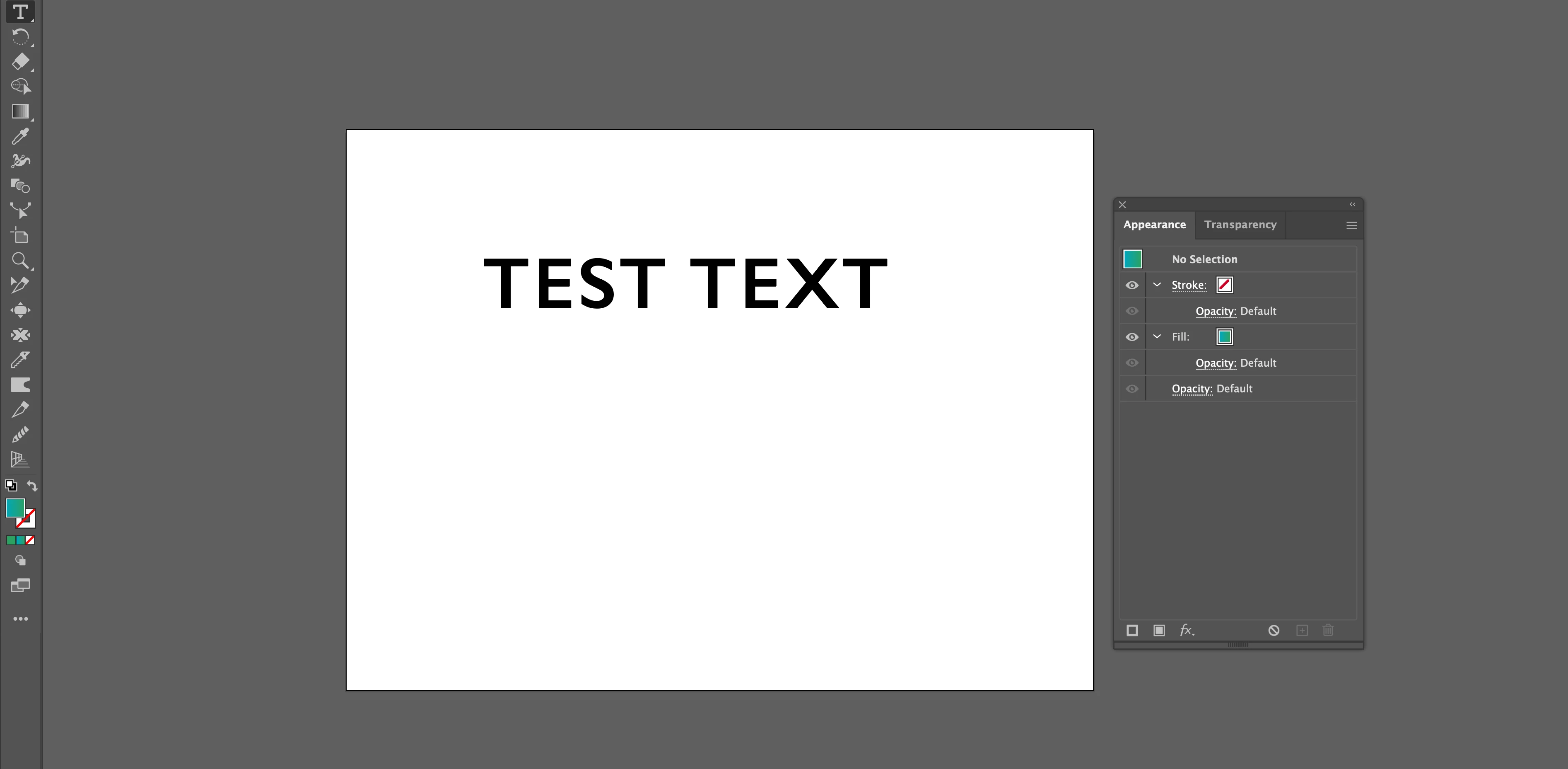
I am having an issue with filling text and sometimes objects with the new update in Illustrator on Mac Catalina 10.15.6 . Normally I will use the eyedropper tool to change the color appearance. I have checked my eyedropper tool and all the settings are checked. As you can see the swatch says the text is filled with a gradient but it is not filling. I have had this problem for the past couple of weeks that objects and text will not want to change colors. I've tried resetting the appearance as well but nothing works. This is becoming a major PIA for me. I have been doing this the same way for years and suddenly it no longer works. 
Correct answer Dan Rodney

It's a little tricky to apply gradients to live text. Here's a video tutorial I made to show that (and more cool tricks). It's old, but still very much applies to the latest versions of Illustrator. https://www.youtube.com/watch?v=8J9FnJDeAVA


Also, be careful of when the Appearance panel says No Selection at the top. It's easily missed because the panel still shows fills, etc. With no selection your work won't be changing anything! I wish Adobe would gray out the panel when nothing is selected.

4 replies

Dan Rodney
Community Expert
Dan RodneyCommunity ExpertCorrect answer
Community Expert
September 5, 2020

It's a little tricky to apply gradients to live text. Here's a video tutorial I made to show that (and more cool tricks). It's old, but still very much applies to the latest versions of Illustrator. https://www.youtube.com/watch?v=8J9FnJDeAVA


Also, be careful of when the Appearance panel says No Selection at the top. It's easily missed because the panel still shows fills, etc. With no selection your work won't be changing anything! I wish Adobe would gray out the panel when nothing is selected.

— Adobe Certified Expert & Instructor at Noble Desktop | Web Developer, Designer, InDesign Scriptor
barbara_a7746676
Community Expert
Community Expert
September 4, 2020

It is not possible to fill text with a gradient directly. It must be done in the Appearance panel. It doesn't matter what the original fill color is. Select the text and in the Appearance panel, choose to add a new fill.

Highlight the topmost fill and choose to fill it with a gradient.

tromboniator
Community Expert
Community Expert
September 4, 2020

Apologies if this sounds condescending, not my intent, but your screenshot shows a gradient fill but nothing selected.  Can we assume that the last-selected item was in fact the type object shown?


Peter

Ton Frederiks
Community Expert
Community Expert
September 4, 2020

What happens if you select your text with the selection tool (arrow) add a new fill in the Appearance panel and change the fill to a gradient ?