Participant
November 23, 2018
Answered

Text type tool not clicking

  • November 23, 2018
  • 2 replies
  • 741 views

I realize this might be an easy fix but it is very frustrating. I have macOS High Sierra (10.13.6.) and the newest Illustrator (23.0.1.)

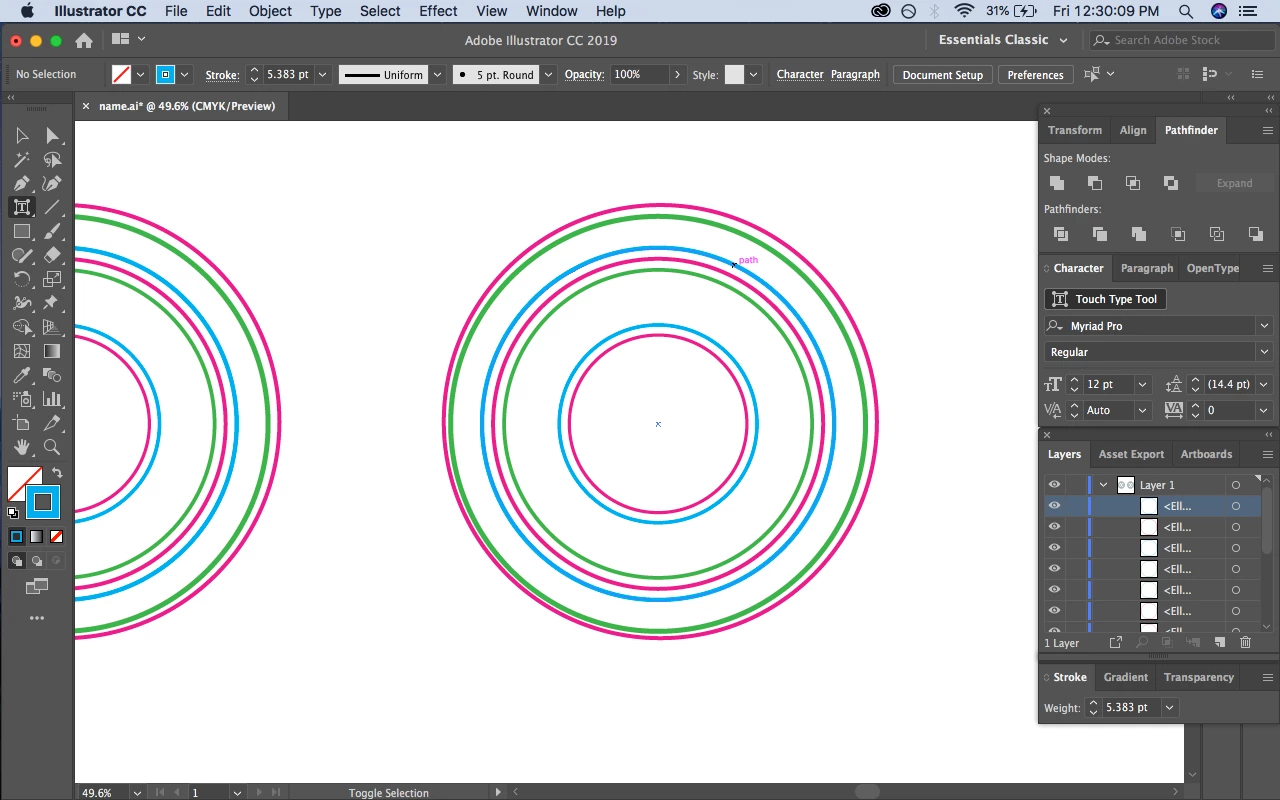
I am trying to click on one of the blue circles with the touch type tool and it just isn't clicking for some reason. Any ideas?
This topic has been closed for replies.
Correct answer pixxxelschubser

What do you want to do?

The Touch Type Tool does not work with normal 'paths' - only with characters in text frames.

Maybe do you want work with the path text tool or the area text tool?

2 replies

Bill Silbert
Community Expert
Community Expert
November 23, 2018

Use the regular selection tool (black arrow) to select the whole path or the direct selection tool (white arrow) to select a single point (or by holding the shift while clicking) multiple points.

pixxxelschubser
Community Expert
pixxxelschubserCommunity ExpertCorrect answer
Community Expert
November 23, 2018

What do you want to do?

The Touch Type Tool does not work with normal 'paths' - only with characters in text frames.

Maybe do you want work with the path text tool or the area text tool?