
samw_camdenboss
Inspiring
December 16, 2016
Question

Text with Different Colour BackGround on a new version of illustrator

  • December 16, 2016
  • 2 replies
  • 509 views

I created an Artwork on an Illustrator CS6 a Few years ago it has no colour in the background with a picture below
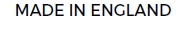
And Now I have opened it up in the new Illustrator software on Microsoft and it is surrounding a pink box over all the text pictured Below:

How do I get rid of the Pink Surrounding of highlighted text.

the colour bar has these colours for text and doesn't make a difference pictured below:

This topic has been closed for replies.

2 replies

CarlosCanto
Community Expert
Community Expert
December 16, 2016

it means you don't have the font used originally. Go to Type->Resolve Missing Fonts... and pick a font you have installed in your system.

John Mensinger
Community Expert
Community Expert
December 16, 2016

This indicates that the text is protected by the Missing Glyph Protection feature (Preferences > Type > Enable Missing Glyph Protection), and actually contains missing glyphs.

samw_camdenboss
Inspiring
December 16, 2016

thank you , I will see if I can download the same font in what I had before so there is recognition of the font!!