Answered
Text with offset path and background
Hi,
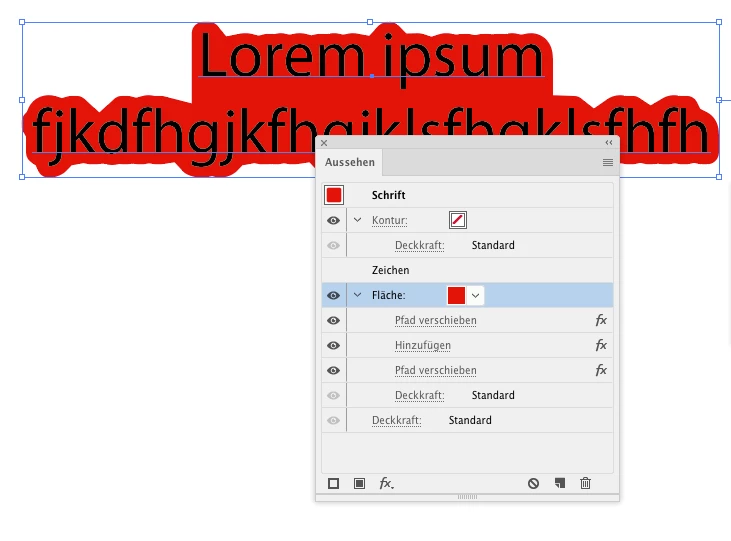
I want to create a offset path outline around text like this but when I do that I get gaps inbetween the text lines. How do I create it so that there is a background behind the text like this image?

Hi,
I want to create a offset path outline around text like this but when I do that I get gaps inbetween the text lines. How do I create it so that there is a background behind the text like this image?
So you apply this as an additional fill in the appearance panel?
Then apply Effect > Path > Offset path with a very high value, so all is filled.
Then apply Effect > Pathfinder > Add
Then apply another instance of Effect > Path > Offset path with negative value.
Already have an account? Login
Enter your E-mail address. We'll send you an e-mail with instructions to reset your password.
 AdChoices