Inspiring
June 13, 2022
Answered

Texte deformation

  • June 13, 2022
  • 1 reply
  • 513 views

Hello there,


I'm a newbie and wanted to do a test of text deformation. I tried different methods but the text is fully distorted and I just liked to rotate it keeping the verticality of each letters. As an example,the image below. What I'm lookin for is to put the text following the shape of green rectangle and then supress that green shape.


If anyone knows feel free to answer. Thanks.


This topic has been closed for replies.
Correct answer barbara_a7746676

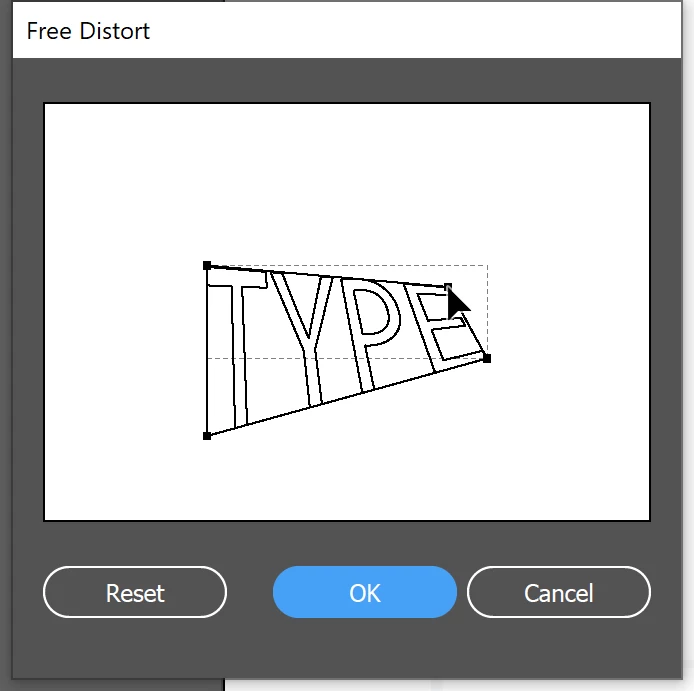
One way would be to select the text with the Selection tool and Choose Effect > Distort & Transform > Distort.

Drag the corner points.

Another way, which will give a little more control would be to select the text witht the Selection tool.

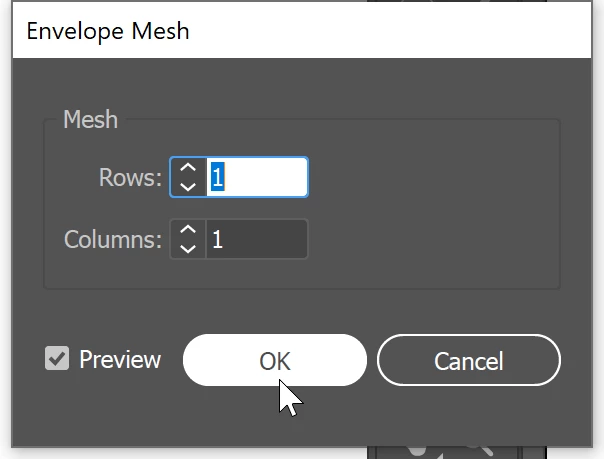
Choose Object > Envelope Distort > Make with Mesh

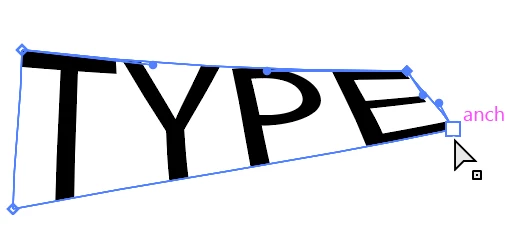
Use the Direct Selection tool to manipulate anchor points and handles.


1 reply

barbara_a7746676
Community Expert
barbara_a7746676Community ExpertCorrect answer
Community Expert
June 13, 2022

One way would be to select the text with the Selection tool and Choose Effect > Distort & Transform > Distort.

Drag the corner points.

Another way, which will give a little more control would be to select the text witht the Selection tool.

Choose Object > Envelope Distort > Make with Mesh

Use the Direct Selection tool to manipulate anchor points and handles.


michelew83603738
Community Expert
Community Expert
June 13, 2022

@barbara_a7746676 you got the ones I was going to suggest.