

lynnnnxd
Participant
April 23, 2026
Question

The account you signed in with does not have access to this file

  • April 23, 2026
  • 3 replies
  • 61 views

I am unable to access to all my files in Illustrator. It keeps saying I am not the owner when I am in fact the creator of those files! I have a lot of important files stored in the cloud but I can’t seem to access any of it. They show up in my files panel and everything but I just can’t open them.. My email is correct as I only have one account and I’m not even sharing my account with anybody. 
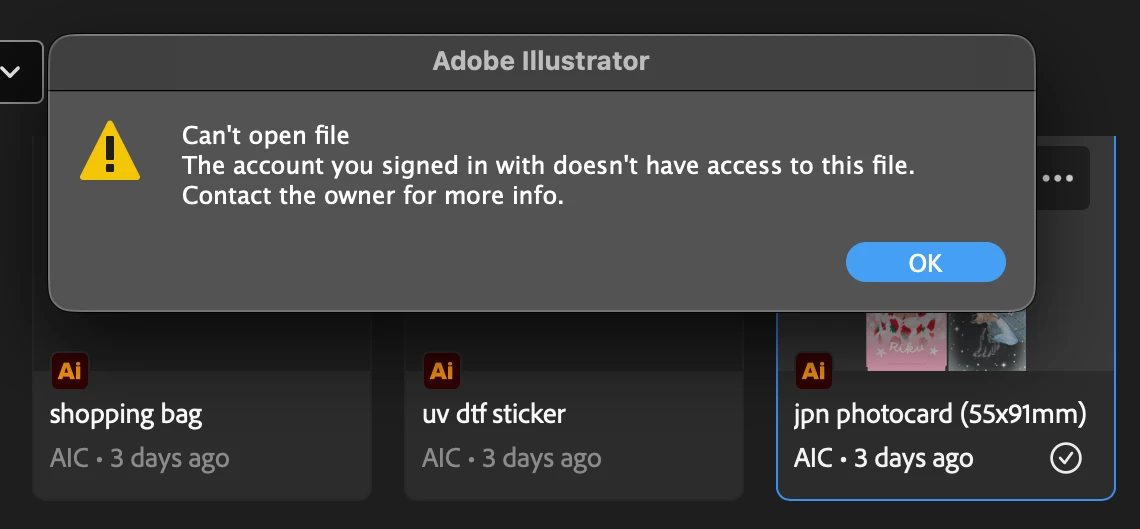
This issue has been happening alot lately so can someone please help me out? I have tried uninstalling / reinstalling, logging in and out, I’ve tried everything and nothing works! Adobe can you please fix this issue?? it’s been affecting my work lately

    3 replies

    Anubhav M
    Community Manager
    Community Manager
    April 28, 2026

    Hello ​@Rosie367 ​@lynnnnxd 


    I'm sorry to hear about your experience. Our product team is currently investigating this issue. Would you mind trying the following steps and letting us know if they help:

    • Go to System Settings > General > Login Items > Enable CC Library.
    • Relaunch Illustrator

    If it's already enabled, remove it from the items, re-enable and then quit and relaunch the Creative Cloud Desktop app and Illustrator to see if it helps.

    If the problem persists, try enabling Full Disk Access for the Creative Cloud Desktop app from system preferences, restart your computer and relaunch to see if it helps.

    If the steps above failed, try the following steps and let us know how it goes:

    • Close all Adobe applications
    • Remove the Creative Cloud Desktop app, Core Sync, CC Library and Illustrator using the Creative Cloud Cleaner Tool (https://helpx.adobe.com/creative-cloud/kb/cc-cleaner-tool-installation-problems.html)
    • Reinstall the Creative Cloud Desktop application (https://helpx.adobe.com/download-install/kb/creative-cloud-desktop-app-download.html)
    • Reinstall and relaunch Illustrator


    Looking forward to hearing from you.
    Anubhav

    Participant
    April 28, 2026

    having the same problem

    glad I could still download the file to computer

    kglad
    Community Expert
    Community Expert
    April 23, 2026

    use a browser. there are several tabs and link to check:


    https://assets.adobe.com

    https://lightroom.adobe.com

    https://documentcloud.adobe.com

    https://spark.adobe.com