


Report a bug

Select a community

Choose the Adobe product you’d like to report a bug for. Bug reporting is only available for these communities.

Luisa María Ospina
Participant
December 8, 2017
Answered

The embedded color profile in this document will be discarded...

  • December 8, 2017
  • 2 replies
  • 13950 views

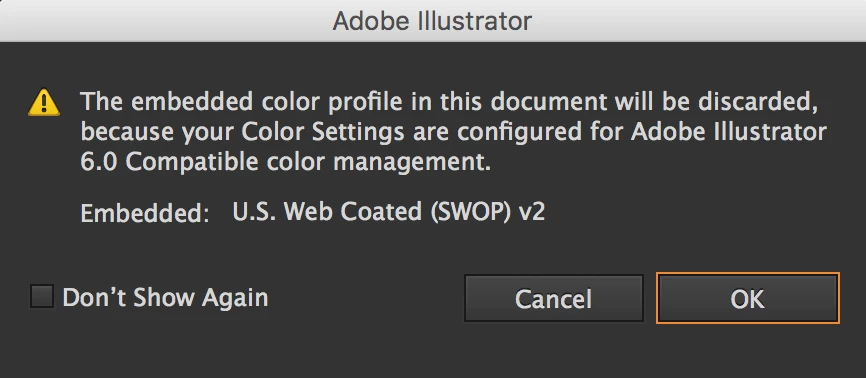
Hey guys, I recently updated my mac's software for macOS High Sierra version (10.13.1) and after that, when I open illustrator documents (created with mac OS X El Capitan) i get this message:

"The embedded color profile in this document will be discarded, because your color settings are configured for adobe illustrator 6.0 compatible color management.

Embedded: U.S. Web Coated (SWOP) v2"

What can I do to fix this? I use Illustrator CC 2014
    Correct answer Monika Gause

    Update to Illustrator CC2018.

    Messed up color management is a known issue of High Sierra.

    2 replies

    Monika Gause
    Community Expert
    Monika GauseCommunity ExpertCorrect answer
    Community Expert
    December 8, 2017

    Update to Illustrator CC2018.

    Messed up color management is a known issue of High Sierra.

    Bill Silbert
    Community Expert
    Community Expert
    December 8, 2017

    With Illustrator open and no document open go to Color Settings (found under the Edit Menu) and pull down the Settings: menu and choose the color setting that is appropriate for your country and for your work flow (in my case "North America General Purpose 2"). Then quit the program and it will become part of your Illustrator preferences. This should stop that warning message from appearing. Make sure this same setting is used for all of your Adobe programs.

    Participant
    March 16, 2025

    Mine was set to that already but the error message still pops up 😞

    Monika Gause
    Community Expert
    Community Expert
    March 16, 2025

    Please post a screenshot of the message you are seeing and of your color management settings.
