


Participant
Jan 20, 2024 3:33 AM UTC
Question

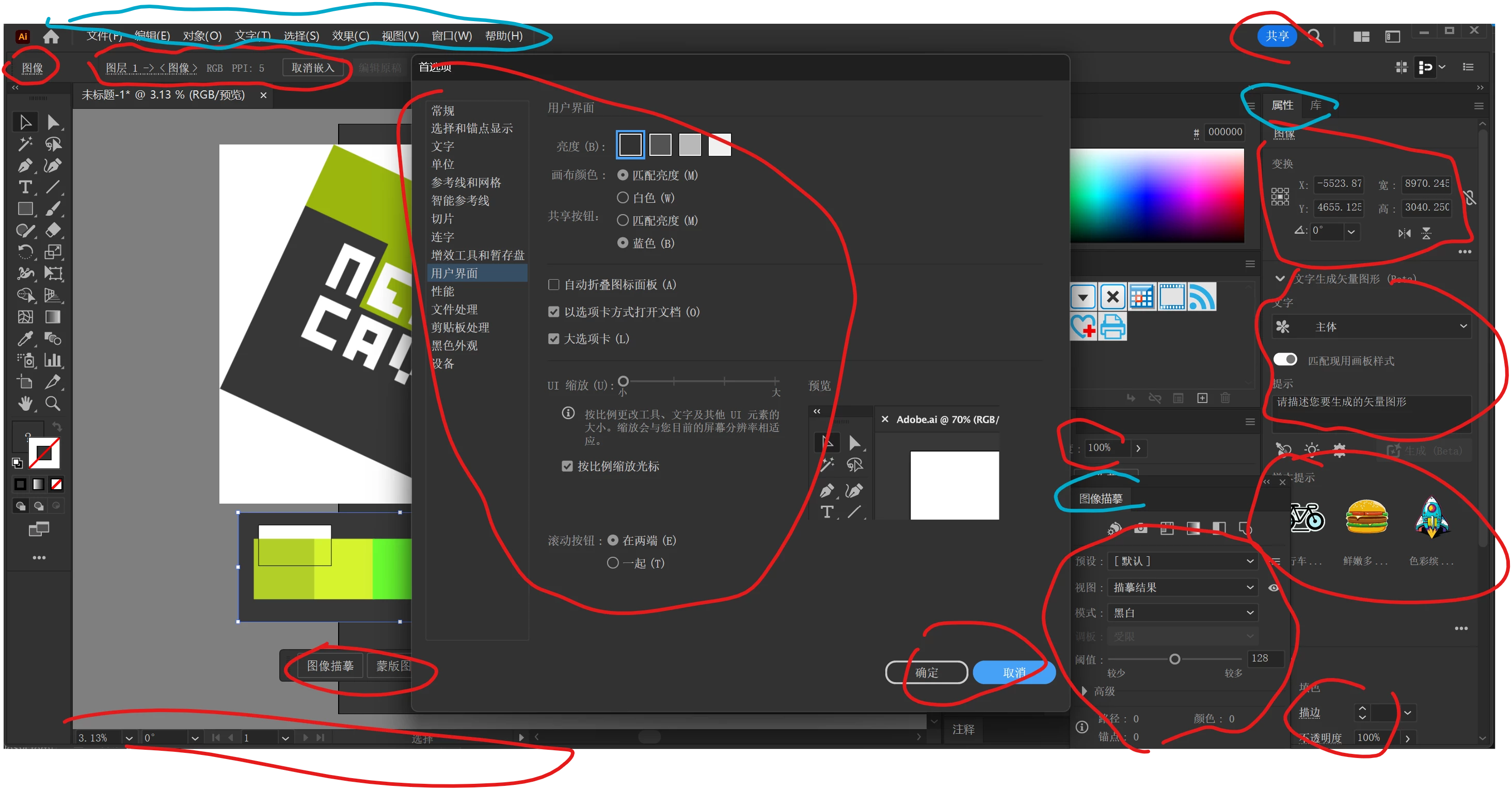
The interface UI font fails to follow the Windows system settings. A lot of serif fonts are used in

The interface UI font fails to follow the Windows system settings. A lot of serif fonts are used in Chinese, making it very difficult to distinguish.

The red part does not follow the operating system font, and the blue part correctly follows the operating system font. In Chinese Windows, the default font of the operating system is "Microsoft Yahei"
This topic is closed to new replies. Start a new post to keep the conversation going.

5 replies

Anubhav M
Community Manager
Community Manager
Jan 21, 2024 6:25 PM UTC

Hello @Sh2620076602kh,

Thanks for reaching out. Would you mind sharing some more details, like the exact version of the OS/Illustrator, current Windows Language Settings used, and if changing the Windows settings still causes issues in Illustrator, so we can investigate this further?

Looking forward to hearing from you.


Thanks,

Anubhav

Translate
Participant
Jun 23, 2024 2:35 AM UTC

OS Version: Windows 11 24H2 (Build 26120.961)
Illustrator Version: 28.5

Windows Language Settings: Simplified Chinese

Translate
Anshul_Saini
Community Manager
Community Manager
Jul 2, 2024 1:18 PM UTC
 

@Sh2620076602kh, thanks for sharing the details. The top menu follows OS settings and hence uses the OS fonts. However, the red area is programmatically drawn, so the fonts there do not follow the OS settings. I hope this clarifies!


Best regards,

Anshul Saini

Translate