


Participating Frequently
February 19, 2026
Question

The Layers panel displays thumbnails incorrectly (30.2.1)

  • February 19, 2026
  • 2 replies
  • 0 views

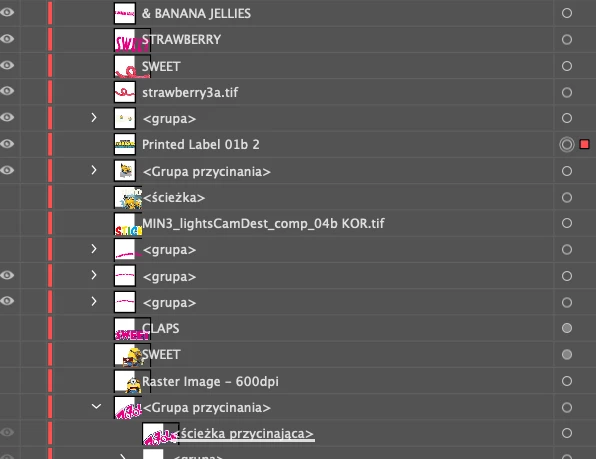
The Layers panel displays thumbnails incorrectly. There are two main issues:

1. The selected layer in the panel doesn't match the selected element in the document. To fix this, you need to change the pane properties (size) each time.

2. The thumbnails look like the attached preview.
 

    2 replies

    HARSHIKA_VERMA
    Community Manager
    Community Manager
    February 19, 2026

    Hi Kris_K,

    Thank you for reaching out, and sorry to hear that thumbnails are not displaying properly in the layers panel. In addition to what our expert has asked,  could you share the file via a private message with us for investigation? Please share the details of your operating system. 


    Please also let us know whether the issue is occurring with all files or with a specific file. 


    We will try our best to investigate and share with the product team.


    Thanks,

    Harshika

    Monika Gause
    Community Expert
    Community Expert
    February 19, 2026

    Did you already try and reboot the computer?

    Kris_KAuthor
    Participating Frequently
    February 19, 2026

    Of course. This issue appeared in the previous AI update. Thought they would have fixed it with the latest one, but not…