


Participant
January 15, 2021
Question

the name on the dataset is different from the name of the export file ("VariableImporter.jsx" Ai)

  • January 15, 2021
  • 1 reply
  • 1229 views

I have a problem when exporting the dataset, which data has been imported using https://github.com/Silly-V/Adobe-Illustrator/blob/master/Variable%20Importer/VariableImporter.jsx


My process using the script is:

1. Run the script

2. Export CSV

3. Set the dataset name

4. Import Variables

5. Export as PNG


Even though the csv file was successfully imported, then the name of the dataset was in accordance with the settings when the script was run, 
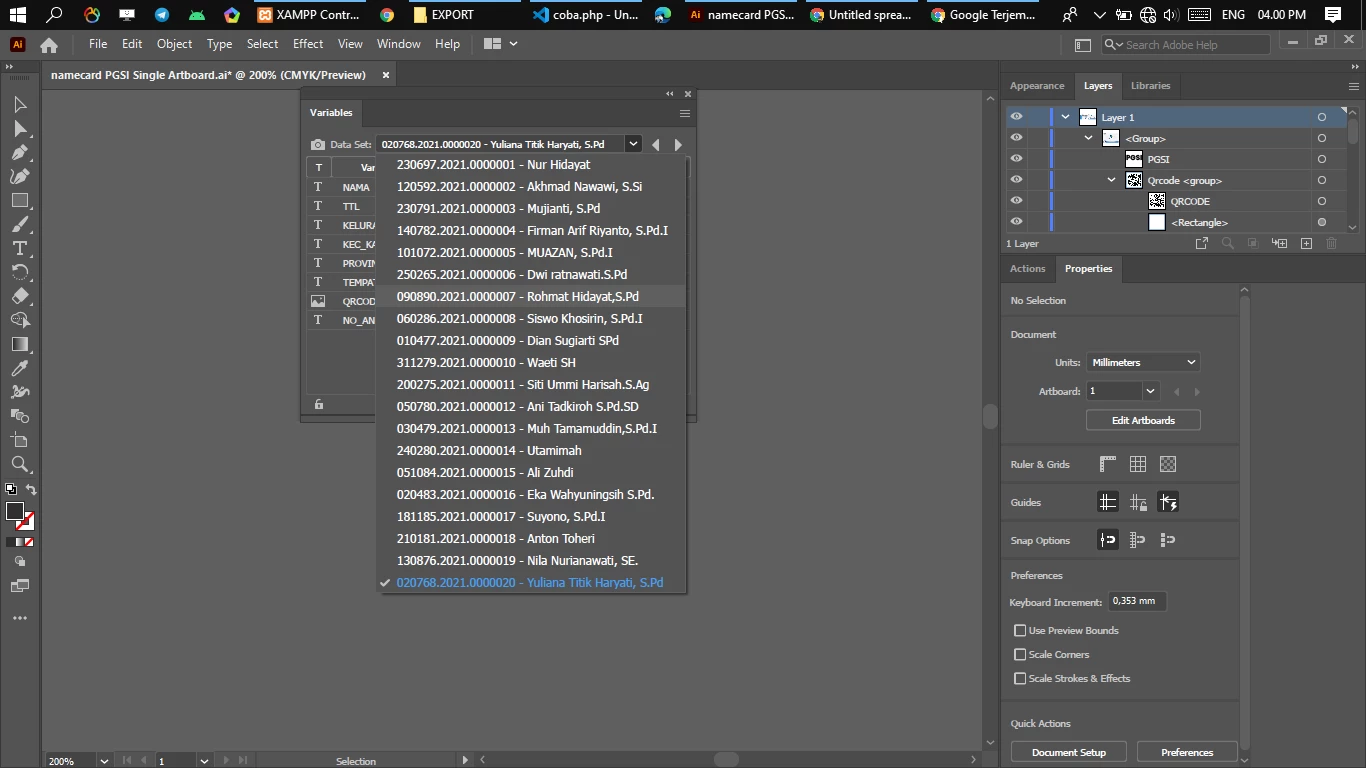
 

But the export results did not match the name of the dataset (Export as PNG), as in the image below
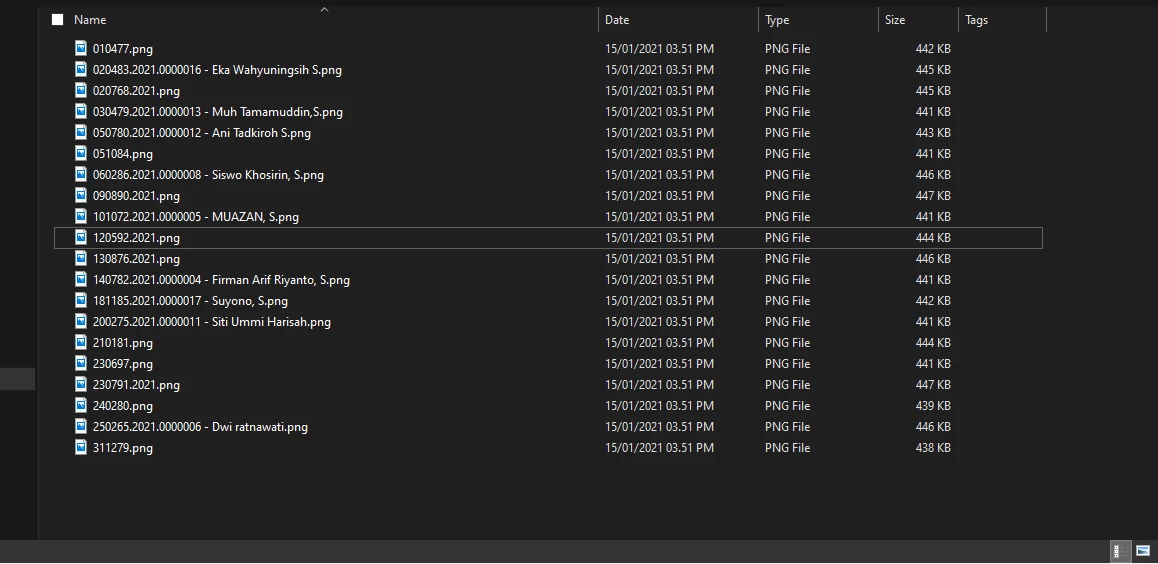
 

what should I do so that the file name matches the name on the dataset, the problem might be because there is a dot in the dataset name, how do I solve it?

Please help me 🙂

This topic has been closed for replies.

1 reply

Silly-V
Legend
January 15, 2021

Looks like an interesting issue which may be related to dots in the file names.

You could try to work around this by using other symbols such as underscore for dots in the dataset names, exporting the files and then using a batch-renaming utility such as Batch Rename in Adobe Bridge to convert the underscores back into dots.

Participant
January 16, 2021

How to implement batch-renaming in adobe illustrator in VariableImported script?

can you give me a hint ?


sorry I am still a beginner using Adobe Illustrator

Silly-V
Legend
January 16, 2021

The VariableImporter script does not do batch-renaming, but using Adobe Bridge you can just go to its menu bar, then Tools  and under there will be the "Batch Rename" option. It's a few extra steps, but I suppose if this sort of file convention is producing some unreliable results from Illustrator's native processes (when it turns the dataset name to a file name) then it is the next-best thing.