
Participant
February 11, 2025
Question

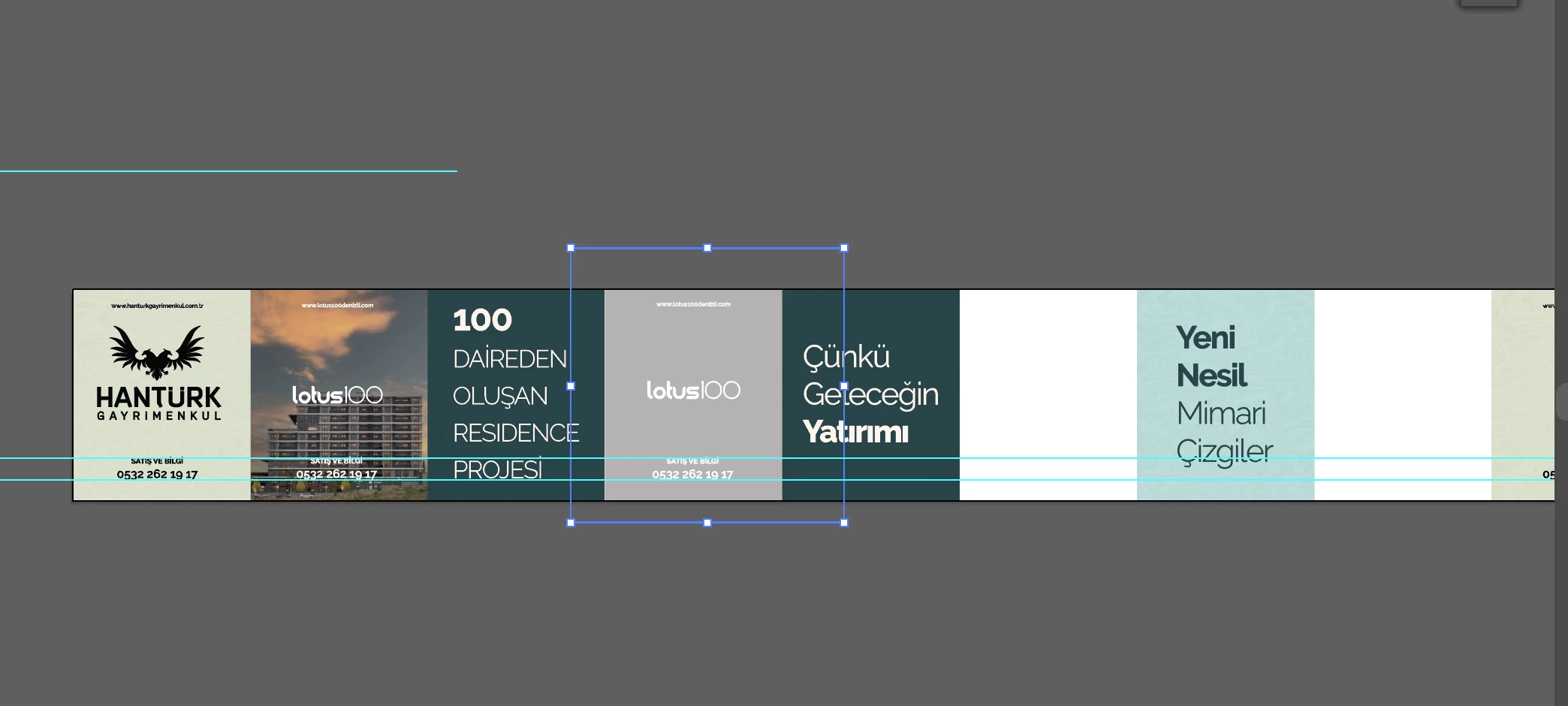
The photos I put while making my design disappear by themselves.

  • February 11, 2025
  • 1 reply
  • 241 views

This problem has been present for the last 2 weeks. The photos I put in my designs disappear automatically even if I zoom in. I constantly have to relink. But this problem prevents me from printing anymore.
1 reply

Anubhav M
Community Manager
Community Manager
February 11, 2025

Hello @Burak31090312ikhw,

Would you mind sharing more details, like the version of the OS/Illustrator, if Illustrator behaves this way with all files, and if the files are located on the internal/external/network drive or a cloud-synced folder so I can better assist you?

Looking forward to hearing from you.


Anubhav

Participant
February 11, 2025

Hello, this has happened to all the files I have worked on recently. Generally, my files are on the computer's internal SSD or external SSD.

Version: Illustrator 2025 (I also installed and tried the beta, but I had the same problem with it)

My Operating System: Macbook Pro M2

Anubhav M
Community Manager
Community Manager
February 12, 2025

Hello @Burak31090312ikhw,

Thanks for confirming. Would you mind checking if Full Disk access is enabled for Illustrator (https://adobe.ly/4gGyMc5) to see if it helps? Also, ensure iCloud Drive or any other file-backup or file-sharing service/application is not actively managing the files in use, and share your observations.

Looking forward to hearing from you.


Anubhav