Participant
October 22, 2021
Answered

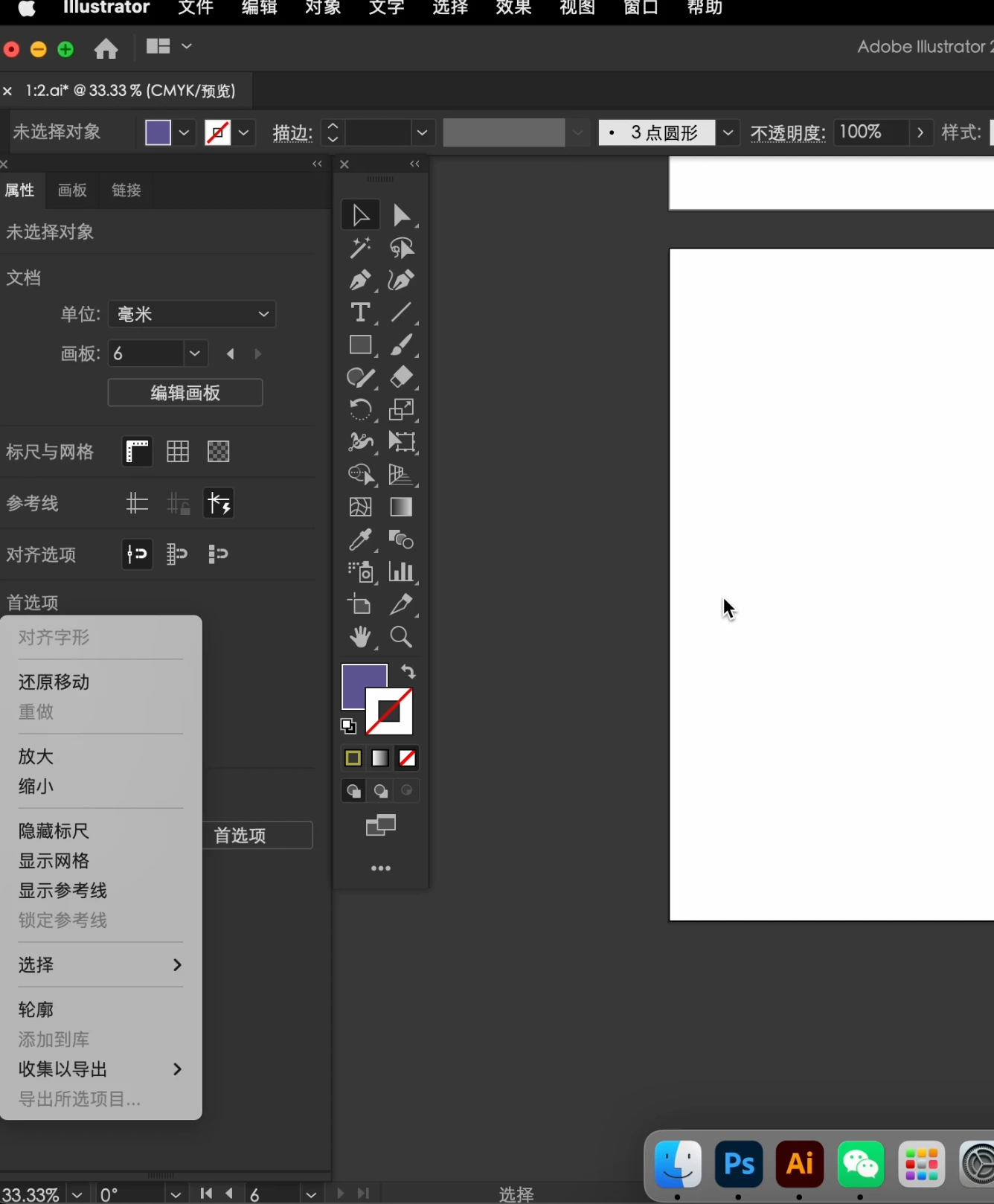
The right-click option is not near the pointer
  • October 22, 2021
  • 2 replies
  • 503 views

Right click in the workspace
The pop-up options are only displayed in the lower left corner of the screen
Do not pop up near the pointer

在工作区内使用右键
弹出的选项只在屏幕左下角显示
不在指针附近弹出

This topic has been closed for replies.
Correct answer Ashutosh_Mishra

Hi there,


Sorry to hear about your experience. Please update your app to the Adobe Illustrator 2022(v26.0) and let us know if it helps resolve this issue.


Regards,

Ashutosh

2 replies

Ashutosh_Mishra
Ashutosh_MishraCorrect answer
Inspiring
October 26, 2021

Hi there,


Sorry to hear about your experience. Please update your app to the Adobe Illustrator 2022(v26.0) and let us know if it helps resolve this issue.


Regards,

Ashutosh

Participant
October 29, 2021

Already solved Thank you V(^_^)V

sishamIAGD
Community Expert
Community Expert
October 26, 2021

Have you tried resetting preferences?

https://helpx.adobe.com/illustrator/user-guide.html/illustrator/using/setting-preferences.ug.html

And if that fails it may be a case of uninstalling and reinstalling but also use the cleaner tool in this process:

Uninstall or remove Adobe Creative Cloud apps

Use the Creative Cloud Cleaner tool to solve installation problems

Participant
October 29, 2021

It has been reset, uninstalled and cleaned, and even I reinstalled the system.
But a few days after I posted this question, the illustration has a new update,
It will be fine after the update
Thank you