
Participant
January 25, 2020
Answered

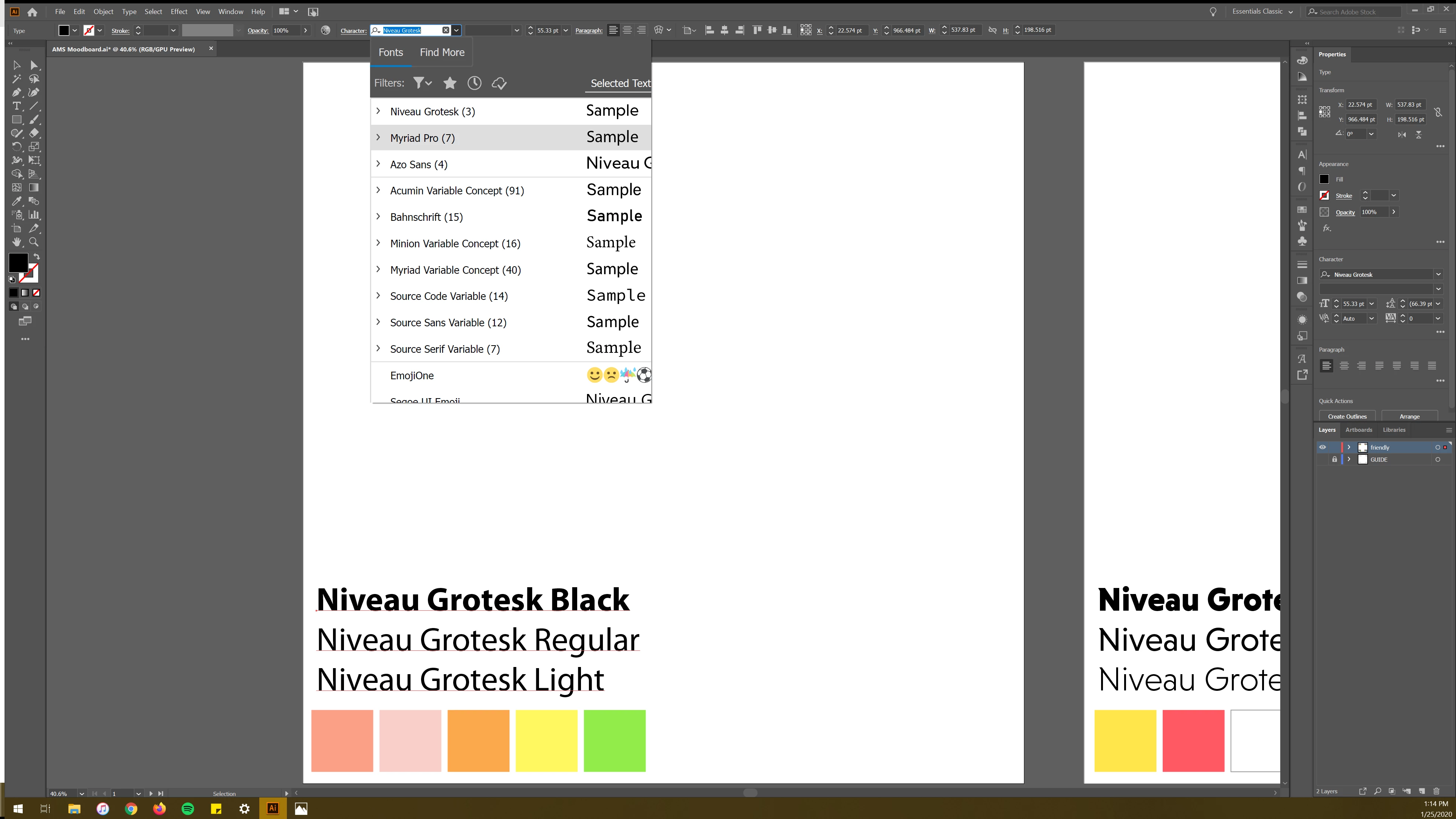
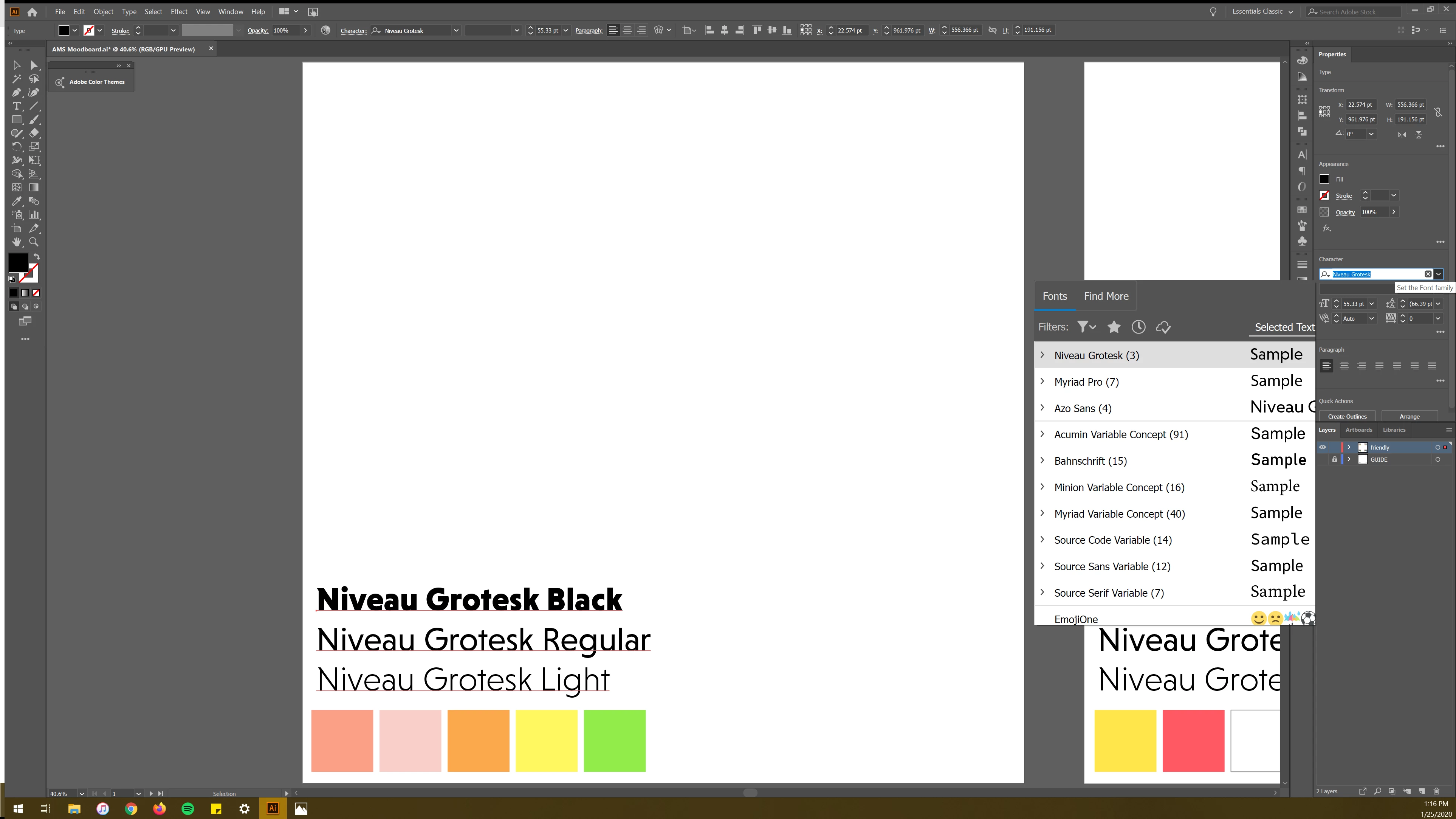
The UI on the character select dropdown is oversized and cuts off

  • January 25, 2020
  • 4 replies
  • 1707 views

Has anyone else had this issue? As you can see in the images attached, the dropdown menu for character select is oversized and cuts off. There is no scrolling on it either. I've already tried all the settings on the User Interface Panel. I have also set the scaling to 100% on my PC, and it did not fix the issue either. 


Does anyone have any other ideas as to what to do?
 

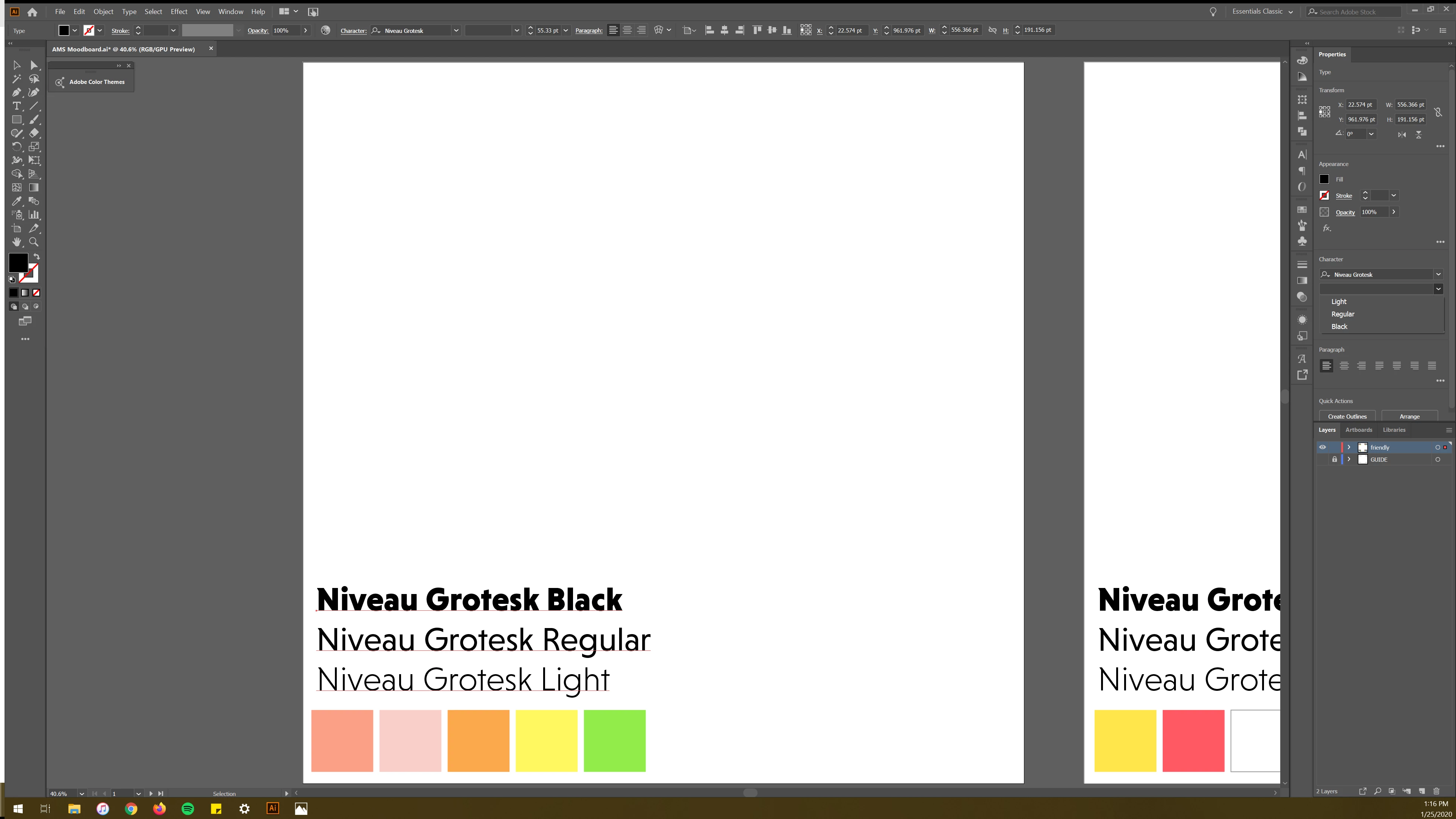
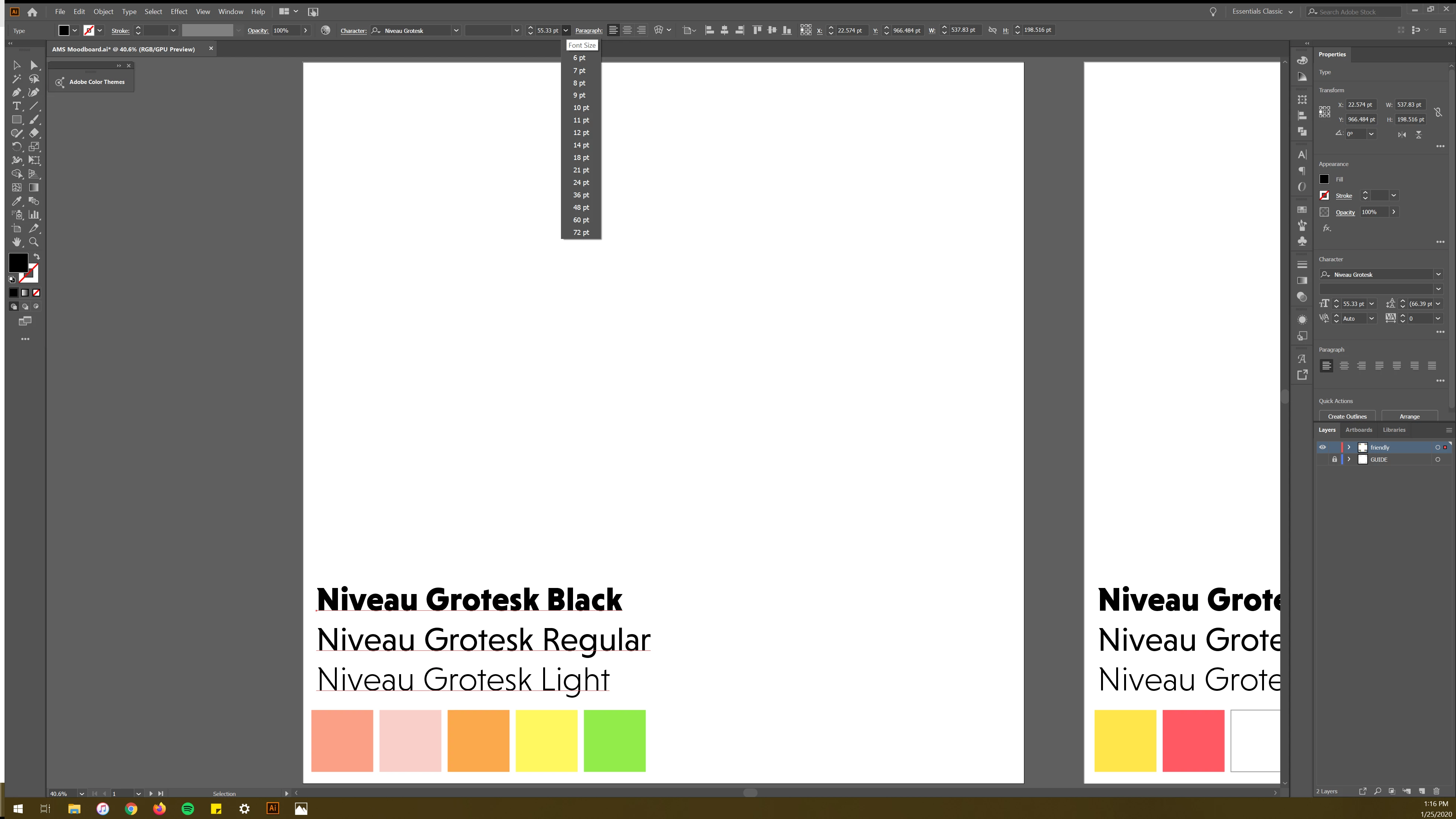
The other drop-down menus:

(below character select on the right panel)
(Font size menu on top)
This topic has been closed for replies.
Correct answer Ashutosh_Mishra

Hi there,


Thanks for reaching out. I see the cropped drop down menu. I'd recommend resetting the preferences once.

You may follow the steps provided on https://helpx.adobe.com/illustrator/using/setting-preferences.html#setting_illustrator_preferences)

**Please note that resetting preferences will remove all the custom settings and Illustrator will launch with default settings. You can also take a backup of the folders in case you want to. Location is mentioned in the article.

Also, Make sure you have Windows 10 and Graphics Card driver updated to the latest version. Let us know how it goes.


Regards,

Ashutosh

4 replies

Participant
April 27, 2022

I am having the same issue, and I have already reset my preferences...

Participant
January 28, 2020

Spot on, thank you. I tried the shortcut and did not fix the problem, so I when to the Roamin file and deleted my Illustrator & Photoshop Settings. I did lose all my settings, but it's worth the hassle of having to customize my settings again.


What it looks like after the reset:

Participant
May 4, 2020

Which files and/or directories did you delete, specifically?

Ashutosh_Mishra
Ashutosh_MishraCorrect answer
Inspiring
January 27, 2020

Hi there,


Thanks for reaching out. I see the cropped drop down menu. I'd recommend resetting the preferences once.

You may follow the steps provided on https://helpx.adobe.com/illustrator/using/setting-preferences.html#setting_illustrator_preferences)

**Please note that resetting preferences will remove all the custom settings and Illustrator will launch with default settings. You can also take a backup of the folders in case you want to. Location is mentioned in the article.

Also, Make sure you have Windows 10 and Graphics Card driver updated to the latest version. Let us know how it goes.


Regards,

Ashutosh

Kurt Gold
Community Expert
Community Expert
January 25, 2020

Yes, the preview of custom selected text is just a snippet that is cut off if it exceeds a certain length.


As for now, you cannot do anything to cure it.