Participant
August 13, 2022
Question

There is one extra object in Scatter Brush array

  • August 13, 2022
  • 3 replies
  • 524 views

Hi

I created a scatter brush and I want to array a black circle along a oval but there is an extra object and how can i divide in equal dimmensions? I want all objects with same distance.
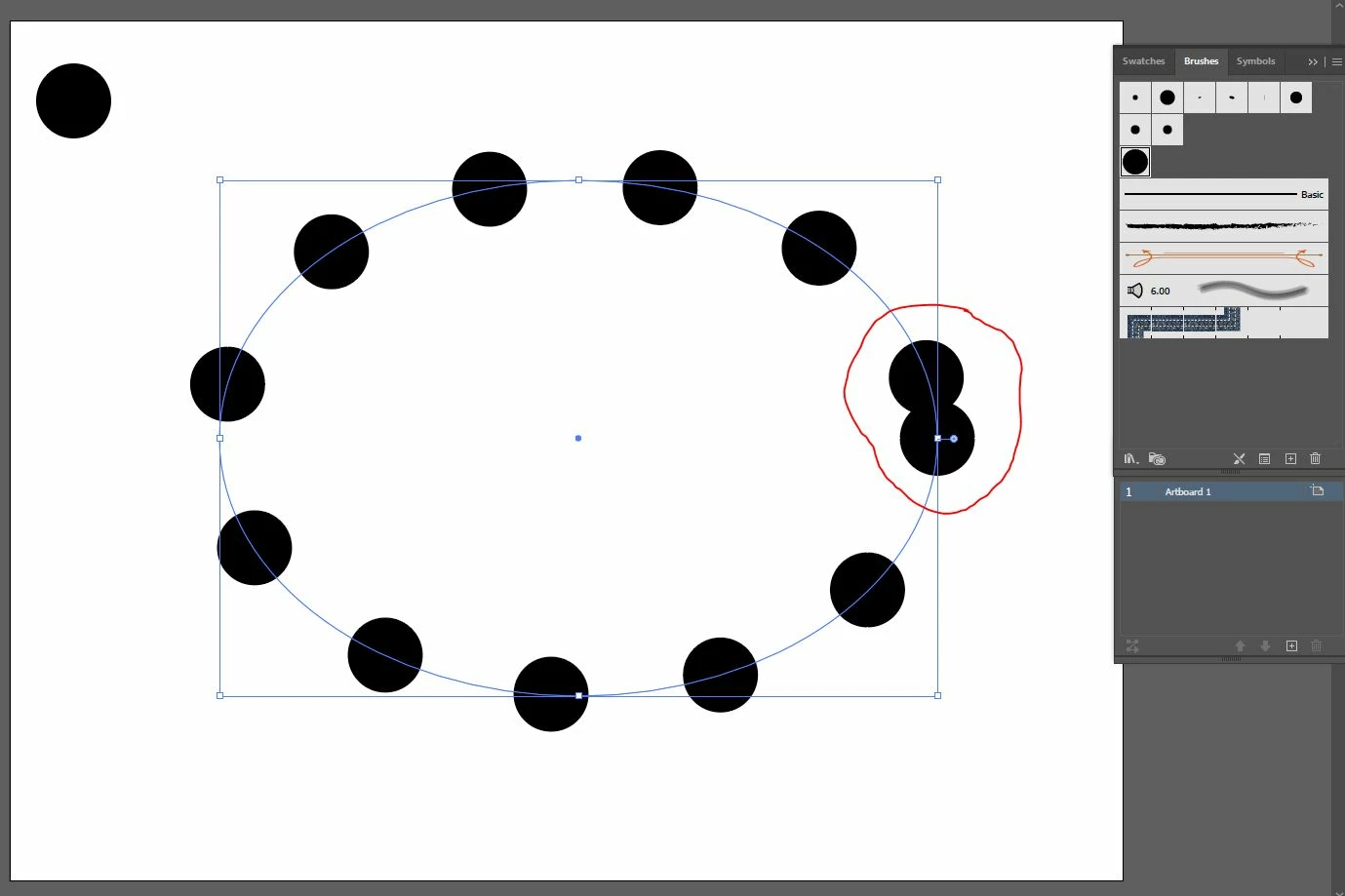
 

I am waiting for your answer

Thank you

This topic has been closed for replies.

3 replies

tube0101Author
Participant
August 30, 2022

I am still waiting ...

Monika Gause
Community Expert
Community Expert
August 30, 2022

See the answer by Grant.

One other option: make a copy of that object and then blend around an ellipse path (needs to be cut so that it's open)

Monika Gause
Community Expert
Community Expert
August 13, 2022

Is the circle an example or do you really want to have circles around an oval?

If the end goal is circles, then I would suggest you do it with dashes. Set the stroke width to 0 and the stroke ends to round and then set a gap setting that is larger than the stroke width. And then set the dashes to be adjusted along the path automatically.


Illustrator won't adjust scatter brushes automatically.

tube0101Author
Participant
August 21, 2022
Circle is an example.
I wanted to array one object along curve
Grant H
Community Expert
Community Expert
August 13, 2022

Hello, have you adjusted your spacing:


Grant H
Community Expert
Community Expert
August 13, 2022

odd number for eg as per your eg:

you will need to set it as per each ellipse different size and/or shape

tube0101Author
Participant
August 21, 2022
How?