
Question
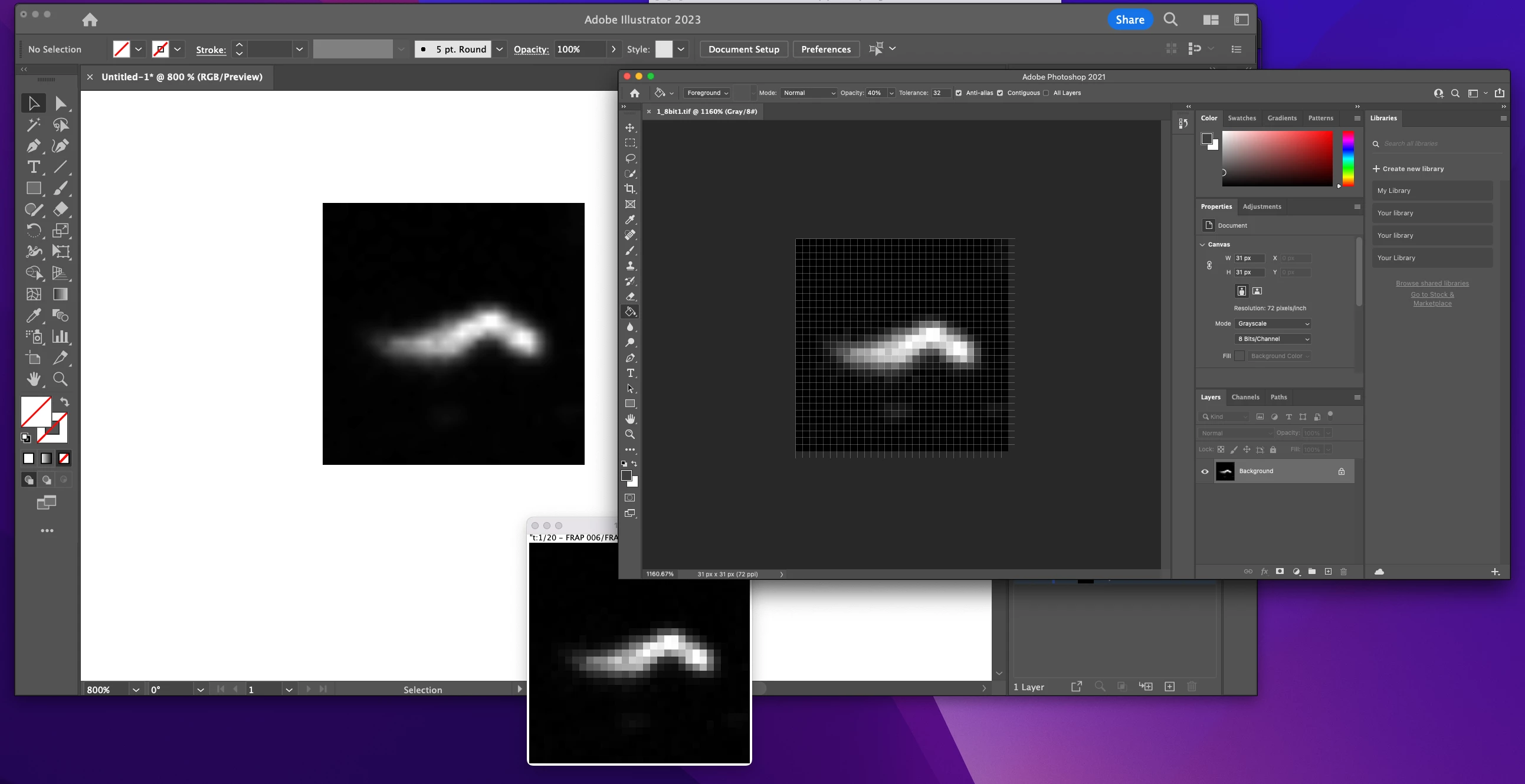
TIF images are displayed not correctly when placed in illustrator 2023
Hi community,
recently I have a wired problem when placing .tif files in Illustrator. On the left top you can see the placed image in illustrator. The individual pixels are not displayed correct the outlining is brighter than the inside. Looks like some filter is on top of the image. As comparison the image opended with photoshop (right top) or another program (imageJ middle bottom image). Any idea what creates this difference?


 AdChoices