davidk52137825
Participating Frequently
March 15, 2017
Answered

Tilt object inwards.

  • March 15, 2017
  • 4 replies
  • 1580 views

Hi,

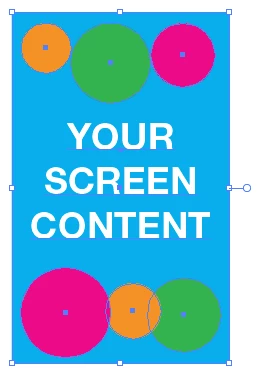
I cant seem to figure out how I can tilt a object inwards? Like in this picture. I want my iphone screen to fit in the iphone but I cant tilt it that way.


    This topic has been closed for replies.
    Correct answer John Mensinger

    If I understand the question well enough, it's a simple matter of Free Transform...
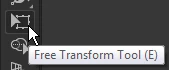
    Choose the Free Transform tool:
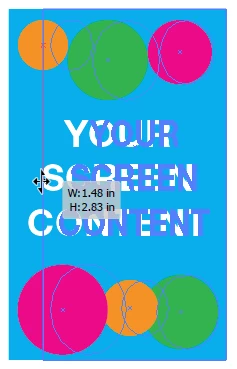
    Grab a side handle and reduce horizontally:
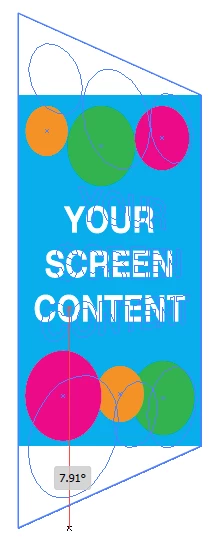
    Then, grab a corner handle and click/hold+Ctrl+Alt+Shift+Drag to apply perspective
    4 replies

    davidk52137825
    Participating Frequently
    March 16, 2017

    Thanks a lot for the help, it worked great!

    Jacob Bugge
    Community Expert
    Community Expert
    March 15, 2017

    David,

    Regardless of version you may consider the Free Transform Tool on the Group of objects including one (maybe nofill/nostroke) bounding rectangle to fit the screen boundaries, Ctrl/CmdClickDragging first the upper then the lower right corner Anchor Point (start ClickDragging just before pressing Ctrl/Cmd).

    Or, depending on version, the Perspective Grid.

    John Mensinger
    Community Expert
    John MensingerCommunity ExpertCorrect answer
    Community Expert
    March 15, 2017

    If I understand the question well enough, it's a simple matter of Free Transform...

    Choose the Free Transform tool:

    Grab a side handle and reduce horizontally:

    Then, grab a corner handle and click/hold+Ctrl+Alt+Shift+Drag to apply perspective

    Kurt Gold
    Community Expert
    Community Expert
    March 15, 2017

    What kind of objects does your screen simulation contain? Is it just that gradient filled path and the URL? Or something different?

    Which version of Illustrator are you using?

    davidk52137825
    Participating Frequently
    March 15, 2017

    I am using version 2015.3.0.

    No it is a screen like the one inside the iphone and the screen is full of objects. It is like an ui design of an app.

    Kurt Gold
    Community Expert
    Community Expert
    March 15, 2017

    Understood, but by asking "what kind of objects" I actually meant some technical aspects.

    For example, does it contain only plain filled or stroked paths? Or are there other object types such as raster objects, live text, gradients (what kind of gradient?), gradient meshes, linked files etc.?

    The easiest way to look for a possible solution would be to provide a sample .ai file. Can you do that?