Salma Youness
Participant
May 31, 2022
Answered

Tips

  • May 31, 2022
  • 3 replies
  • 402 views

I just wanted to know the tips of making the hair and colours inside 

This topic has been closed for replies.
Correct answer kphotopage

Salma, Hi.


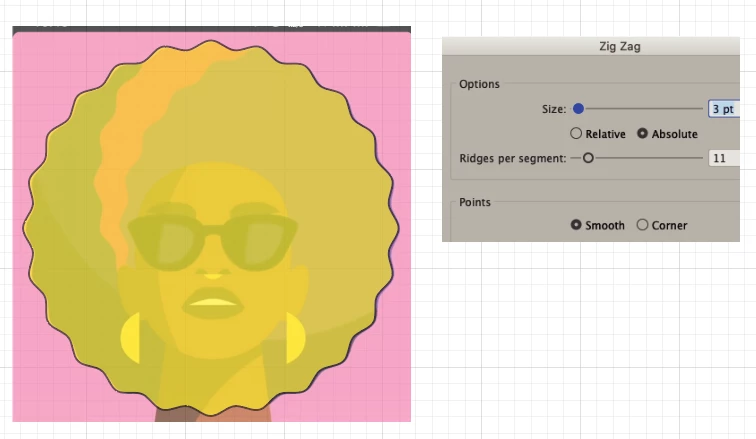
As Jacob mentioned, to create those wavy paths, I would use Effects>Distort>Zig Zag.

To “color inside”, I used Live Paint.


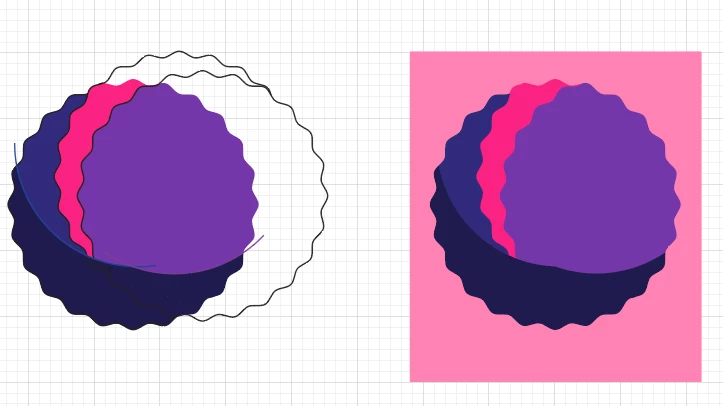
Here I applied Zig Zag to a circle.

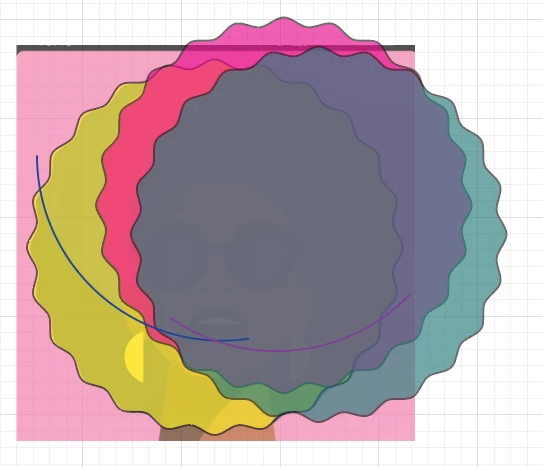
Next, duplicate those circles.

Object>Expand Appearance.

Next, Live Paint.

Expand Live Paint.

Delete Strokes, Pathfinders panel, select same colors, Unite.


K
3 replies

kphotopage
kphotopageCorrect answer
Legend
June 3, 2022

Salma, Hi.


As Jacob mentioned, to create those wavy paths, I would use Effects>Distort>Zig Zag.

To “color inside”, I used Live Paint.


Here I applied Zig Zag to a circle.

Next, duplicate those circles.

Object>Expand Appearance.

Next, Live Paint.

Expand Live Paint.

Delete Strokes, Pathfinders panel, select same colors, Unite.


K
Dave Creamer of IDEAS
Community Expert
Community Expert
May 31, 2022

I would create a star with the appropriate number of points, round the points with the direct selection tool.

Create your other shapes and use the original as a clipping mask.

Note: I did not try to dupe the hair shapes exactly.


David Creamer: Community Expert (ACI and ACE 1995-2023)
Jacob Bugge
Community Expert
Community Expert
May 31, 2022

Salma,


As I (mis)understand it, you can create the wavy boundaries with the Zig Zag Effect with Smooth Points (Effect dropdown, you can get different sizes/shapes), and apply normal fills.