



Question
Tons of "Debug Assert failed!" errors when opening Illustrator Beta (v29.4).
I decided to give the Illustrator 2025 Beta a spin, and unfortunately I'm getting several error messages on startup. They all start with "Debug Assert failed!".
Here is an example bug:
{
	expression: "false && "Could not find tool's Tile Id""
	hash: "63ae60da-2ef9-ad66-993a-765b00000061"
	sourceFile: "D:\J\ws\ilst_main@2\shared\META\dist\git\adobe\DVA\dva\shared\adobe\dvaui\controls\src\UI_DetailedToolBox.cpp"
	sourceFunction: "dvaui::controls::UI_DetailedToolBoxT<short>::GetToolInfoFromToolItemValue"
	sourceLine: "273"
	threadID: "35796"
	threadName: "main"
	timestamp: "2025-02-27T20:42:16.0Z"
}

-------------- StackTrace --------------
main ( @ 0) (AIToolBoxUI.aip+0x000000000004F86F)
main ( @ 0) (AIToolBoxUI.aip+0x00000000000352BF)
main ( @ 0) (AIToolBoxUI.aip+0x0000000000031168)
main ( @ 0) (AIToolBoxUI.aip+0x000000000003383A)
main ( @ 0) (AIToolBoxUI.aip+0x0000000000048D63)
main ( @ 0) (AIToolBoxUI.aip+0x00000000000674F1)
main ( @ 0) (AIToolBoxUI.aip+0x0000000000045DA7)
main ( @ 0) (AIToolBoxUI.aip+0x000000000006633D)
gudeVersion ( @ 0) (Illustrator.exe+0x0000000001976699)
gudeVersion ( @ 0) (Illustrator.exe+0x0000000001974185)
gudeVersion ( @ 0) (Illustrator.exe+0x00000000019719C5)
gudeVersion ( @ 0) (Illustrator.exe+0x0000000000AFEC56)
gudeVersion ( @ 0) (Illustrator.exe+0x0000000000C4E95E)
dvaui::controls::UI_DetailedToolBoxT<short>::GetToolInfoFromToolItemValue ( @ 0) (Illustrator.exe+0x0000000000C4F834)
dvaui::controls::UI_DetailedToolBoxT<short>::GetToolInfoFromToolItemValue ( @ 0) (Illustrator.exe+0x0000000000A91E64)
dvaui::controls::UI_DetailedToolBoxT<short>::GetToolInfoFromToolItemValue ( @ 0) (Illustrator.exe+0x0000000000A94DA6)
dvaui::controls::UI_DetailedToolBoxT<short>::GetToolInfoFromToolItemValue ( @ 0) (Illustrator.exe+0x0000000000A954CA)
dvaui::controls::UI_DetailedToolBoxT<short>::GetToolInfoFromToolItemValue ( @ 0) (Illustrator.exe+0x00000000004A8B74)
dvaui::controls::UI_DetailedToolBoxT<short>::GetToolInfoFromToolItemValue ( @ 0) (Illustrator.exe+0x000000000047CDB3)
dvaui::controls::UI_DetailedToolBoxT<short>::GetToolInfoFromToolItemValue ( @ 0) (Illustrator.exe+0x000000000047CD0B)
dvaui::controls::UI_DetailedToolBoxT<short>::GetToolInfoFromToolItemValue ( @ 0) (Illustrator.exe+0x000000000047CC63)
dvaui::controls::UI_DetailedToolBoxT<short>::GetToolInfoFromToolItemValue ( @ 0) (Illustrator.exe+0x00000000004A8B37)
dvaui::controls::UI_DetailedToolBoxT<short>::GetToolInfoFromToolItemValue ( @ 0) (Illustrator.exe+0x00000000006F0A37)
dvaui::controls::UI_DetailedToolBoxT<short>::GetToolInfoFromToolItemValue ( @ 0) (Illustrator.exe+0x00000000006A4351)
dvaui::controls::UI_DetailedToolBoxT<short>::GetToolInfoFromToolItemValue ( @ 0) (Illustrator.exe+0x0000000000901EC9)
gudeVersion ( @ 0) (Illustrator.exe+0x0000000001DF5436)
BaseThreadInitThunk ( @ 0) (KERNEL32.DLL+0x0000000000017374)
RtlUserThreadStart ( @ 0) (ntdll.dll+0x000000000004CC91)
Screenshot:
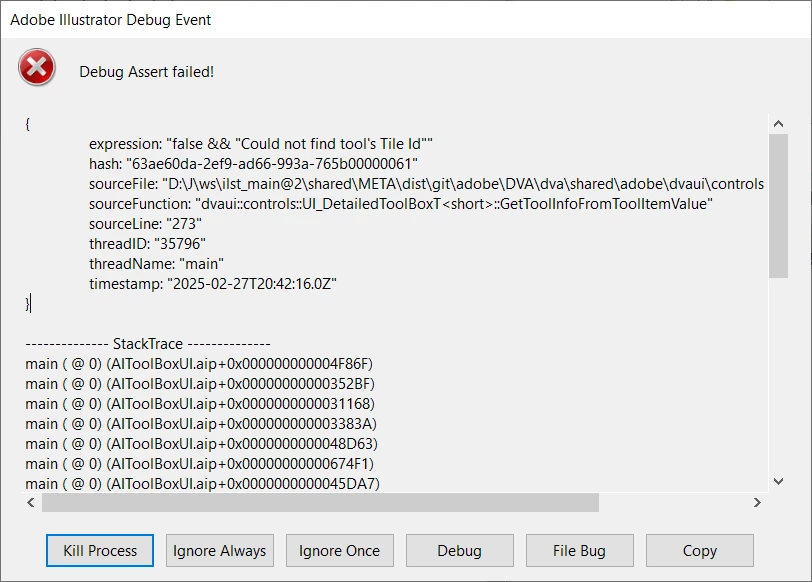
The only way I can get IL to start is by clicking "Ignore Always".
The application seems to run fine despite these errors, but I figured it might be a good idea to post here to let any devs that are reading this forum that this is happening.
Anyone getting any similar bugs? Maybe I should clear my preferences.
 AdChoices