Participating Frequently
January 4, 2023
Question

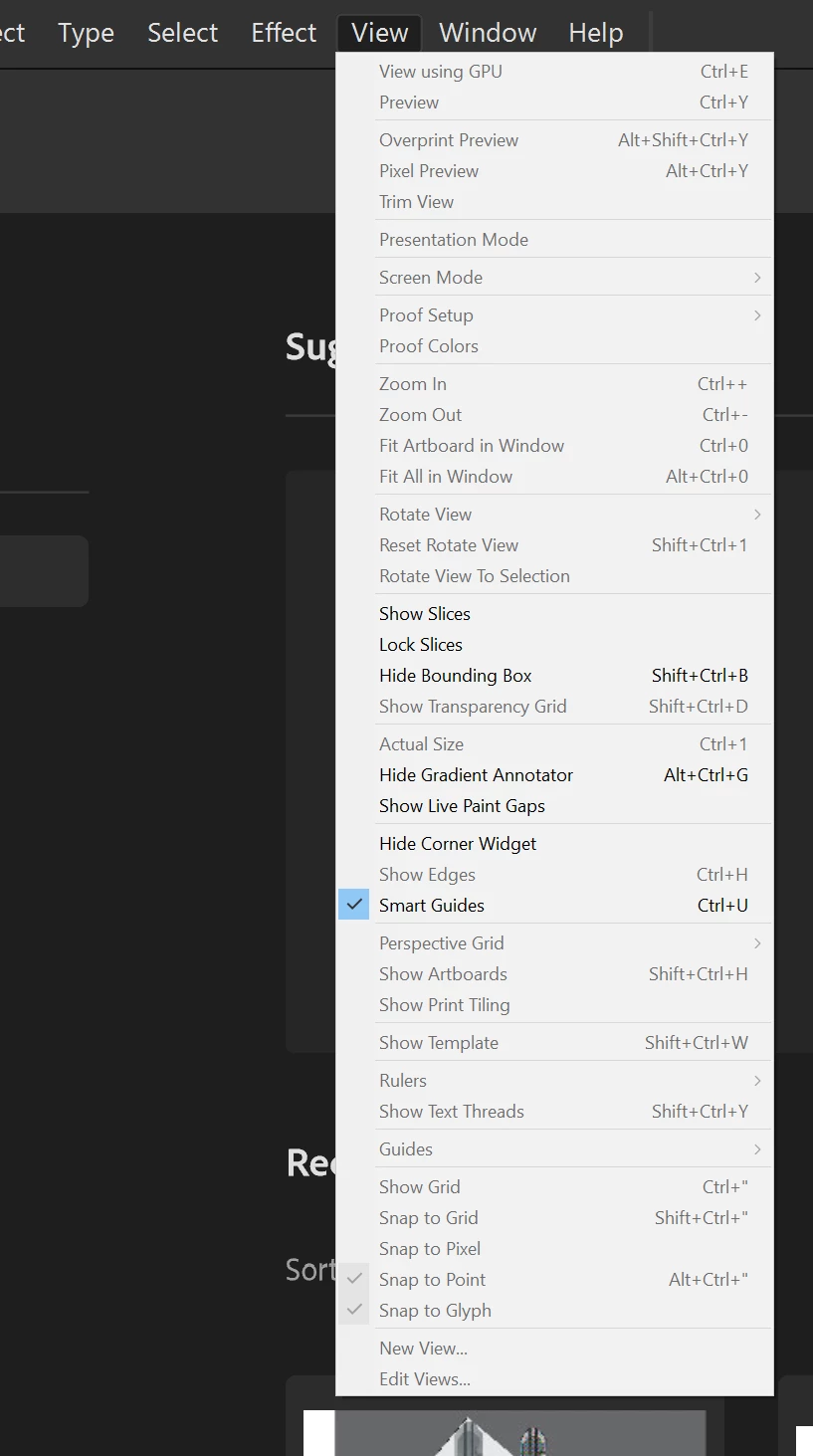
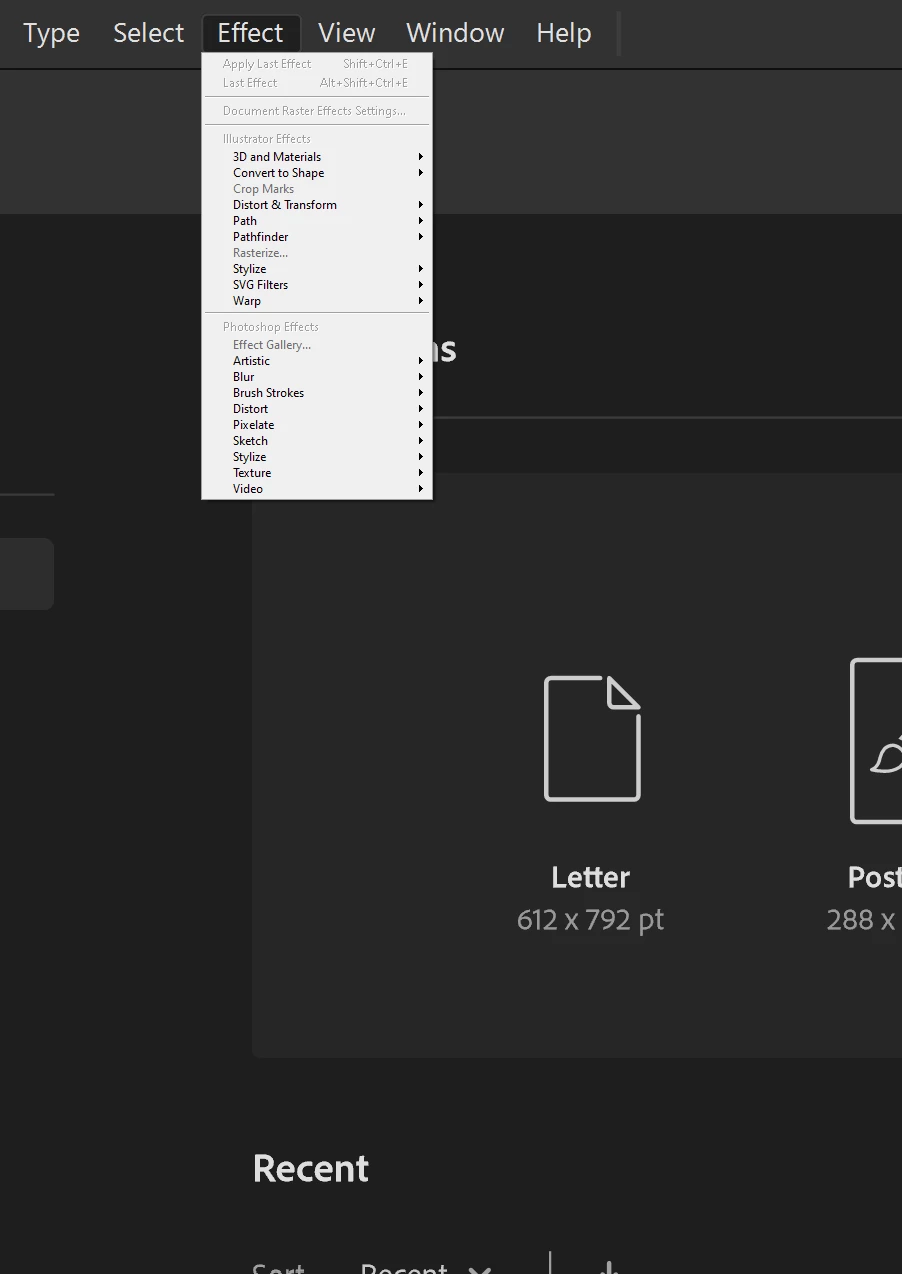
Toolbar effect options smaller than the others
  • January 4, 2023
  • 2 replies
  • 1162 views

  My effects panel is small and not sure where to change the size, there's no option in UI settings

This topic has been closed for replies.

2 replies

Anshul_Saini
Community Manager
Community Manager
January 13, 2023

Hi @Art Moofin,


Thanks for reaching out. The product team is aware of this. The effects menu is programmatically drawn and doesn't use OS UI. It matches the main display's size (DPI & resolution) and will look different on different monitors with distinct resolutions & DPI. We have already logged a ticket with the product team to make the menu look similar to the latest OS UI look and feel across all the monitors & displays regardless of the DPI and resolution.


I hope this clarifies!


Thanks,

Anshul Saini

Participant
December 14, 2024

Still an issue December 2024

using a wacom cintiq 16 tablet + PC w Windows 11


Community Manager
December 16, 2024

Hello @3277009,

I'm sorry to hear you're having the same trouble with Illustrator. Would you mind checking if the Display Resolution and Scaling is set to the default for your dislay monitor(s) and then restarting your computer and relaunching Illustrator to see if it helps?

Looking forward to hearing from you.


Anubhav

Monika Gause
Community Expert
Community Expert
January 4, 2023

Did you change anything in your system monitor settings? Made UI elements larger or smaller? This might throw Illustrator off its path.


Apart from that: you can try and reset the Illustrator preferences (which will erase all your settings) https://helpx.adobe.com/illustrator/using/setting-preferences.html

Participating Frequently
January 4, 2023

I have two monitors, my main one is widescreen and the other is a smaller flat screen. On the widescreen, the effects drop-down options are normal size with the rest but when I switch over to the second monitor the effects drop-down gets significantly smaller than the others. I've kept the system settings on default on my main and the smaller one is on a game setting. I reset the preferences, restarted my PC, uninstalled and reinstalled illustrator and it still gives me that small effect dropdown menu. 

Monika Gause
Community Expert
Community Expert
January 4, 2023

Unfortunately Illustrator reacts in surprising ways when you set up your monitor differently in the systems preferences. Maybe someone else has a bright idea to permanently solve this.