Answered
Tools bar
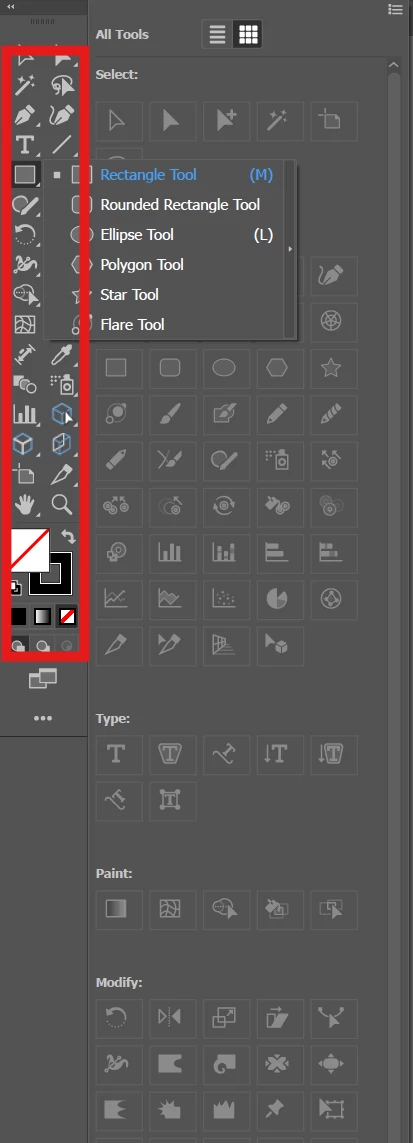
Some tools is grey and I can not use it: polygon, scal, star,..
Please help me to resolve it.

Some tools is grey and I can not use it: polygon, scal, star,..
Please help me to resolve it.
I mean I can not use any tools on the right when they are greyed out.
For example, with Draw tools I can only use the Rectangular. And polygon, star, elipse can not use.
Ignore the icons on the right. They are not for selecting tools.
Use the toolbar highlighted below. If you wish to access stacked tools, click and hold on the tool icon:
Already have an account? Login
No account yet? Create an account
Enter your E-mail address. We'll send you an e-mail with instructions to reset your password.


 AdChoices