
Participant
November 6, 2022
Answered

Trace/Color Fill
  • November 6, 2022
  • 1 reply
  • 348 views

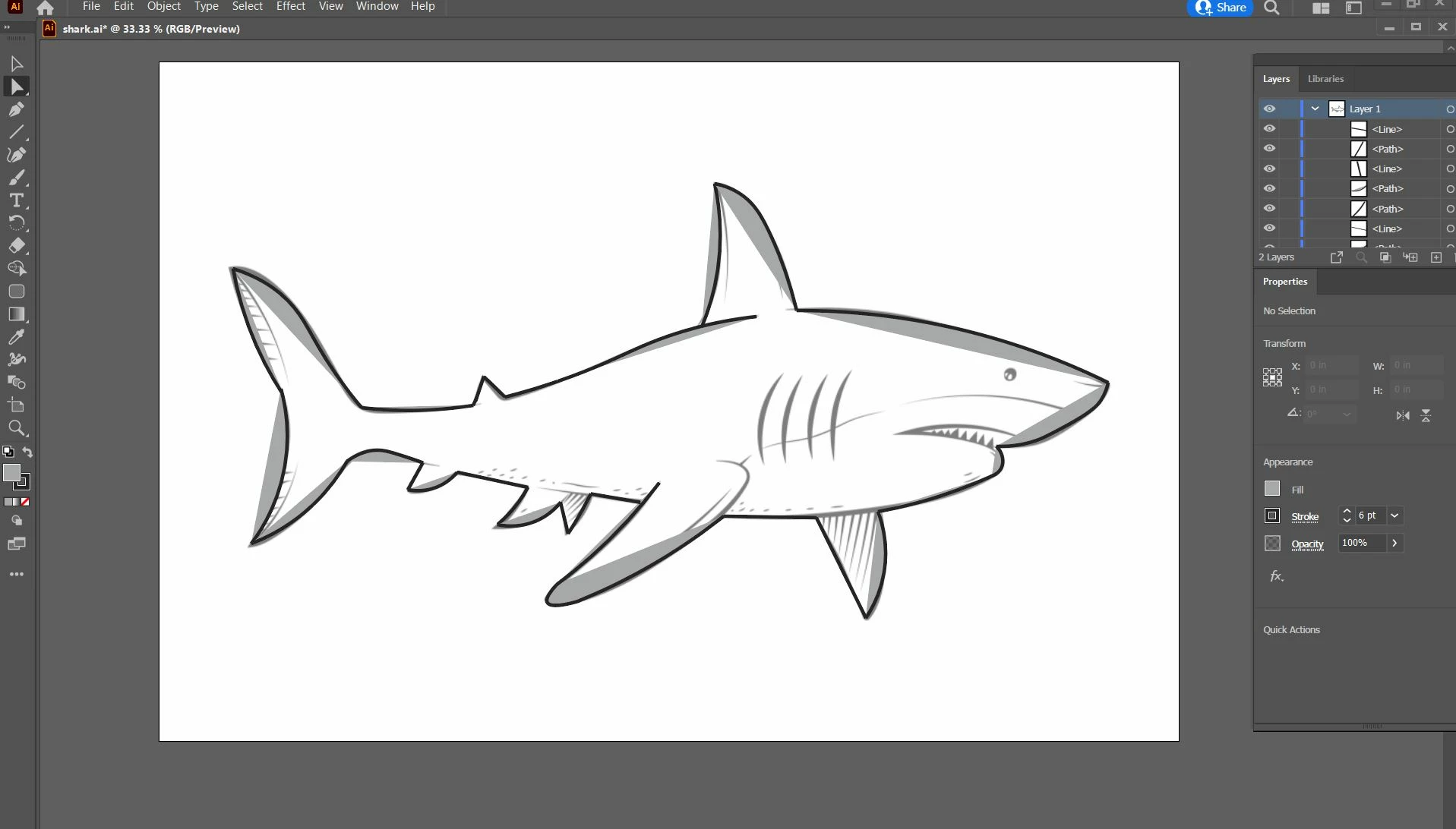
Can someone please tell me why I cannot fill in the image that I traced?  I put the shark in as a template, used the line/curvature & pencil tool to outline the complete extertor of it and I made sure it was from anchor to anchor.  I'm new at this, so looking for some help on why this won't fill and how I can fix it. 

This topic has been closed for replies.
Correct answer Monika Gause

You need to draw closed shapes ti fill them. So you would need to draw the body and then the fins etc. You can still fill this by first deleting the current fills and then using the Live paint tool (select all and then use the bucket). It won't be the same and depending on your workflow if this works for you or not.

Read about the feature: https://helpx.adobe.com/illustrator/using/live-paint-groups.html 

1 reply

Monika Gause
Community Expert
Monika GauseCommunity ExpertCorrect answer
Community Expert
November 6, 2022

You need to draw closed shapes ti fill them. So you would need to draw the body and then the fins etc. You can still fill this by first deleting the current fills and then using the Live paint tool (select all and then use the bucket). It won't be the same and depending on your workflow if this works for you or not.

Read about the feature: https://helpx.adobe.com/illustrator/using/live-paint-groups.html 

Participant
November 6, 2022

THANK YOU SO MUCH!!!! My husband is very grateful he's so sick of hearing me talk about the shark lol