
Participant
December 13, 2021
Question

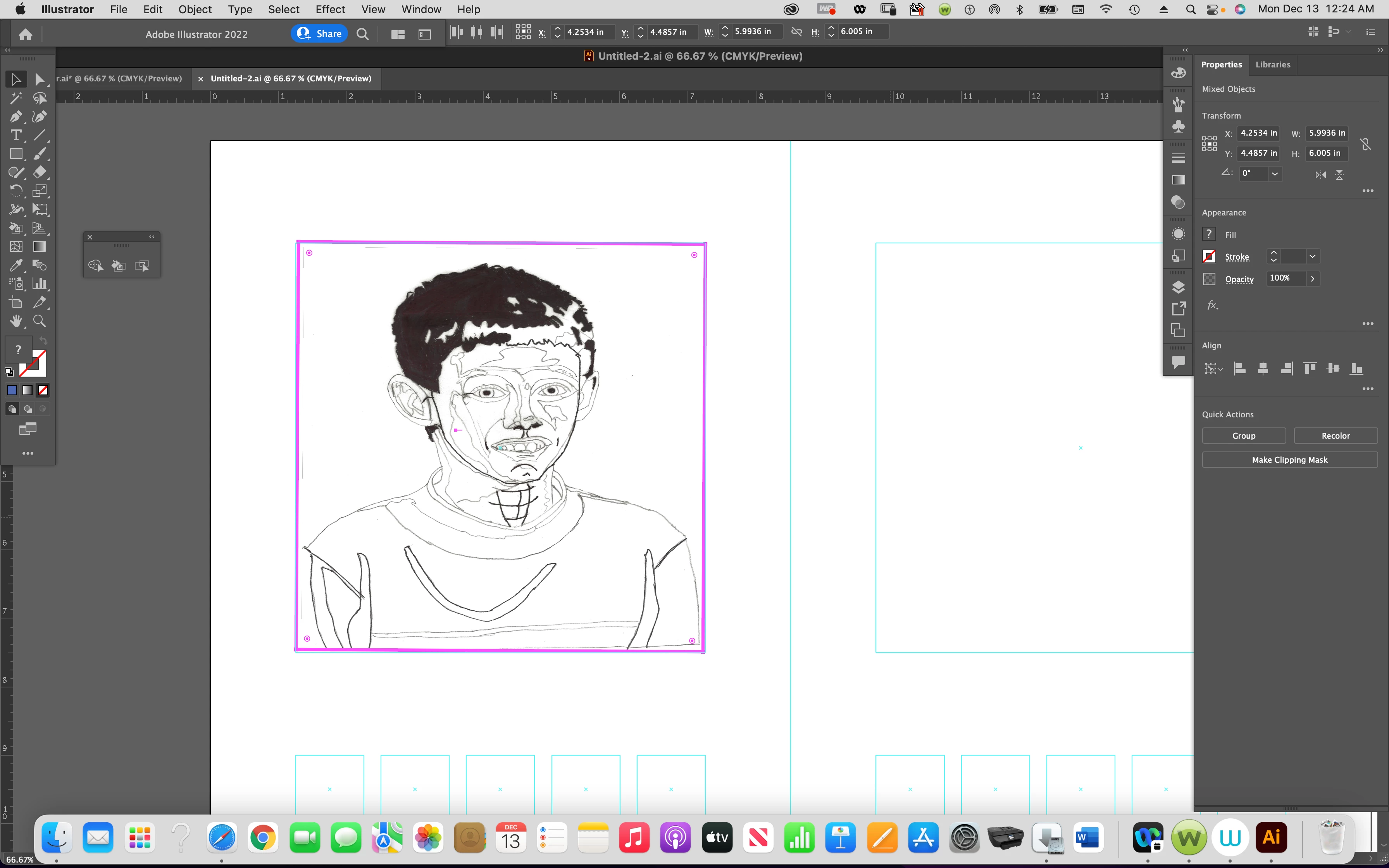
traced out phot on marker paper vector portrait live painting Graphic design
  • December 13, 2021
  • 4 replies
  • 292 views

 I Traced this photo on Marker Paper now I want to install it to this template that's underneath it and four other for live paint using Monochromatic, Analysis, spilt compmentry , compmentry, nothing works not the the collage professor videos or instruction live paint says to clipping mask can't be applied to must use compond mask that still doesn't work 

This topic has been closed for replies.

4 replies

Anna Lander
Inspiring
December 14, 2021

If I understand you well, you want:

- use monochromatic Live Paint to paint this portrait;

- put it big in the top square and repeat to the small ones in the bottom line. Is it so?

As far as I can see, your image now is a raster one clipped by Clipping Mask. Try to start from scratch.

1. Make sure that you traced the image after the import (Properties > Image Trace > Expand).

2. Ungroup the expanded object, select all its parts, create a Live Paint group (Tools > Live Paint Tool), and fill the needed parts using grayscale swatches.

3. Copy the portrait and transform copies as needed for the small squares. Move the copies down.

4. Select the template rectangles and move them up in the stack (Ctrl+Shift+])

5. Select each rectangle with its portrait instance and make Clipping Mask (Ctrl+7).

If I did not understand well and you need something else, please, describe the problem a bit clearer.


Jacob Bugge
Community Expert
Community Expert
December 13, 2021

Paul,


As I (mis)understand it, you have used a photo as a template and drawn it on paper with ink, then scanned it, which means that it is now a raster image.


You need to turn it into vector artwork to use Live Paint, and you can do that with Image Trace:

https://helpx.adobe.com/illustrator/using/image-trace.html


You may also look here:
http://blogs.adobe.com/adobeillustrator/2013/07/image-trace-in-illustrator-a-tutorial-and-guide.html


Always expand after image tracing to get things to work.


Select it/them and Object>Image Trace>Expand.


Met1
Legend
December 13, 2021

Can we assume you've used Image Trace to get a vector art version of your traced image?

Participant
December 21, 2021

no I did not.


Met1
Legend
December 21, 2021

Don't explain, let us guess, it's more fun...

Monika Gause
Community Expert
Community Expert
December 13, 2021

I'm sorry, but I don't really understand what you want to do.