Inspiring
April 20, 2020
Answered

Transform a serie of shapes in one gradient

  • April 20, 2020
  • 1 reply
  • 761 views

Hi !


So I have a picture that I vectorize that include gradients in some parts (sky etc.). Due to the vectorisation, those gradients get divided in couple shapes with different colors. I want to merge those shapes into a an only one shape automatically colored with a gradient. I tried the Compound Path tool but it didn't do what I expected.


Example :

I have this serie of shape that comes from a gradient in a picture I vectorized :
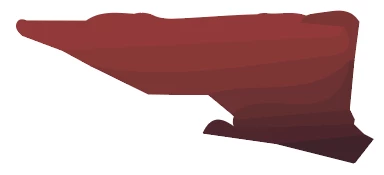


Then I used Pathfinder to convert those shape into an only one and then apply manually a gradient onto it to recreate as best as I can the original gradient :
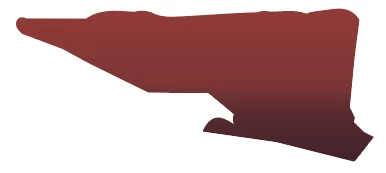


It works fine but it's pretty annoying to loose that musch time and that's why I wanna know if there's a tool to make it quicker (maybe from the vectorization itself ?)


Thank you very much for your help !

This topic has been closed for replies.
Correct answer Monika Gause

"Then I used Pathfinder to convert those shape into an only one and then apply manually a gradient onto it to recreate as best as I can the original gradient :"


That is the way to go.

1 reply

Monika Gause
Community Expert
Monika GauseCommunity ExpertCorrect answer
Community Expert
April 20, 2020

"Then I used Pathfinder to convert those shape into an only one and then apply manually a gradient onto it to recreate as best as I can the original gradient :"


That is the way to go.

Inspiring
April 20, 2020

Ok so there's no other solution ?

I expected more from Illustrator  😞

 
femkeblanco
Legend
April 20, 2020

Creating a compound path via the object menu (Object > Compound Path > Make or Ctrl+8) and then applying the gradient is the way I do it in CS6.   It's the way Deke McClelland did it in CS tutorials.