

Scott Falkner
Community Expert
Community Expert
July 11, 2020
Answered

Transform effects are appearing below content, not above

  • July 11, 2020
  • 13 replies
  • 774 views

I'm experimenting with spirograph like patterns and effects, To do this I have created primitive shapes like squares and hexagons and applied transfrom effects like this…
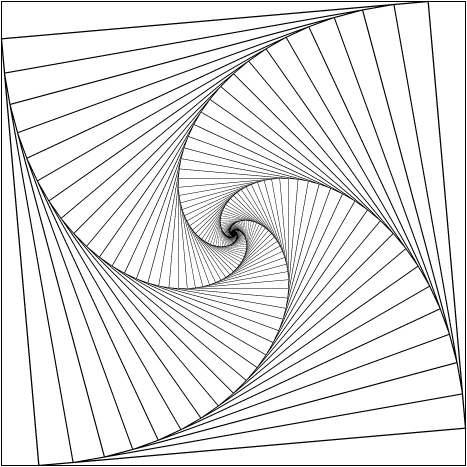
In the above example there is one square with a black stroke and no fill. Even though I tell the stroke not to scale, it is scaled.


The problem is the duplicates are stacked below the primary object or group. I don’t think this has always been the case. See this one…
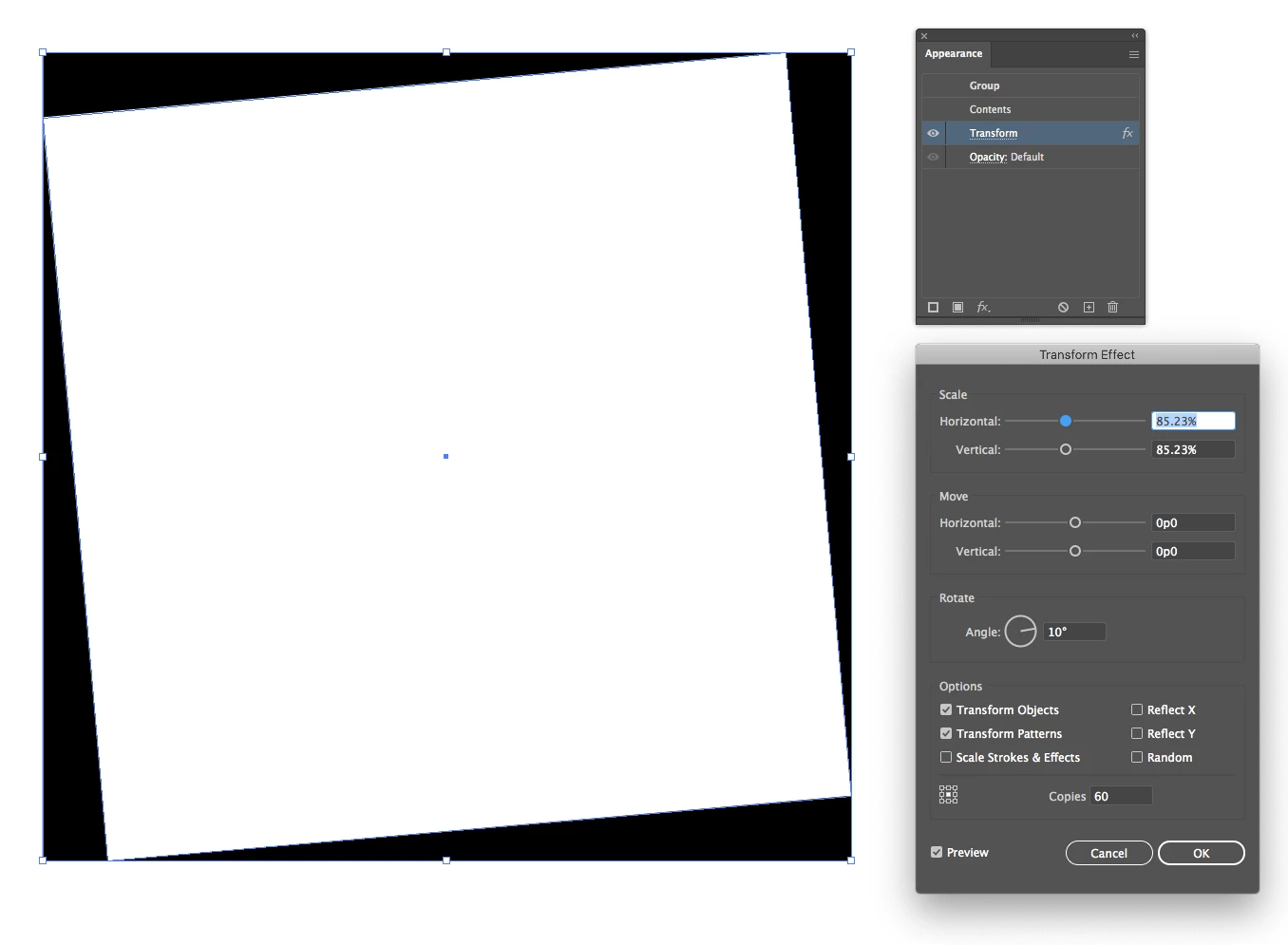
If I expand the appearance I can see outlines for all the shapes. But I need the duplicates to appear above the source image. Is thee a way to do this? Is this a bug?

This topic has been closed for replies.
Correct answer tromboniator

Scott,

If you start with a small shape and scale it up (that is, greater than 100%), it stacks the other way. And I'm not seeing stroke scaling unless I tell it to.


Peter

13 replies

tromboniator
Community Expert
tromboniatorCommunity ExpertCorrect answer
Community Expert
July 12, 2020

Scott,

If you start with a small shape and scale it up (that is, greater than 100%), it stacks the other way. And I'm not seeing stroke scaling unless I tell it to.


Peter

Ton Frederiks
Community Expert
Community Expert
July 11, 2020

It does not solve your problem with the stacking order, but it gives a similar effect.

I filled a rectangle with white and gave the fill a Difference blending mode.

Monika Gause
Community Expert
Community Expert
July 11, 2020

Transform is a "Post-effect" - it always gets applied afterwards initially. But you can move it above the Contents.

Scott Falkner
Community Expert
Community Expert
July 11, 2020

Didn’t help.

What did work is making the shape a compound path.

I think this is a bug.

Monika Gause
Community Expert
Community Expert
July 11, 2020

Sorry. I was on the wrong track. But I seem to remember this was always the case (for me at least, which means CS2).

My oldest version is CS3 and here is the screenshot: