Dalbir kaur
Participant
January 9, 2018
Answered

Transform object/pattern is not working in illustrator CC 2018

  • January 9, 2018
  • 1 reply
  • 3035 views

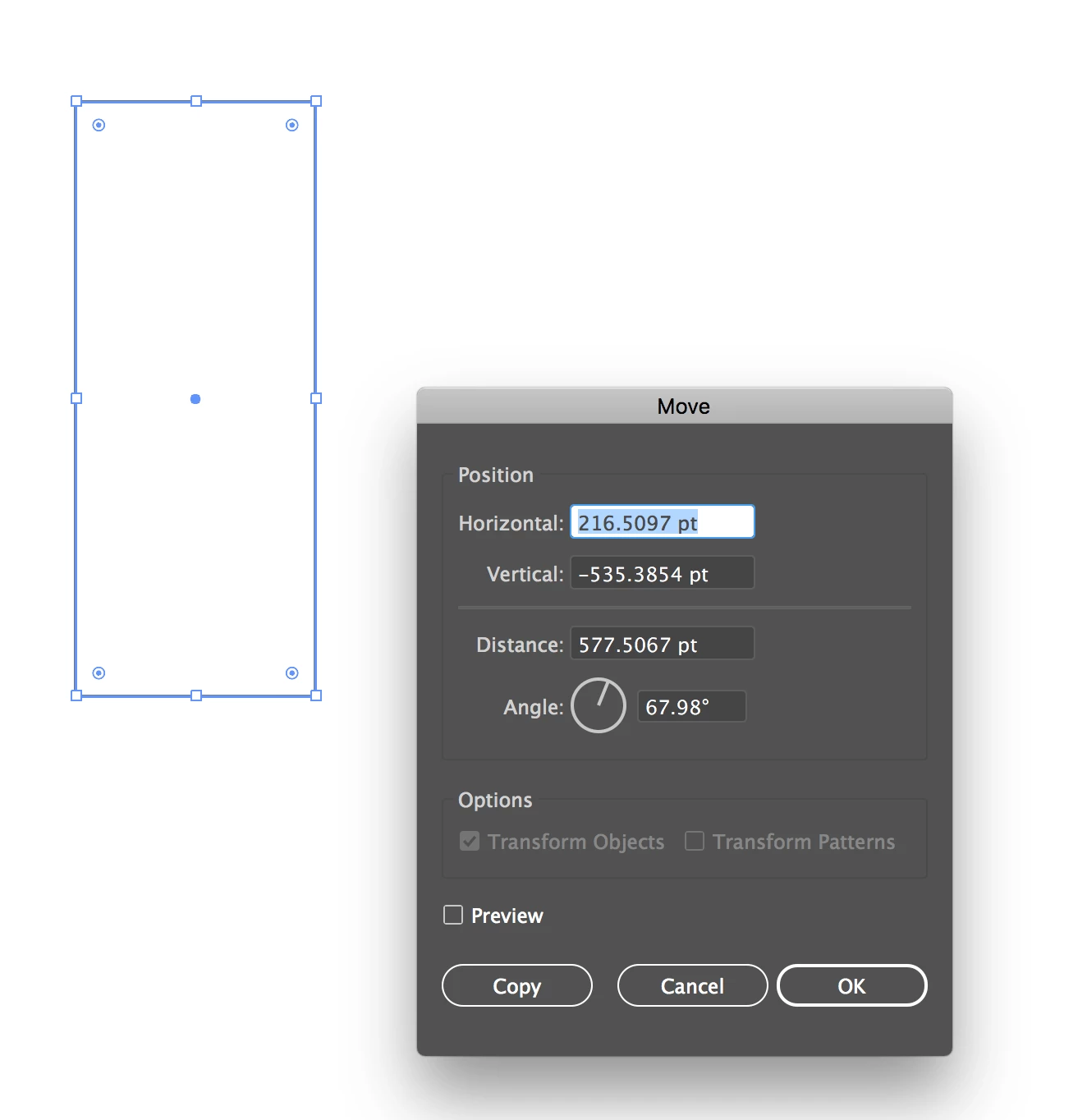
I am using Illustrator CC 2018 and I am facing problem in moving objects and patterns. I am trying to move patterns but the options are greyed . I am not sure what is the problem . I have been using illustrator from many years but its very unusual problem and its really frustrating as I am not getting its solution from any where. Please help me in sorting this Issue. Thanks In Advance!!!
This topic has been closed for replies.
Correct answer Omar.Fathy

Can you access to the Transform panel menu and make Transform pattern ?!

or you can Press Ctrl+Alt+Shift when to reset you software:

Mac OS: Press Cmd+Option+Shift and press to launch the illustrator app. and hold the 3 buttons for seconds.

Win: Press Ctrl+Alt+shift immediately after pressing the software icon and hold pressing the 3 buttons for seconds.

1 reply

Omar.Fathy
Community Expert
Omar.FathyCommunity ExpertCorrect answer
Community Expert
January 9, 2018

Can you access to the Transform panel menu and make Transform pattern ?!

or you can Press Ctrl+Alt+Shift when to reset you software:

Mac OS: Press Cmd+Option+Shift and press to launch the illustrator app. and hold the 3 buttons for seconds.

Win: Press Ctrl+Alt+shift immediately after pressing the software icon and hold pressing the 3 buttons for seconds.

Dalbir kaur
Participant
January 9, 2018

Yes, I can access this. but when I am using transform by right click it shows like this.