
chasecates
Participating Frequently
March 11, 2019
Question

Transparency and shadow problems while exporting

  • March 11, 2019
  • 3 replies
  • 7626 views

Hi everyone,

I'm working on a website for a client and I'm experimenting with transparency and shadow effects for the first time. We've incorporated these "paper cut" effects throughout the website, but the effect isn't the same when I export as a PNG. The below screenshot is essentially what the effect should look like on a solid color background or white/transparent.

Now the idea is to have these "paper cuts" attached to a photo that floats over the parallax background on the website. Something like below. In this particular example, the two paper cut shadows would be grouped with the photo of the puppy and exported as one PNG.

Here is a shot of my export settings:
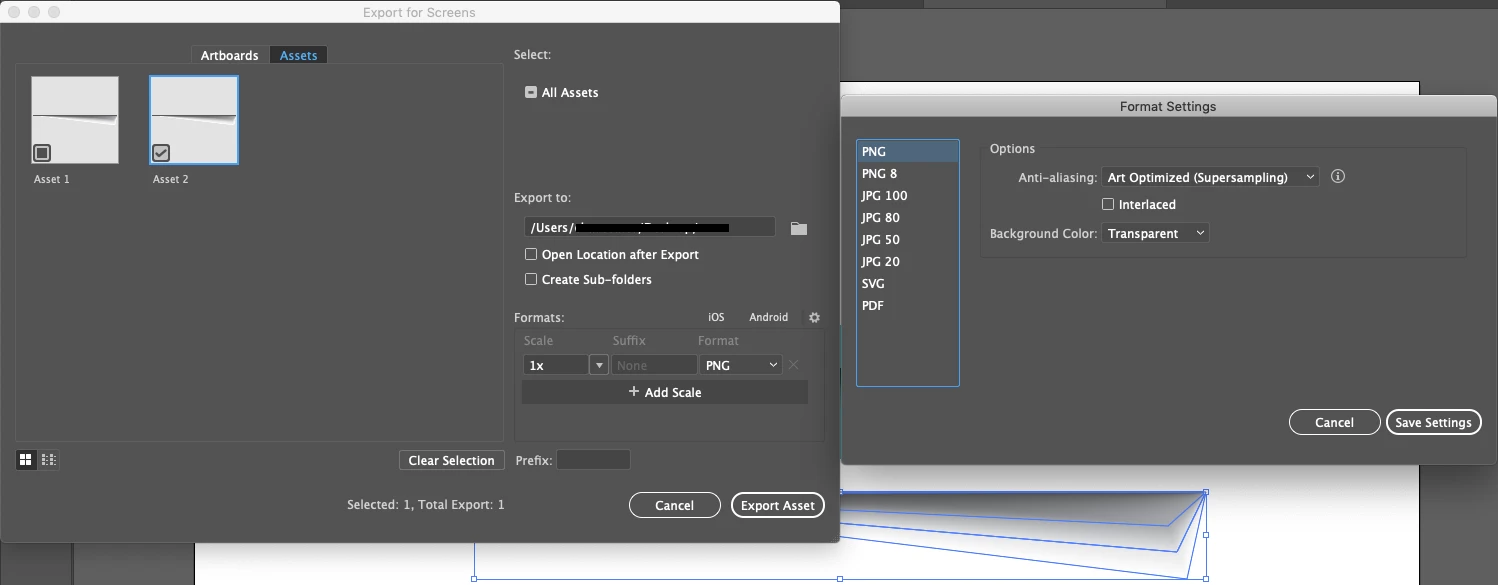
And here is the result:


I'm hoping that it's a simple fix and I just need to adjust colors or something. I've exhausted my resources and I need some help from you guys.

Thanks in advance! I'd be happy to offer up any more information if needed.

Working in CC on MacBook Pro Mojave 10.14.3

This topic has been closed for replies.

3 replies

Community Expert
March 12, 2019

Try to select all then create outlines then try to export it

chasecates
Participating Frequently
March 12, 2019

Thanks for the reply Mariam, but I'm not working with type. I did try to convert all strokes to outlines, but that didn't work either

Monika Gause
Community Expert
Community Expert
March 12, 2019

You need to do it like this: https://www.dropbox.com/s/cr0ub38jwkoir86/shadow.ai?dl=0

lambiloon
Community Expert
Community Expert
March 12, 2019

Hi yes use save for web option for saving this then hope you get your problem fixed...Thanks

Ali Sajjad / Graphic Design Trainer / Freelancer / Adobe Certified Professional
chasecates
Participating Frequently
March 12, 2019

Hi lambiloon. Thanks for your reply.

I used the Save For Web option with the below settings.

The results were the same as grouping the objects and exporting to PNG. The left artboard is the original artwork (shadow 1, picture, shadow 2 on 1 layer) and the right artboard is the result.

Do I need to change something in the settings for this option to work?

Community Expert
March 12, 2019

Can you try exporting to PNG-24 with Transparency instead of GIF?

Monika Gause
Community Expert
Community Expert
March 11, 2019

I don't understand how you combine these elements.

Do you combine photo and PNG in Illustrator?

Or do you put the PNG on top of the photo in HTML?

chasecates
Participating Frequently
March 11, 2019

Hi Monika, thanks for the reply.

I combine the photo and PNG shadows in illustrator. In the example above, the shadow elements sit behind the photo on the same layer. I then group them together and export as PNG. Then I drop this PNG into the HTML editor (in this case, I'm using Squarespace).

Monika Gause
Community Expert
Community Expert
March 12, 2019

But your screenshot doesn't show the shadow with the image in the export dialog box.