jdaveprill
Known Participant
Oct 2, 2024 10:39 PM UTC
Answered

Transparency not transferring to CC Library - Illustrator on macOS

I use both Illustrator on Windows and Mac machines. I have an issue when I create a graphic, like an Icon, and try to add it to a CC Library from my Mac it will not transfer the transparency information. It displays in the Library panel with a white background as if it were a JPEG. If I drag or place the graphic back from the library panel, into an artboard, it includes the white background. This is a new issue, possibly related to Mac's new operating system, Sequoia but I am not sure. When I go through the same process on my Windows machine it works as normal, with zero transparency issues.

This topic is closed to new replies. Start a new post to keep the conversation going.
Ton Frederiks
Ton FrederiksCorrect answer
Community Expert
Oct 7, 2024 7:53 AM UTC

Thank you Ton,


I appreciate your thoughts, I have to agree, the only thing that has really changed on my Mac is the move to Sequoia. Admittedly I use my Windows OS much more often, so I am not really sure how long I have had the issue, it could have been before Sequoia, hard telling and I have not tried switching back to a previous version of InDesign, I am currently on v19.5. I am sure any bugs will get resolved eventually, regardless, thank you again


It may be something simple.

Try placing any Illustrator or PDF file from your Mac.

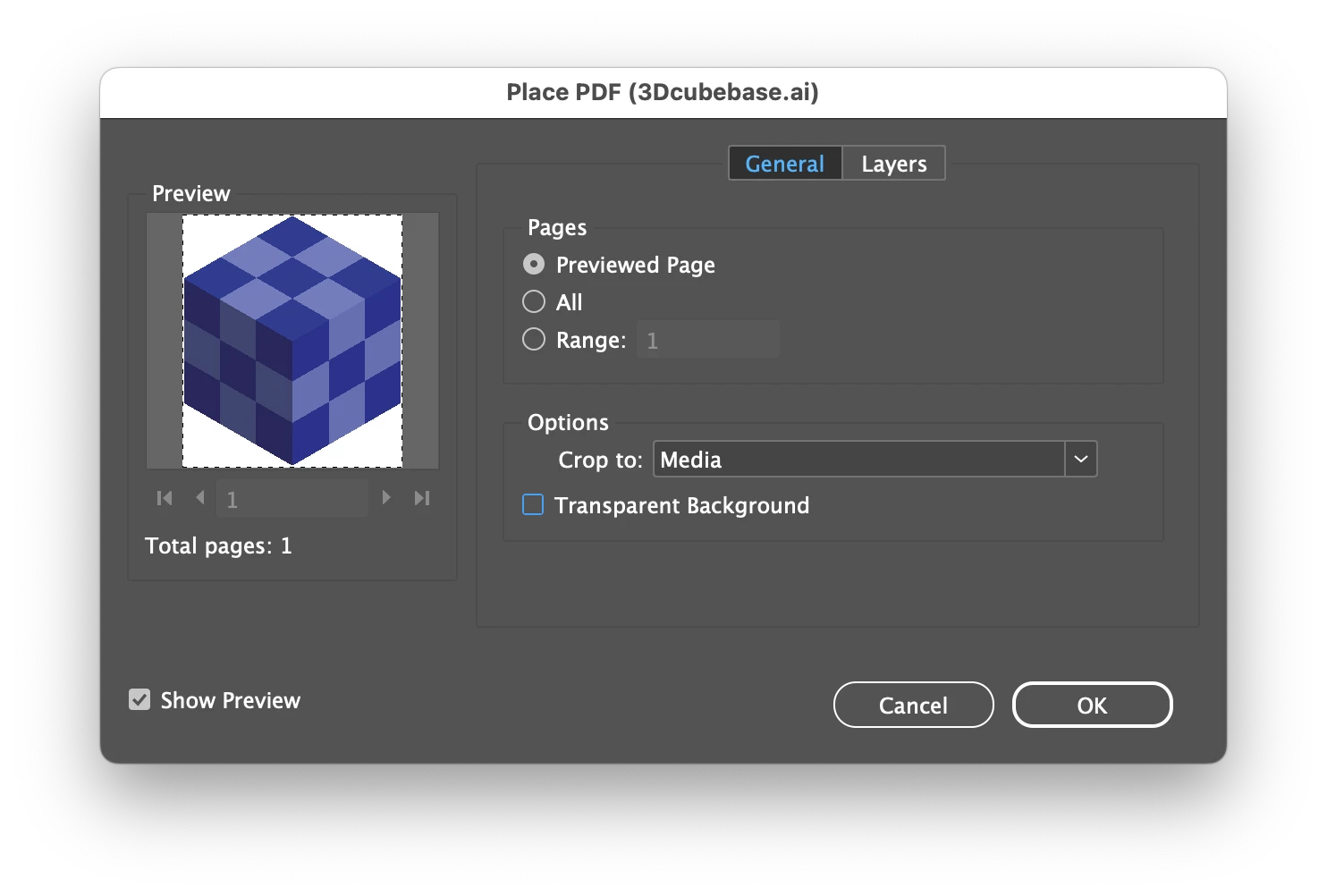
Hold down the Shift or check the Show Import Options during placing.

Make sure the Transparent Background option is checked.

After that, try placing from the library again.

I could simulate your problem by turning off the Transparent Background option.

Could be as simple as that.

11 replies

Ton Frederiks
Community Expert
Community Expert
Oct 4, 2024 7:21 AM UTC

It could be your Sequoia system. Your shared library items have a transparent background when placed into Illustrator on Mac OS Ventura. 

They show with a white background in the CC library, but that is a known problem.

Translate
jdaveprill
Known Participant
Oct 4, 2024 7:14 PM UTC

HI Ton,


I really appreciate your feedback,


Do you have InDesign? If so could you please try and place one of my items into a document and see if the transparency information transfers as well? On my Sequoia Machine is does not .. if a transparent item in the CC library is placed in a document it retaines the white background. 


Translate
Ton Frederiks
Community Expert
Community Expert
Oct 4, 2024 7:34 PM UTC

Works fine in InDesign as well,I really suspect  Sequoia.

Translate
Anubhav M
Community Manager
Community Manager
Oct 3, 2024 11:48 AM UTC

Hello @jdaveprill,

That sounds strange. I tried to replicate this behavior on my end but could not do so. Could you share a screen recording of your workflow, and a link to a sample library asset (https://adobe.ly/3NdbPAQ) so I can check it with the team?

Looking forward to hearing from you.

Anubhav

Translate
jdaveprill
Known Participant
Oct 4, 2024 4:17 AM UTC

Hi Anubhav,

Thank you for your assistance. I did a little further analysis and found that if I add a graphic from Illustrator into the CC Library, it removes the transparency, and displays in the library with a white background. Still, if I add a graphic created in PS (PSD) into the CC Library, it works as designed. If I drag or place that newly created AI Graphic back into an Illustrator file the transparency is restored, BUT this is how I first noticed an issue while working on an InDesign file and attempting to drag or place the newly created CC Library AI graphic in the document, the white background is there. in fact, now I am really stumped because all my icons and graphics created in AI are no longer placed into an InDesign Document with the transparency intact. 😞 


Translate