


Participant
November 18, 2022
Question

transparent background display problems

  • November 18, 2022
  • 3 replies
  • 1076 views

hi all, i have a problem with displaying transparencies after exposing on mac. The transparent background is not displayed after exposure, it is white, if I open the .ai or .pdf file I see it all white, but the file is not damaged, because when I open it on Ai it shows transparency. I can save the file in such a way that I can see the transparency even with Preview?


  i have the latest adobe and my mac is updeted 


image in adobe
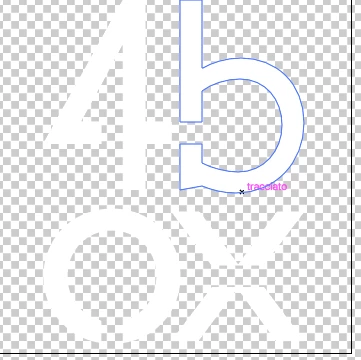
 

image on preview /total white)

This topic has been closed for replies.

3 replies

Community Manager
November 18, 2022

Hello @Arturo27201858sqys,


Sorry to hear about this experience. I hope the suggestions shared by Ton and Met1 helped resolve the problem. If not, kindly try using Adobe Bridge (https://helpx.adobe.com/bridge/get-started.html) for managing and previewing your work files (AI/PSD/PDF and many more) and check if it helps.


Looking forward to your response.


Thanks,

Anubhav

Met1
Legend
November 18, 2022

On the apple web site it says "Preview supports a large set of image file types, including JPEG, PNG, PSD, and TIFF" - it does not mention AI or PDF, and you would think they would, if it did...

Ton Frederiks
Community Expert
Community Expert
November 18, 2022

Well, Preview can create (from PostScript files), Open and export as PDF...

Ton Frederiks
Community Expert
Community Expert
November 18, 2022

I don't think Preview has the option to show a transparency grid.

Acrobat does and you can turn it on in the Preferences.

Participant
November 18, 2022

Prexiew have the option, i can see the trasparency in PNG file, and in others AI or PDF file 

Ton Frederiks
Community Expert
Community Expert
November 18, 2022

In Preview I can turn on "Show image background" and that works for png, but not for PDF.