samm63983858
Participant
July 23, 2017
Question

Transparent background Png conversion to SWF?

  • July 23, 2017
  • 3 replies
  • 1210 views

Hi, I am trying to convert a png with transparent background to a swf format and I cannot for the life of me accomplish this simple task.

I successfully opened a new file with the same dimensions as my png, Input my PNG into Ai and exported to SWF.

However not only does my image kind of looks of a slightly lower quality, it now has a black background.

How do I keep the quality and keep the alpha layer of my PNG?

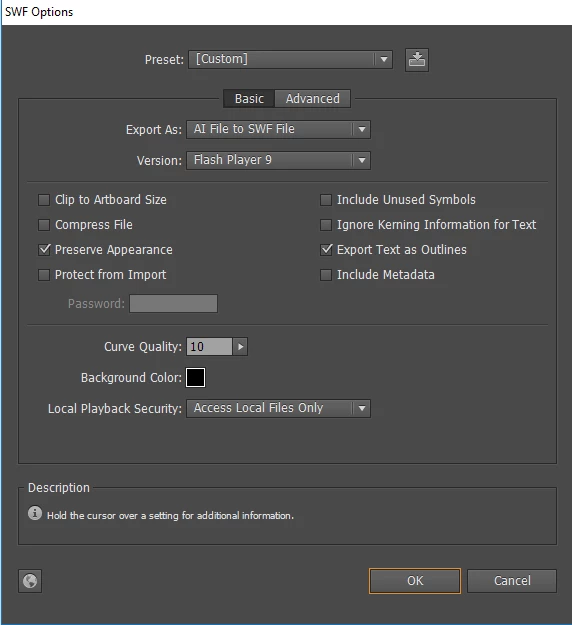
Can anyone help me please? Here are the options i used when exporting to swf.
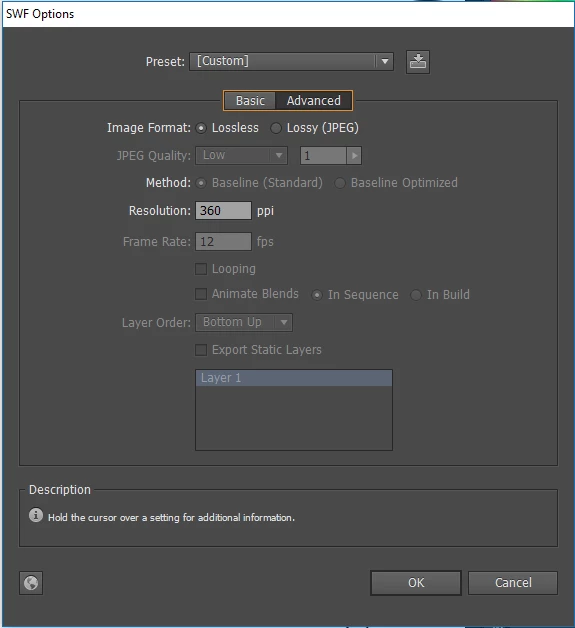
Thank you!

    This topic has been closed for replies.

    3 replies

    samm63983858
    Participant
    July 23, 2017

    Actually the file MUST remain a swf (and transparent) because it is being used by the UI of a game called Fallout 4. (I am modding it)

    Anyway I downloaded a trial of Adobe Animate and I cant even "open" a png file to save as a swf file.

    And I still dont know how I could safe the file without losing a lot of detail.

    Sigh... why must adobe make things so complicated?

    Colin Holgate
    Inspiring
    July 23, 2017

    The SWF you have should work. The stage color is only there for places where the stage is used. If Fallout 4 uses SWFs it should be able to use the one you have made.

    For interest, if you did use Animate (which you don't need to do), you would do File/Import to bring in the PNG to the stage. In the Library you can check the properties for the bitmap to make sure that Allow Smoothing and Lossless are selected, then the SWF you get should have a perfect image in it. It would at that point be just as good as the one from Illustrator.

    Monika Gause
    Community Expert
    Community Expert
    July 23, 2017

    Use Animate (the former Flash) to place your PNG and create an SWF.

    Colin Holgate
    Inspiring
    July 23, 2017

    That would work too, but would leave you with the same issue, the SWF has to have a stage color. It would be possible in a browser to use wmode transparent if the SWF needs to be transparent against something.

    Colin Holgate
    Inspiring
    July 23, 2017

    I think that you don't have to worry about it. When you import the SWF into AE, or Animate, the PNG still has its alpha. The stage color is just for when testing in Flash Player or in a browser.