
Participant
February 8, 2021
Answered

Triangular mesh, as in the puppet pin tool

  • February 8, 2021
  • 4 replies
  • 1271 views

Hi


Is there a way to, either extract the mesh generated by the puppet pin tool, as vector - or a third party software, or script which can do the same?  The puppet pin tool does almost exactly what i want, but i just want the mesh created.


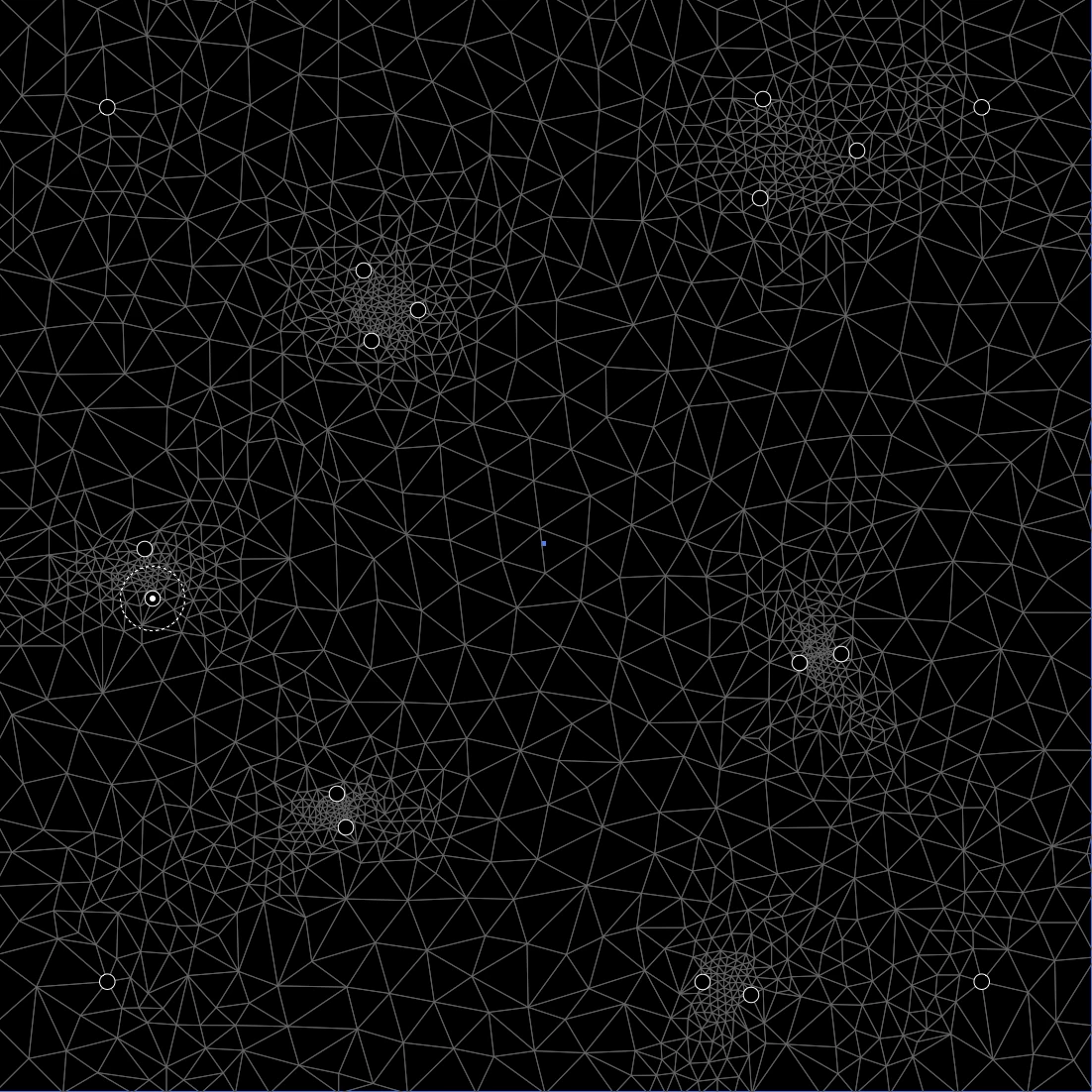
I want to create a triangular mesh with varied density, and i want the lines to be vector.

I've achieved good, but not satisfactory results, using pucker/bloat on a grid made by hand. I am looking for a more automated way of doing this. I am also aware of the possibilities to do this via low poly 3d stuff.


The attatched image resembles something along the lines of what i am trying to achieve.


Stan
 

This topic has been closed for replies.
Correct answer Silly-V

Hey, you can take a really bit screenshot of the puppet warp lines and do an Image Trace. This produces a cool result but it doesn't create straight lines and some places are not filled in very well. A script could go afterwards and create the straight lines based on the coordinates of the paths' endings. However a real solution is bound to be a mathematical and well-thought-out code that does the triangles properly. Well, I don't do math so maybe someone else can take a crack at it, and there is probably an algorithm that is out there that can help.

4 replies

Kurt Gold
Community Expert
Community Expert
February 8, 2021

femkeblanco, you probably know that already, but just in case you do not: Scriptographer was (unfortunately) discontinued for various reasons about 10 years ago and will not run in any recent version of Illustrator.


I think it only worked up to Illustrator CS 5.


Larry G. Schneider
Community Expert
Community Expert
February 8, 2021

My memory as well, Kurt.

stian5FCAAuthor
Participant
February 8, 2021

https://websvg.github.io/voronoi/


I may settle with this, even tho it would be cool to do the same thing, with triangles. It can export .SVG

Silly-V
Silly-VCorrect answer
Legend
February 8, 2021

Hey, you can take a really bit screenshot of the puppet warp lines and do an Image Trace. This produces a cool result but it doesn't create straight lines and some places are not filled in very well. A script could go afterwards and create the straight lines based on the coordinates of the paths' endings. However a real solution is bound to be a mathematical and well-thought-out code that does the triangles properly. Well, I don't do math so maybe someone else can take a crack at it, and there is probably an algorithm that is out there that can help.

femkeblanco
Legend
February 8, 2021

I don't know if this will give you exactly what you want and furthermore I don't know if it still works (it's been a couple of years since I tried it), but you used to be able to create Voronoi diagrams with a plugin called scriptographer.

https://scriptographer.org/scripts/interactive-tools/voronoi-tool/

stian5FCAAuthor
Participant
February 8, 2021

Thank you! It does not work, but voronoi seems like a good direction. There must(!) be someone that has made a voronoi-tool which can export vector paths. Ill keep searching, thanks again!


Monika Gause
Community Expert
Community Expert
February 8, 2021

There is one in Inkscape.