Question
Trimming path (line) that intersects another path
I've used 3D CAD design software for years and pretty much know that genre very well and using one line to trim another works just like one would expect it to and I believe that knowledge is a detriment to me learning Illustrator anew. I've spent the last hour watching videos just to learn how to trim paths, align paths, snap anchor points to one another. I know I'm in the noob weeds so I'm just going to ask it here.
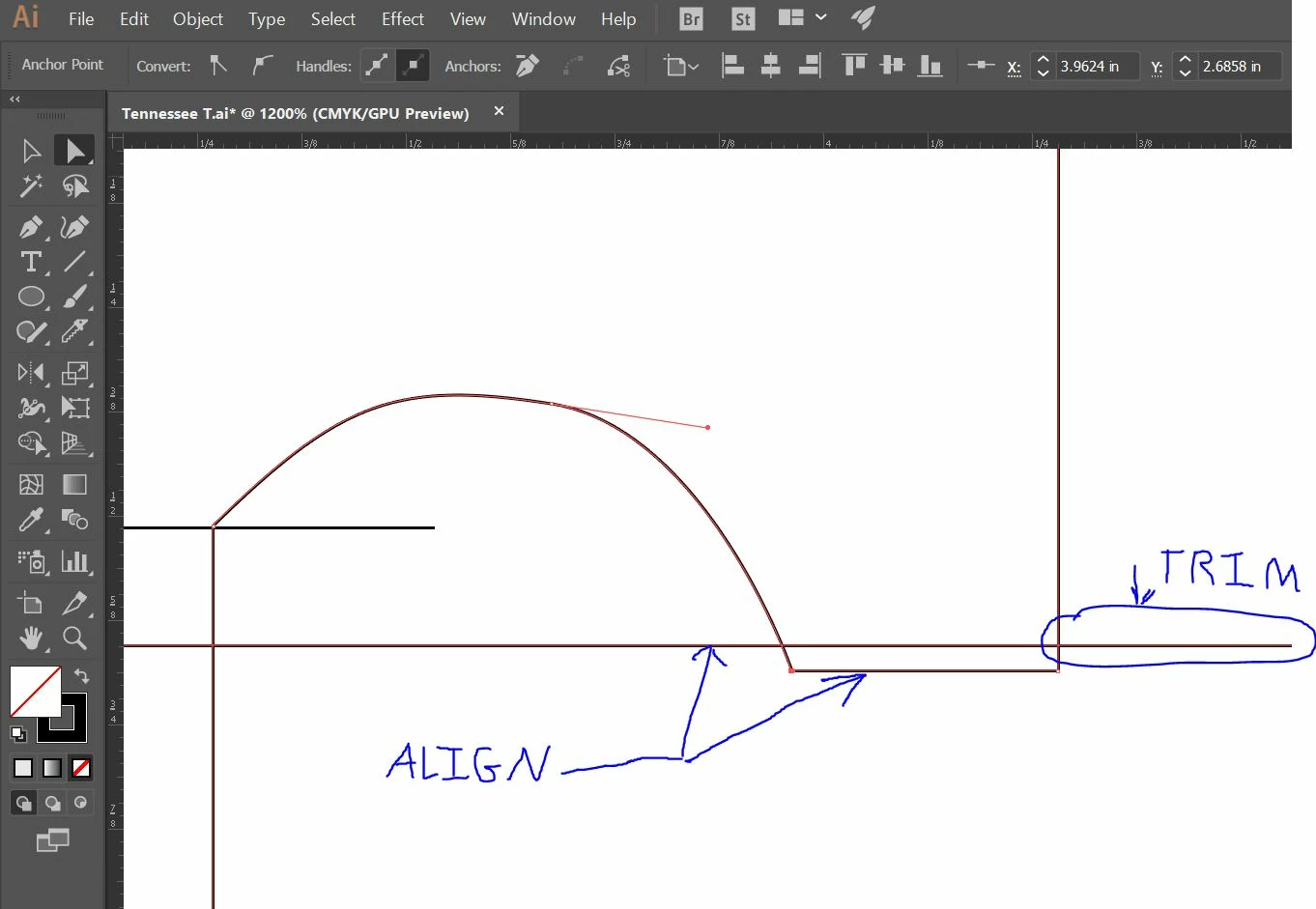
I just need to trim a line and the align what remains after the trim is complete. I've tried:
- Joining anchor points but they would not snap together even though they did in the videos I watched (Pathfinder, etc)
- Moving the horizontal path segment up to the trim line but the entire shape moves as opposed to the line segment (path) that I want to align. I tried deselect to clear all selections and I tried group select / direct select but everything moves at once.
Thanks folks.
 AdChoices