Known Participant
September 1, 2026
Question

trimming to inner boundary

  • September 1, 2026
  • 6 replies
  • 75 views

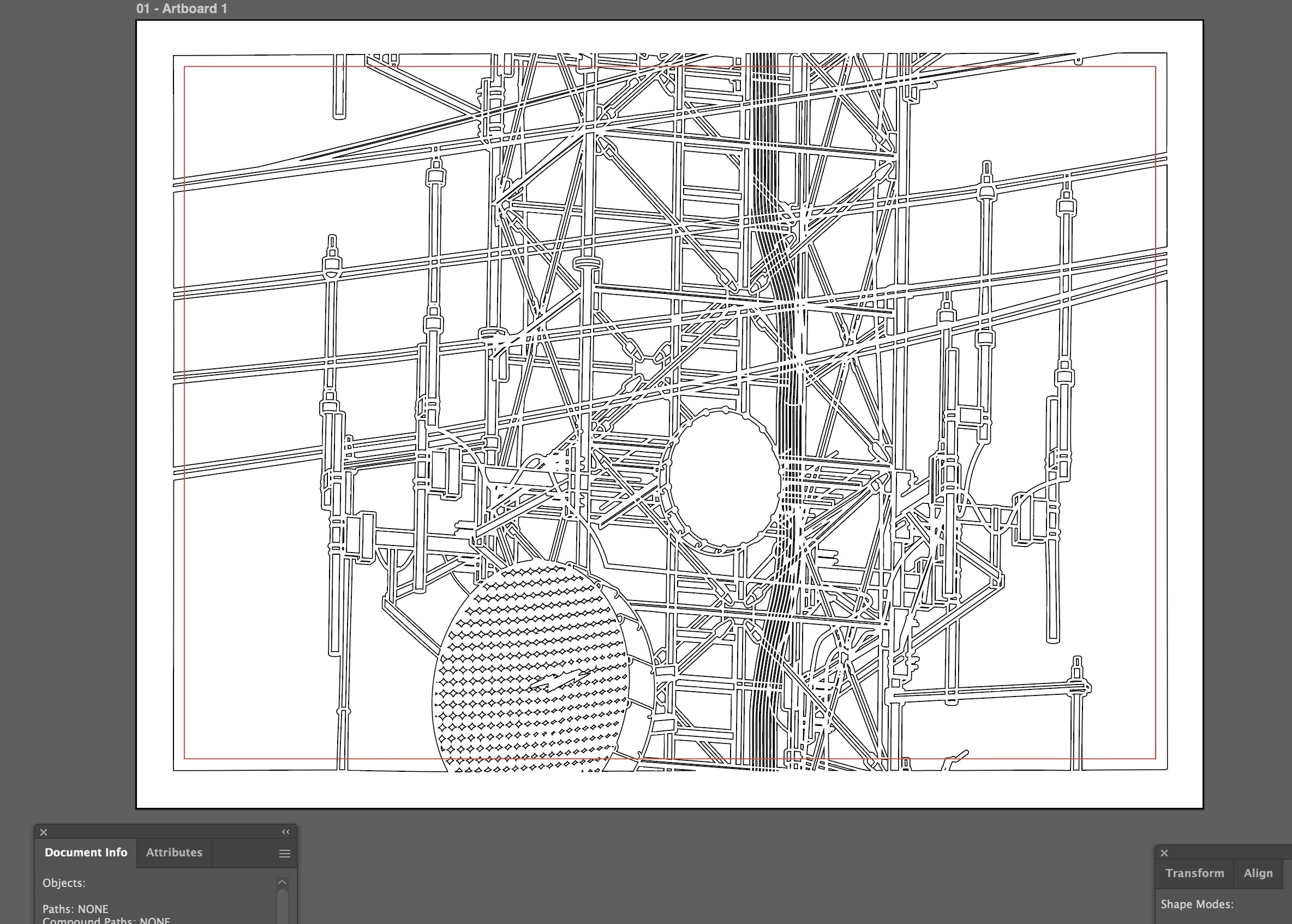
What I have here is a design where the linework “flows” into a rectangular border that frames everything.  I need to bring the inner border in to where the red rectangle is.  I don’t wand to scale everything down, just change the inner rectangle to where the red one sits, effectively “trimming” everything with the red rectangle.  In the past I thought I have done this with pathfinder, but I can seem to make it work.  I have tried to combine the red rectangle with an outside rectangle, but that didn’t work.  The info panel says all shapes are closed.  Any help would be greatly appreciated
...

    6 replies

    Known Participant
    September 3, 2026

    Thank you Dave… I could not get crop to work, but clipping mask worked great… For my design, I am trying to “connect” all the paths as they extend past the frame or border (see example)… clipping mask opens up everything as it extends past the mask...is there a way besides manually connecting the dots to get this?


    Dave Creamer of IDEAS
    Community Expert
    Community Expert
    September 2, 2026

    OK--you need to do one of the these two things…

    1. Flatten the layers, make the rectangle, select all, and use the Crop tool. 
    2. To keep your layers and use the Crop tool:
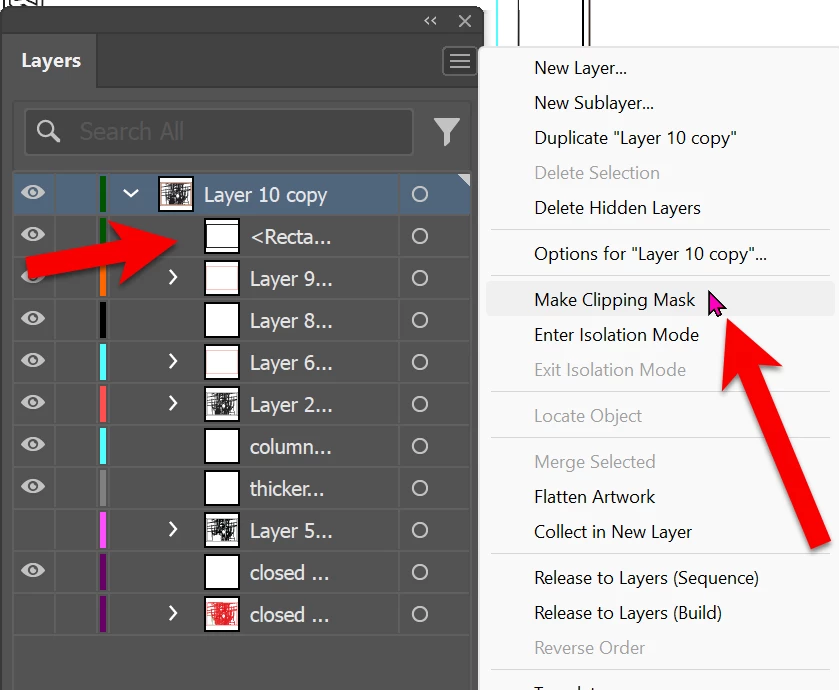
      1. make them all sublayers in a new layer; 
      2. make your rectangle on the new layer above the sublayers;
      3. select the new layer and use the Layer panel menu to Make Clipping Mask.


    David Creamer: Community Expert (ACI and ACE 1995-2023)
    Dave Creamer of IDEAS
    Community Expert
    Community Expert
    September 1, 2026

    Create a box on top of everything where the red border is now and select everything.

    To retain the objects outside the red border, create a compound path (Object menu). 

    To eliminate the objects outside the red border, use the Crop tool on the Pathfinder panel. 

    David Creamer: Community Expert (ACI and ACE 1995-2023)
    Known Participant
    September 2, 2026

    Thank you, tried that (crop)… got this:


    Dave Creamer of IDEAS
    Community Expert
    Community Expert
    September 2, 2026

    Can you upload the art, or click on my name and message me to exchange emails.

    David Creamer: Community Expert (ACI and ACE 1995-2023)