josue_b_muñoz
Participant
March 19, 2022
Answered

Trouble after selecting "replace spine"

  • March 19, 2022
  • 3 replies
  • 544 views

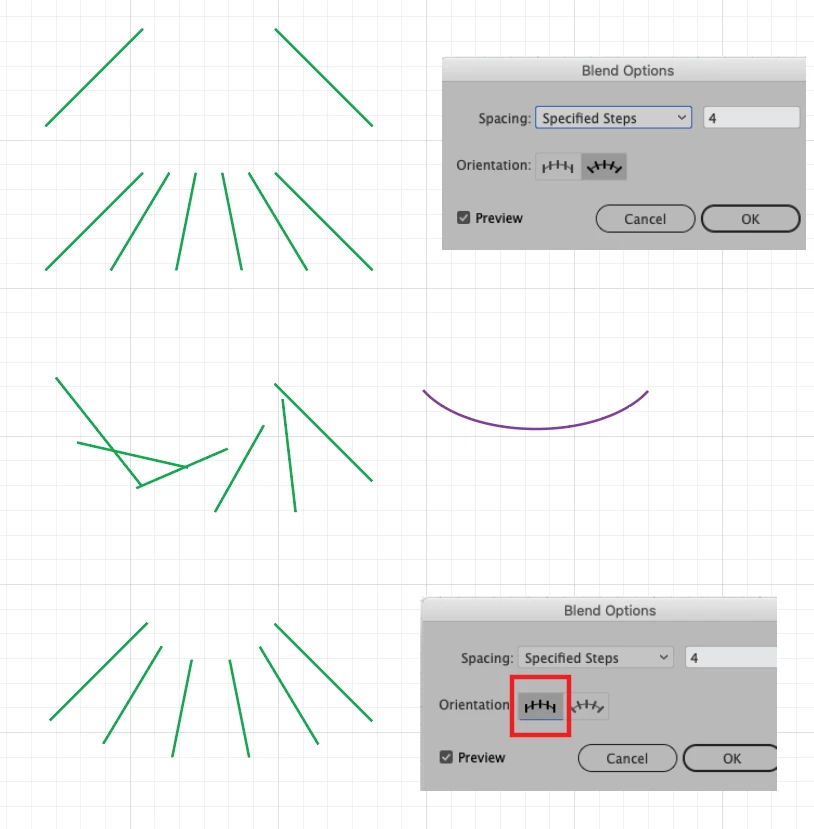
So I made a curve connecting two lines

 

I created a blend between the lines
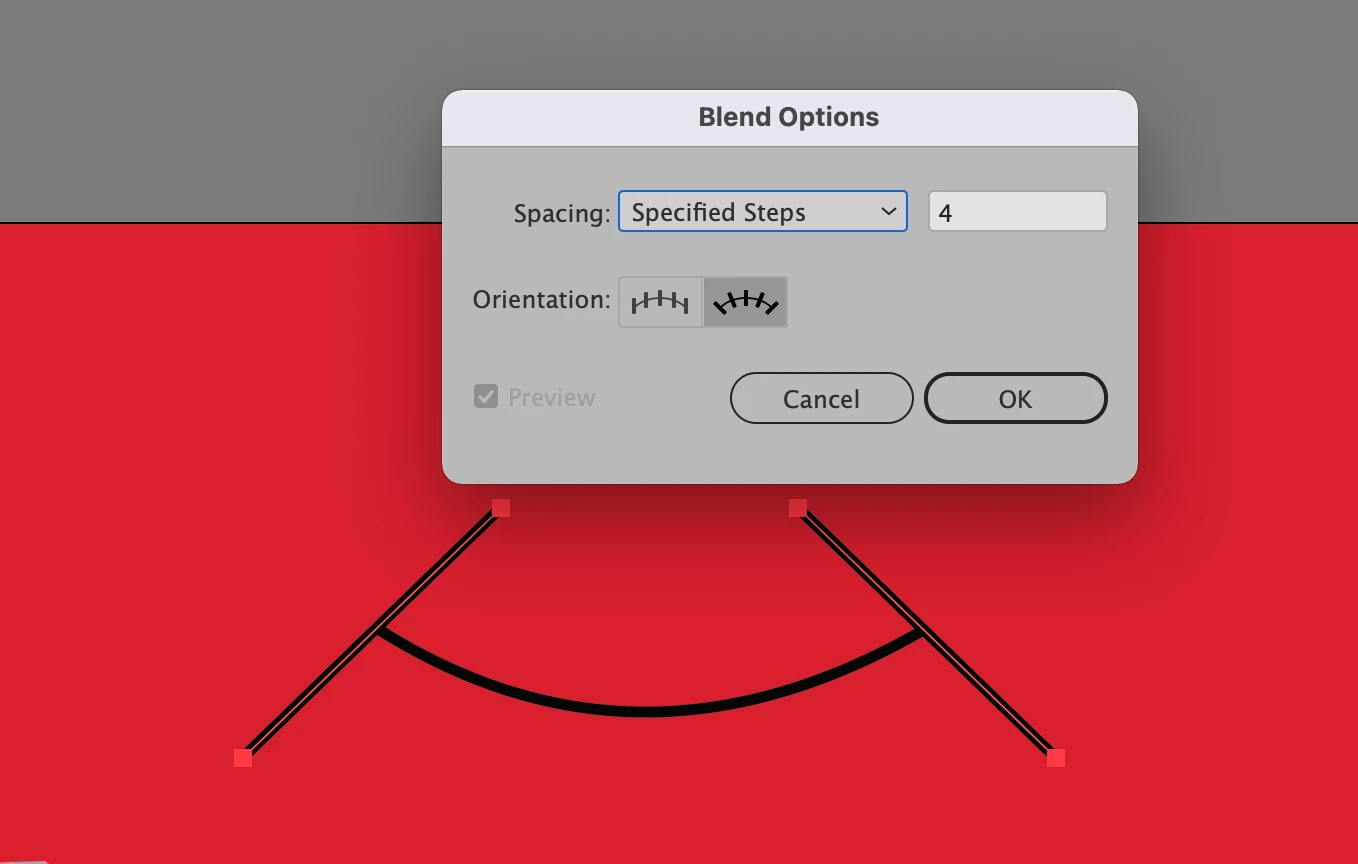
 

It gives it to me fine

 

But then I hit "replace spine" for the lines follow the curve and this happens
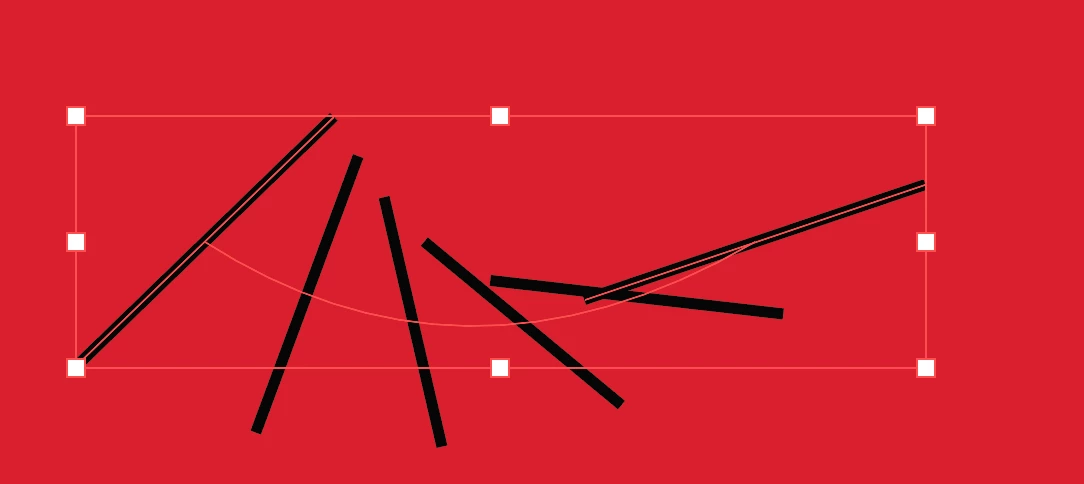
 

I have to manually align the lines

 

But I'm only able to do this manually because I ungrouped the lines out of a blend group and expanded them as well.
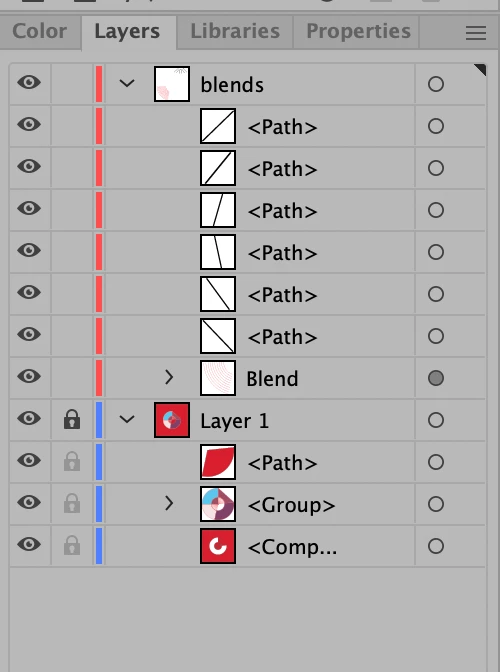
I wonder if there's a better way of approaching this
This topic has been closed for replies.
Correct answer kphotopage

Josue, Hi.


If you switch your Orientation to Align to Page, it should fix your problem.


K

3 replies

Jacob Bugge
Community Expert
Community Expert
March 20, 2022

Josue,


Whichever way you create the blend, in order to ensure equidistant steps (same distance along the whole path), often you will need to shorten the segments of the spine path.


You can do this in a simple way by adding Anchor Points, using Object>Path>Add Anchor Points a sufficient number of times.


The need depends on Handle lengths.


josue_b_muñoz
Participant
March 21, 2022

Hey Jacob, 

Thank you for the detailed explanations. This was a mystery to me until I asked the quesiton. K's solution seemed to be the one that solved it for me. 

Jacob Bugge
Community Expert
Community Expert
March 21, 2022

For my part you are welcome, Josue.


kphotopage
kphotopageCorrect answer
Legend
March 20, 2022

Josue, Hi.


If you switch your Orientation to Align to Page, it should fix your problem.


K

Jacob Bugge
Community Expert
Community Expert
March 20, 2022

Ah, K, a completely different interpretation.


And a solution.


Jacob Bugge
Community Expert
Community Expert
March 19, 2022

Josue,


The Blend in the third screenshot is unrelated to the curve: it is just a blend between two lines at different angles, the intermediate parts having the same height and different angles; with this they are shorter than the original lines.


And when you replace the spine, the individual steps are set at the same different angles relative to the tangent of the spine.


You can also see that they have different lengths, the intermediate ones (still) being shorter.


If you wish to have them at the same angle relative to the tangent (and with the same length), you have to create the blend with identical angles.