Known Participant
March 4, 2019
解決済み

TROUBLE EXPORTING SEAMLESS PATTERNS

  • March 4, 2019
  • 返信数 2.
  • 2245 ビュー

Hello everyone,

sometimes i have troubles exporting seamless pattrns.

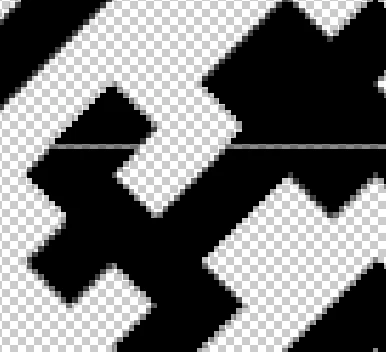
I realized a correct seamless pattern with illustrator but when i export it in PNG, as you can see below, the pattern is no more seamless.

I opened it in photoshop and is like all the frame pixels are been nibbled.

Somone know how to fix this broblem?

Thanks a lot.
このトピックへの返信は締め切られました。
解決に役立った回答 Ton Frederiks

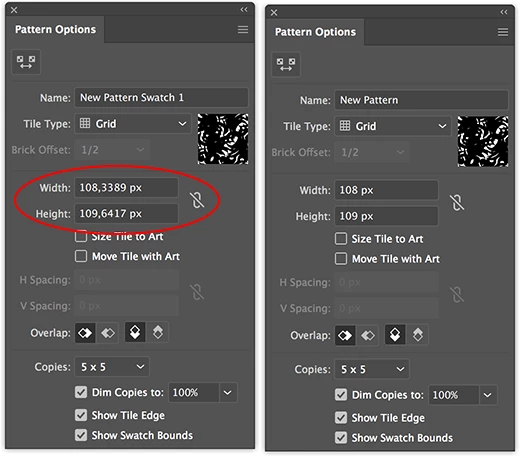
Double click the pattern in the Swatches panel and check if your pattern tile contains fractional pixels.

Fractional pixels can be the reason for these anti-aliasing effects.

Try to make your pattern without fractional pixels.

返信数 2

Ton Frederiks
Community Expert
Ton FrederiksCommunity Expert解決!
Community Expert
March 4, 2019

Double click the pattern in the Swatches panel and check if your pattern tile contains fractional pixels.

Fractional pixels can be the reason for these anti-aliasing effects.

Try to make your pattern without fractional pixels.

Monika Gause
Community Expert
Community Expert
March 4, 2019

Try and set anti-aliasing to "Artwork optimized"

matibuc4eva作成者
Known Participant
March 4, 2019

Thanks Monika,

but sadly i already exported the artwork with this option the first time and the result was the one shown in te picture above.

Monika Gause
Community Expert
Community Expert
March 4, 2019

Please open the preferences.

In the preferences turn off the artwork smoothing.

Are there seams visible?