Participant
November 2, 2022
Answered

Trouble with nodes!

  • November 2, 2022
  • 1 reply
  • 119 views

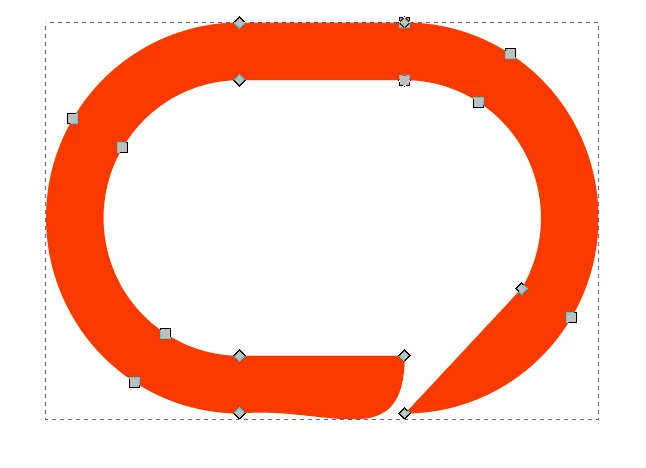
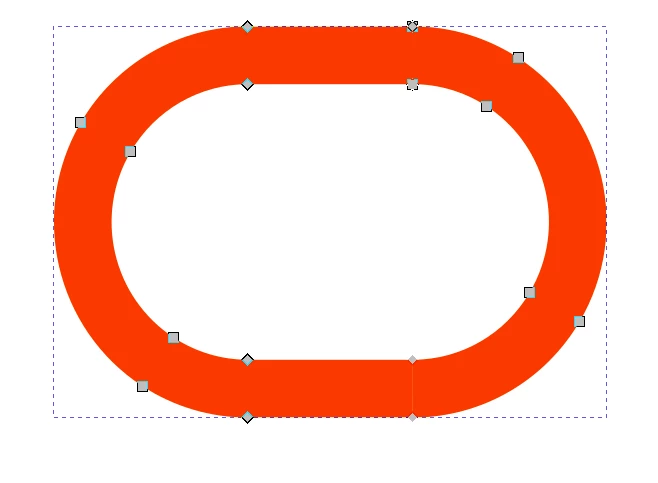
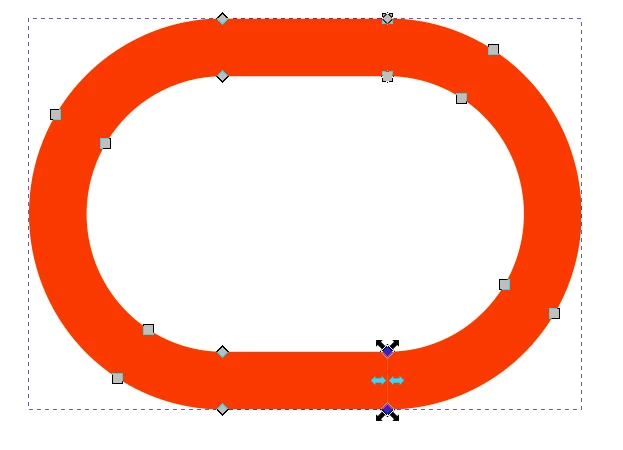
Hi there, please see attached images. I'm a novice at this but I created a logo for my business and once exported as an image all is well. But when laser cutting using the .svg file, it is picking up on the vertical line in the 'o' shape highlighted and when I delete it goes all wonky. If anyone could help I would seriously appreciate it as I've been pulling my hair out over this!
 

This topic has been closed for replies.
Correct answer Eugene Tyson

You need to join the shape into a whole shape - the nodes are not joined.


https://helpx.adobe.com/ie/illustrator/how-to/join-trim-paths-lines.html


You need to have the shape as a complete shape with no gaps.

1 reply

Eugene TysonCommunity ExpertCorrect answer
Community Expert
November 2, 2022

You need to join the shape into a whole shape - the nodes are not joined.


https://helpx.adobe.com/ie/illustrator/how-to/join-trim-paths-lines.html


You need to have the shape as a complete shape with no gaps.