
Known Participant
April 9, 2024
Answered

Trying to change the colour of an object to a gradient I saved in my library

  • April 9, 2024
  • 3 replies
  • 280 views

Hey guys, so I created a couple of gradients the other day which I just saved as a square shapes in my library (I read that you couldn't save gradients as swatches). I was initially able to select an oject, and then click on the square with the eyedropper tool and it would change the colour of the object to the gradient. But now when I do this, it just changes the colour to whatever part of the gradient I happened to click on (so its just one solid fill colour instead of a gradient). I'm not sure what I'm doing wrong or how to acheive what I need but any help would be really appreciated.
This topic has been closed for replies.
Correct answer Mike_Gondek10189183

You are coorect you cannot add a gradient to the library as a swatch,. Lets all upvote this post from 2017, was at 808.


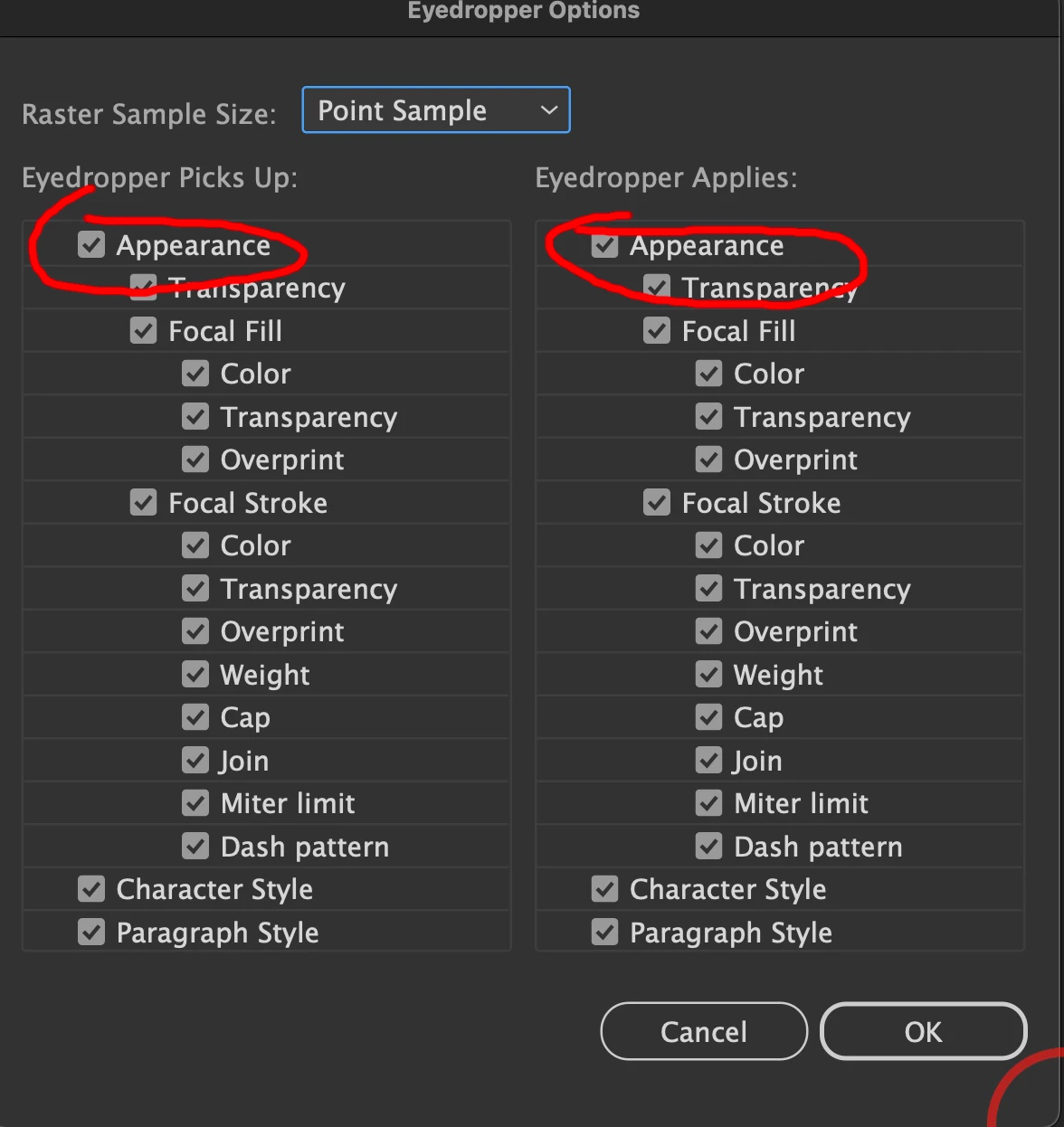
You will need to OPTION drag the graphic from your library to your canvas  to place as a graphic and not a link. Then sample from the graphic. Also, double-click your eyedropper to check that appearance is enable.


3 replies

Mike_Gondek10189183
Community Expert
Mike_Gondek10189183Community ExpertCorrect answer
Community Expert
April 9, 2024

You are coorect you cannot add a gradient to the library as a swatch,. Lets all upvote this post from 2017, was at 808.


You will need to OPTION drag the graphic from your library to your canvas  to place as a graphic and not a link. Then sample from the graphic. Also, double-click your eyedropper to check that appearance is enable.


Ton Frederiks
Community Expert
Community Expert
April 9, 2024

Are you using the Creative Cloud libraries?

Then you need to Alt Drag the object with the gradient from the CC library to your document.

If you saved the gradient in the Swatches panel befor you added it to the CC library, it will also be added to your swatches when dragged into other documents.

Monika Gause
Community Expert
Community Expert
April 9, 2024

Of course you can save gradients as swatches. 

Open the Gradient panel select the object and then in the upper right there is a menu. At the bottom of that menu there is a button which allows you to save the gradient.