Trying to divide a circle into quadrants
Illustrator Newbie here. I'm trying to divide a circle into quadrants. I have reviewed two tutorials on this subject and -- despite TRYING to follow the directions, I am doing something wrong.
Here is the result I want:
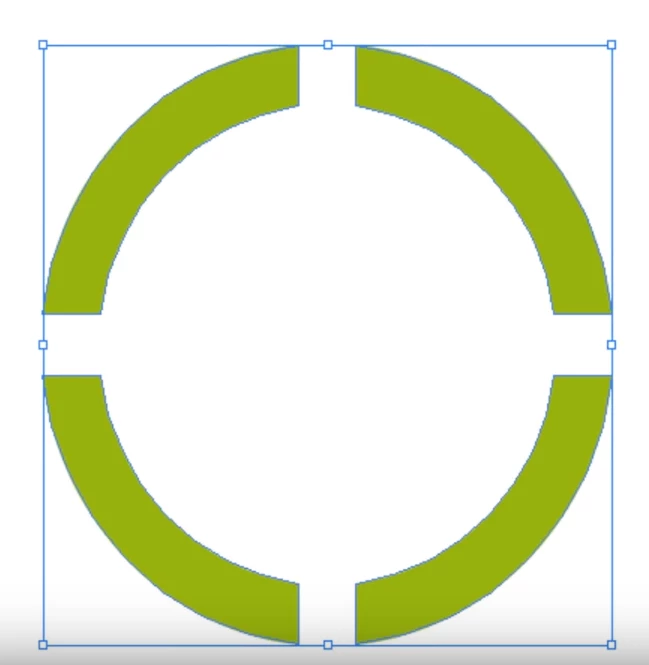
Here is what I believe I am doing:
On one layer of the graphic...
- Choose ellipse, draw circle, make line width 60/color gray
- Draw 2 lines, line width 20, copy/paste/rotate so that I have a vertical cross.
- Select all and center H & V.
- Select the lines (only) cut/paste control-F so that they are in front.
- Group the lines (only) (using the layers panel and Group from the Object menu)
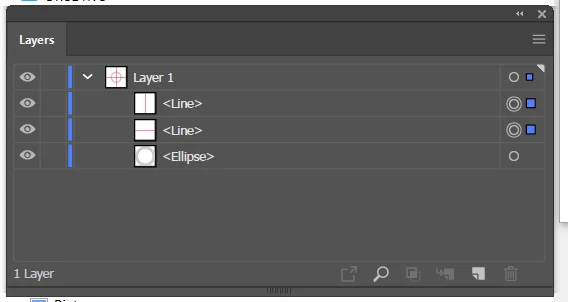
- Select all -- lines and circle
- Choose Object | path | outline stroke
- Pathfinder | remove front.
This is the result:
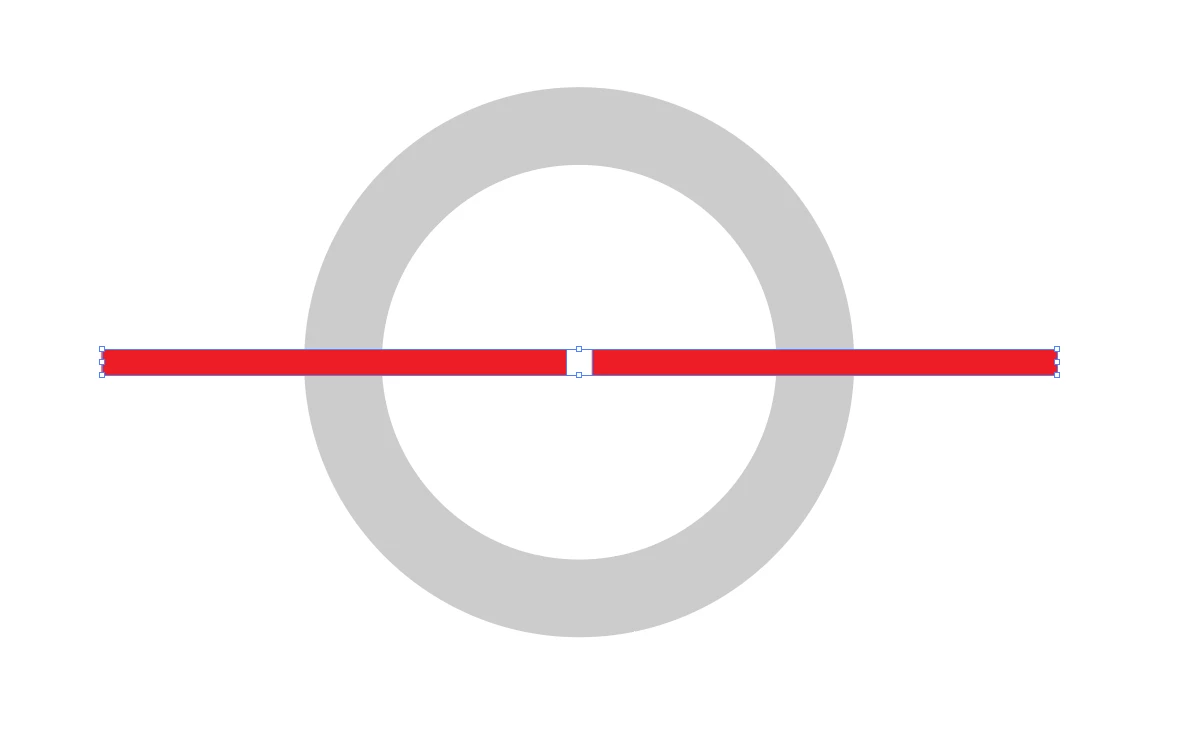
I have been consistent in achieving this unremarkable result several times. Obviously, I am doing something wrong. It is possible that the tutorials are for an older version of Illustrator -- I have the latest CC version, 24.02 -- and that an extra or other step is now necessary. What puzzles me is that even though the cross is grouped, when I remove front, it removes one section of the cross, and does not remove parts of the circle. Puzzled.
Good suggestions here would be appreciated. Many thanks.
-j
 AdChoices