Participating Frequently
May 11, 2017
Answered

Trying to fill gradient color, but when I chose the certain color, gradient disappears

  • May 11, 2017
  • 2 replies
  • 1113 views

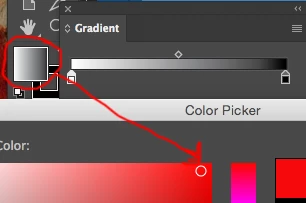
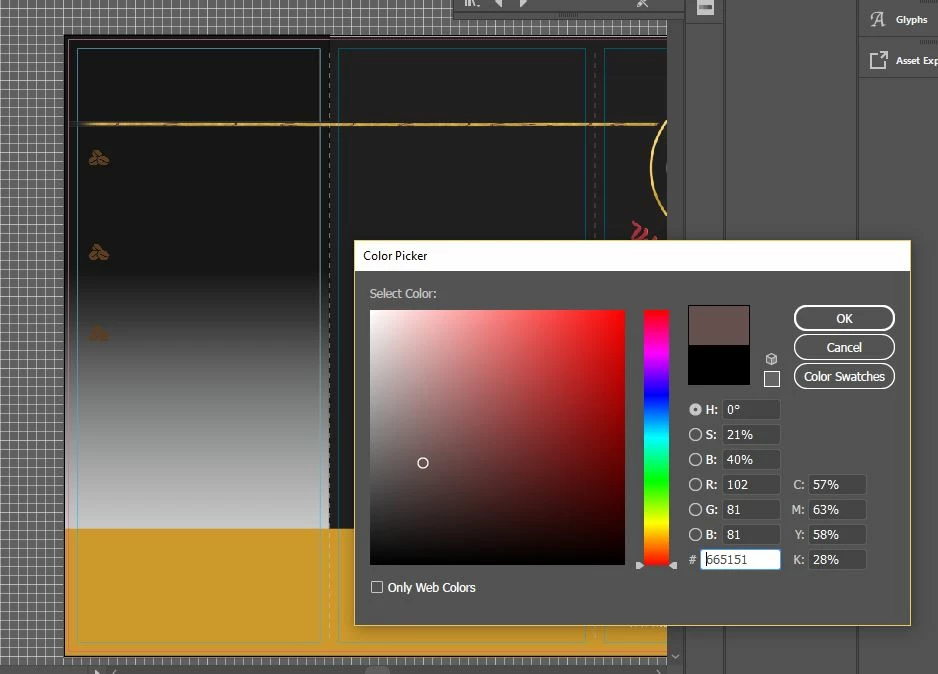
I'm trying to fill different color for gradient, but when I chose the color and hit 'ok,' it just fills the color completely; no gradient.

How do I solve this ?? It's driving me crazy. I have picture..
    This topic has been closed for replies.
    Correct answer Mike_Gondek10189183

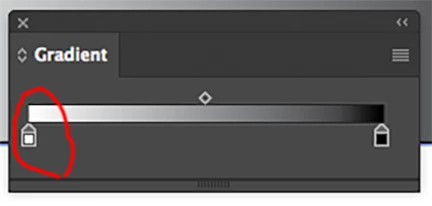
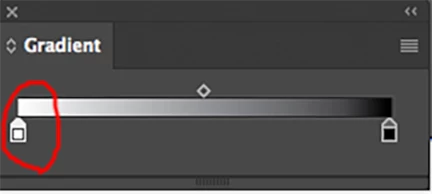
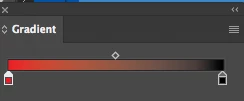
    You need to select a gradient stop

    The color will change to white

    You can now double-click on the fill swatch as you were before can choose a color

    click ok and

    Important is to select a gradient stop as there are other way to change color such as option clicking on a swatch in swatches.

    2 replies

    PrepressPro1
    Legend
    May 11, 2017

    You will need to drag the desired color swatch to the gradient stop on the gradient panel. 

    Participating Frequently
    May 11, 2017

    I don't get it.. is there any tutorial/

    Legend
    May 11, 2017

    If you want to change the color of a part of a gradient, you have to change it with the Gradient tool. What you have done is change whole box fill to your selected color.

    Participating Frequently
    May 11, 2017

    where do i find the list of colors? and how do i select customized color? :221F1F

    Monika Gause
    Community Expert
    Community Expert
    May 11, 2017

    Double click one of those little houses to open the swatches.

    Shift double click to open the color panel.

    Please read the documentation.