


Known Participant
June 22, 2025
Question

Trying to perfectly snap align a line, doesn't work.

  • June 22, 2025
  • 2 replies
  • 450 views

Hello everyone. Wondering if anyone help me with this issue.

I am trying to get the top line and the objects to line up perfectly with the bottom line when I move the top line and objects to the bottom line. My snap to point are turned on and it still doesnt work. I tried to use the aligners but they do not line the objects the correct way. 
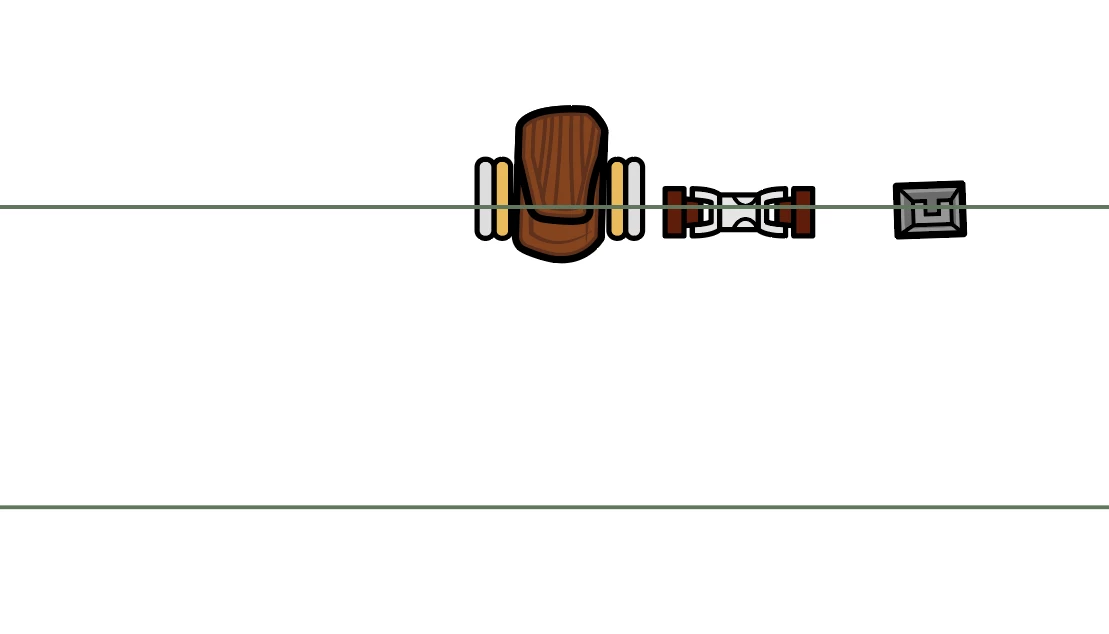
2 replies

Jacob Bugge
Community Expert
Community Expert
June 22, 2025

freshx,


There may be different reasons, inculding a corrupted document or a general corruption, but:


As I (mis)understand it, you wish to move the top line down to coincide with the bottom line, and to have the other objects retain their positions.


In this case, a crude way could be to:


1) Create a nostroke, no fill rectangle with the same width as the lines and a sufficient height to reach beyond the other objects, then place it with its centre on top of the centre of the top line; you can simply use the Transform palette with the centre Reference Point selected and give it the same X and Y values;

2) Group the rectangle with the top line and the other objects;

3) Give the Group from 2) the same X and Y values as the bottom line.


You can delete the rectangle afterwards, or just leave it for possible later use.


Ton Frederiks
Community Expert
Community Expert
June 22, 2025

Do you have Smart Guides turned on?

Known Participant
June 22, 2025

Yes

Jacob Bugge
Community Expert
Community Expert
June 22, 2025

freshx,


Are both Snap To Grid and Snap to Pixels off?


If either is on, Smart Guides will fail to guide you, however smart they are.