marcoc88569306
Known Participant
August 7, 2026
Answered

Two lines, same outline colour. Displays very different. Why?

  • August 7, 2026
  • 3 replies
  • 19 views

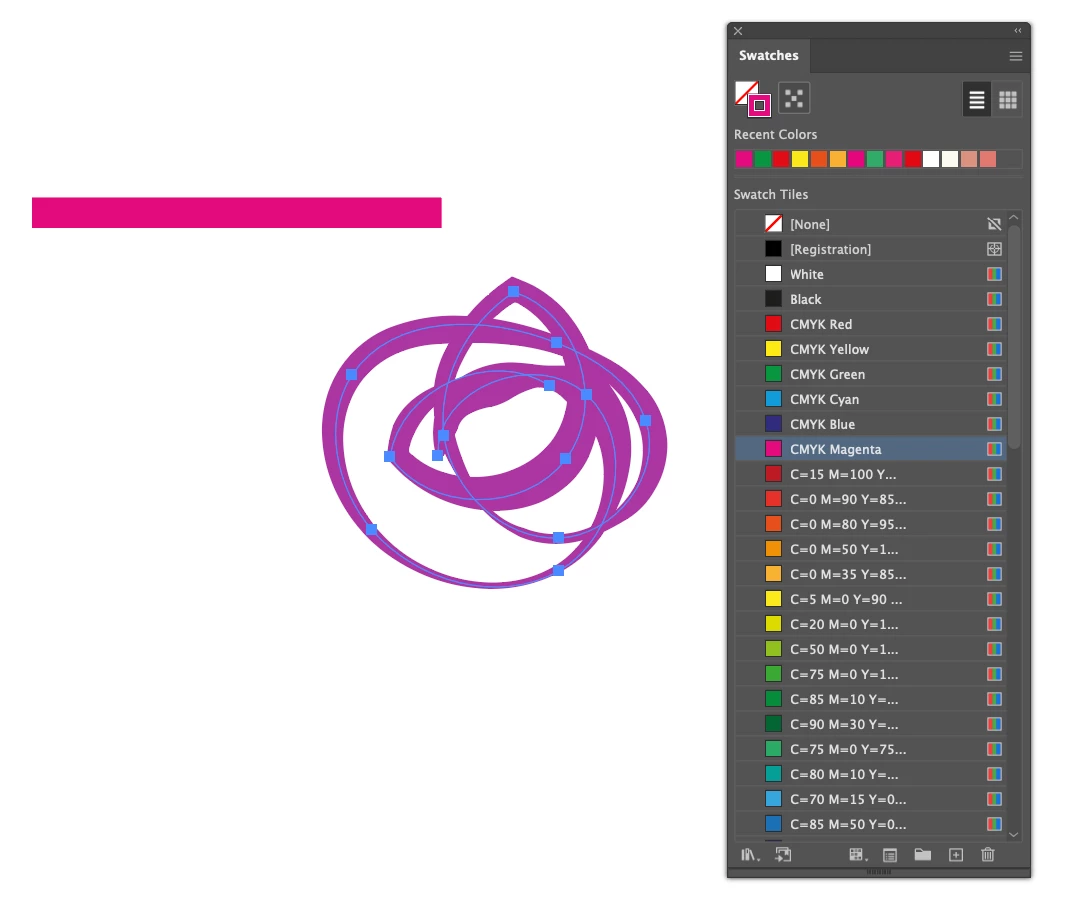
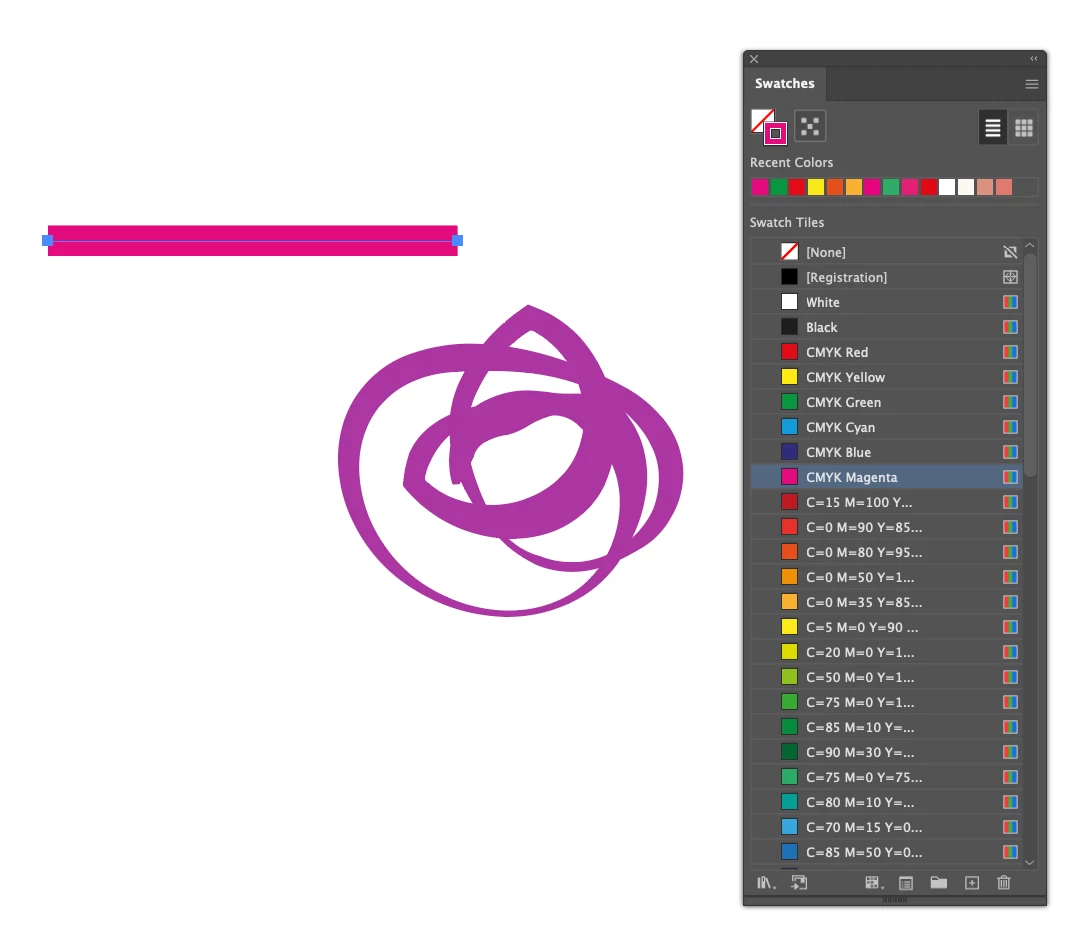
I have two lines in Illustrator. Both are specced a magenta. The line drawn with the pencil looks magenta as you would expect. The second line is drawn with the paintbrush tool and looks like a weird purple colour even though it’s specced exactly the same as the other line for 100% magenta.
A) Why
B) How do i fix my brush-drawn line to actually be the colour it should be?


I’ve added two screengrabs…

Any help will be greatly appreciated.
 

    Correct answer Ton Frederiks

    Can you double click the brush in the Brushes Panel and see if it has a Colorization method?

    Also check if there is an Appearance Effect, like a Layer Color applied to the Layer. Check if the problem also appears in a new layer or a new document.

    3 replies

    Ton Frederiks
    Community Expert
    Ton FrederiksCommunity ExpertCorrect answer
    Community Expert
    August 7, 2026

    Can you double click the brush in the Brushes Panel and see if it has a Colorization method?

    Also check if there is an Appearance Effect, like a Layer Color applied to the Layer. Check if the problem also appears in a new layer or a new document.

    marcoc88569306
    Known Participant
    August 7, 2026

    Awesome, thank you, the brush was set to Hue Shift. I’ve switched that setting to Tint and it seems to have done the trick. Thank you so much!

    Ton Frederiks
    Community Expert
    Community Expert
    August 7, 2026

    Good to hear that helped .