

Two Questions about Handlebars
I may not be asking this correctly, but here it goes:
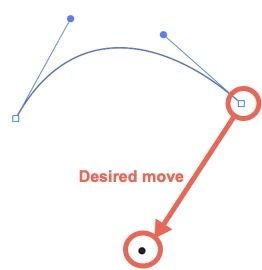
I have often wanted to move an endpoint on a curve so that the handlebars changed automatically to match the existing curve. Right now, when you move a point, you move the handlebars exactly as they are at the cost of the existing curve. Dragging the handlebars to the desired location to maintain the fidelity of the original curve is a total crapshoot.
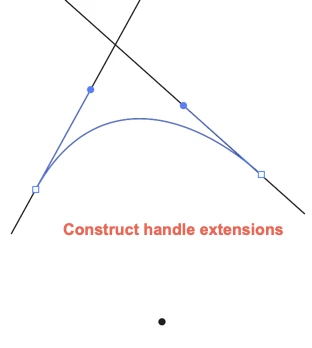
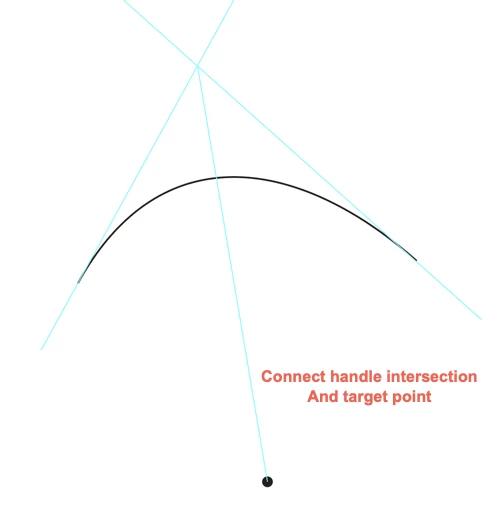
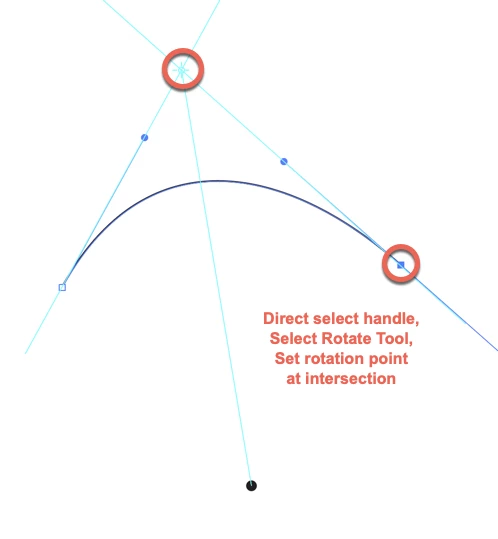
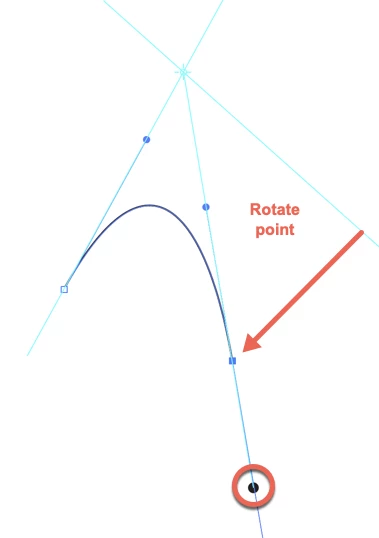
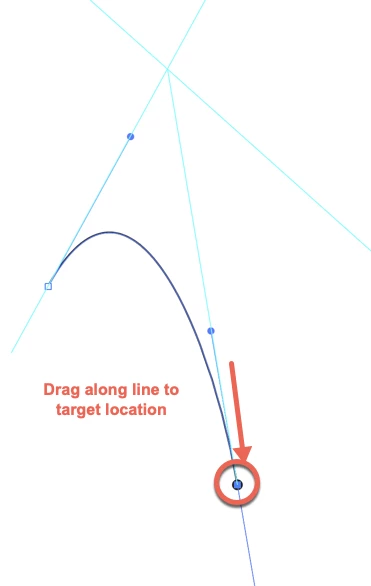
The result would probably be something like this: You would calculate the point at which the line from the closest handlebar of the distant point intersects the current point's handlebar's closest point and lock that point in place. Then, dragging the point around would adjust the curve in such a way that the crossing point remained locked while the length of the handlebar remained the same. Freehand, back in the day, offered this feature. It can be really useful.
.
Current behavior has you move the handlebars in exactly the same orientation and scale in the new location that they were in at the original location. This compromises the curve and gives some terrible results.
See example:
Not sure why it isn't easier to link my Creative Cloud files here, but I posted the link as well as the Image.
Does anyone know if this exists and I just haven't found it? Seems like this should be a modifier key-drag thing or something.
Related Question:
Is there any way to address the handlebar endpoiints directly? I can drag them, but can I lock them in place? That would rock.
If these features do not currently exist, is there a plugin that would do it?
If no plugin exists and it's not a feature, I submit a request. Thanks in advance for your support.
 AdChoices