
gfdesigndenver
Participating Frequently
April 2, 2019
Answered

Type columns without area box?

  • April 2, 2019
  • 1 reply
  • 658 views

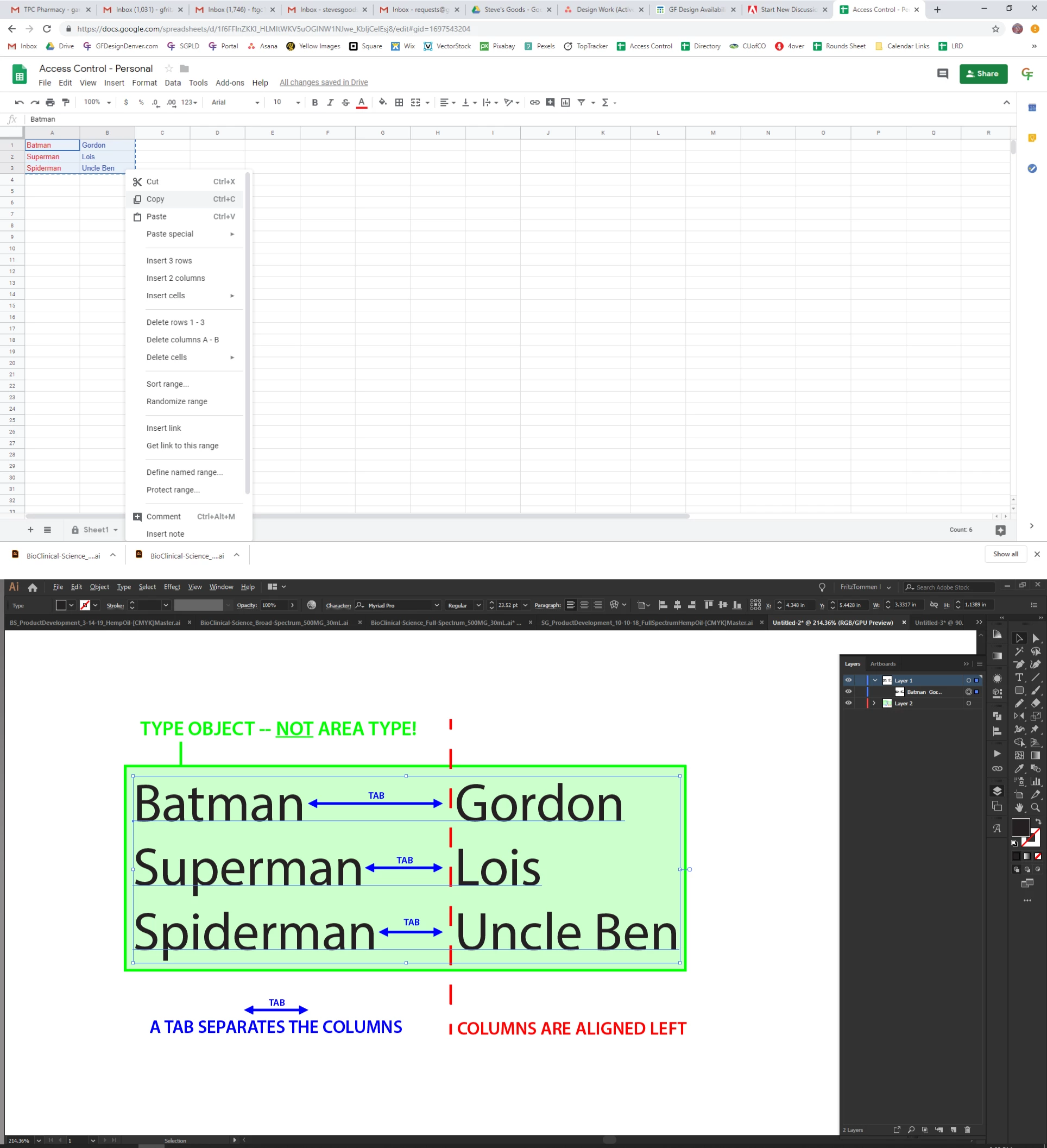
When I copy and paste cells from Google Sheets into Illustrator, AI gives me columns and rows of type separated by tabs that are plain type objects -- no area box. I can't figure out how to control the spacing between each column (the size of the tab) without converting it to area type. The question is: how do I control the formatting so that I can do things like change the spacing between columns, without converting to area type? I have attached pictures to show what happens when I copy and paste from Sheets to AI, let me know if I can clarify the issue or what I'm trying to achieve.
This topic has been closed for replies.
Correct answer SJRiegel

In that case, what are you seeing that says it is not area type?

You should be able to bring up the tab panel and adjust your columns with tabs. 

That being said, this sort of layout work is better done with InDesign, as it has the tools to handle text: like tables, for instance.

1 reply

Legend
April 2, 2019

You say that there are tabs - when you turn on Show Hidden Characters, does it look like the top image or the bottom one?

gfdesigndenver
Participating Frequently
April 2, 2019

Hey thanks for the response -- it looks like the top one

SJRiegelCorrect answer
Legend
April 2, 2019

In that case, what are you seeing that says it is not area type?

You should be able to bring up the tab panel and adjust your columns with tabs. 

That being said, this sort of layout work is better done with InDesign, as it has the tools to handle text: like tables, for instance.