


Type not scaling correctly in linked type objects
I’ve just recently started having an issue with Illustrator’s linked type objects. Often when I re-size linked type boxes, I don’t want the text inside to scale relative to the object, I just want the entire object and text to scale perfectly together. I’ve long been accustomed to creating a solid rectangle above the area type boxes (or a border), which causes Illustrator to treat the selection of multiple objects as one and scale everything. Suddenly, seemingly after the update to version 29.7.1, the linked text inside the box does not scale (using the Scale tool) or scales disproportionately (using the Selection tool).
The Free Transform Tool currently appears to be the only way to scale these objects together while keeping the type size proportional to the objects being scaled.
When and how has this behavior changed? Am I missing something?
Screen shot attached.
Thanks in advance for your help!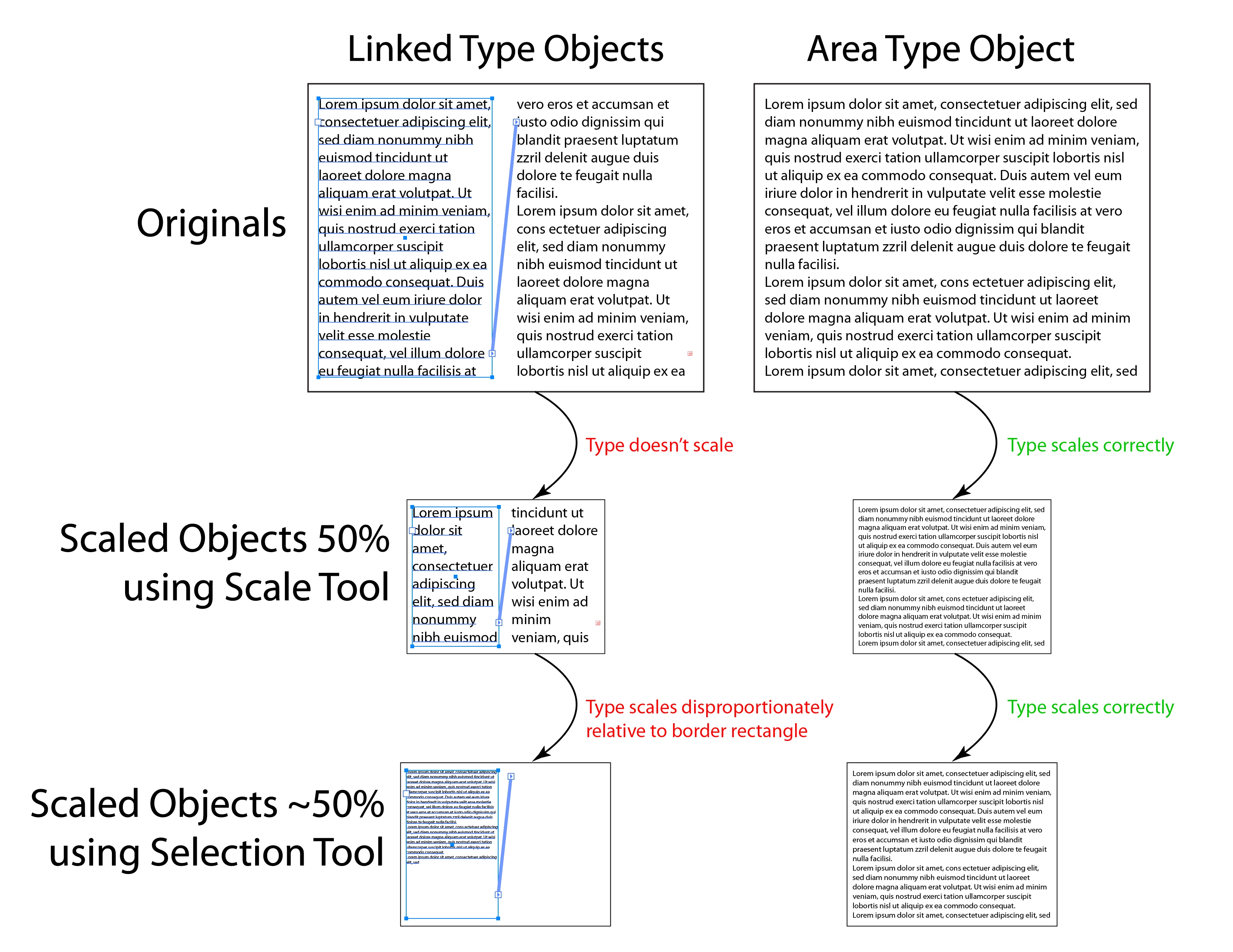
 AdChoices