
Participant
December 2, 2024
Question

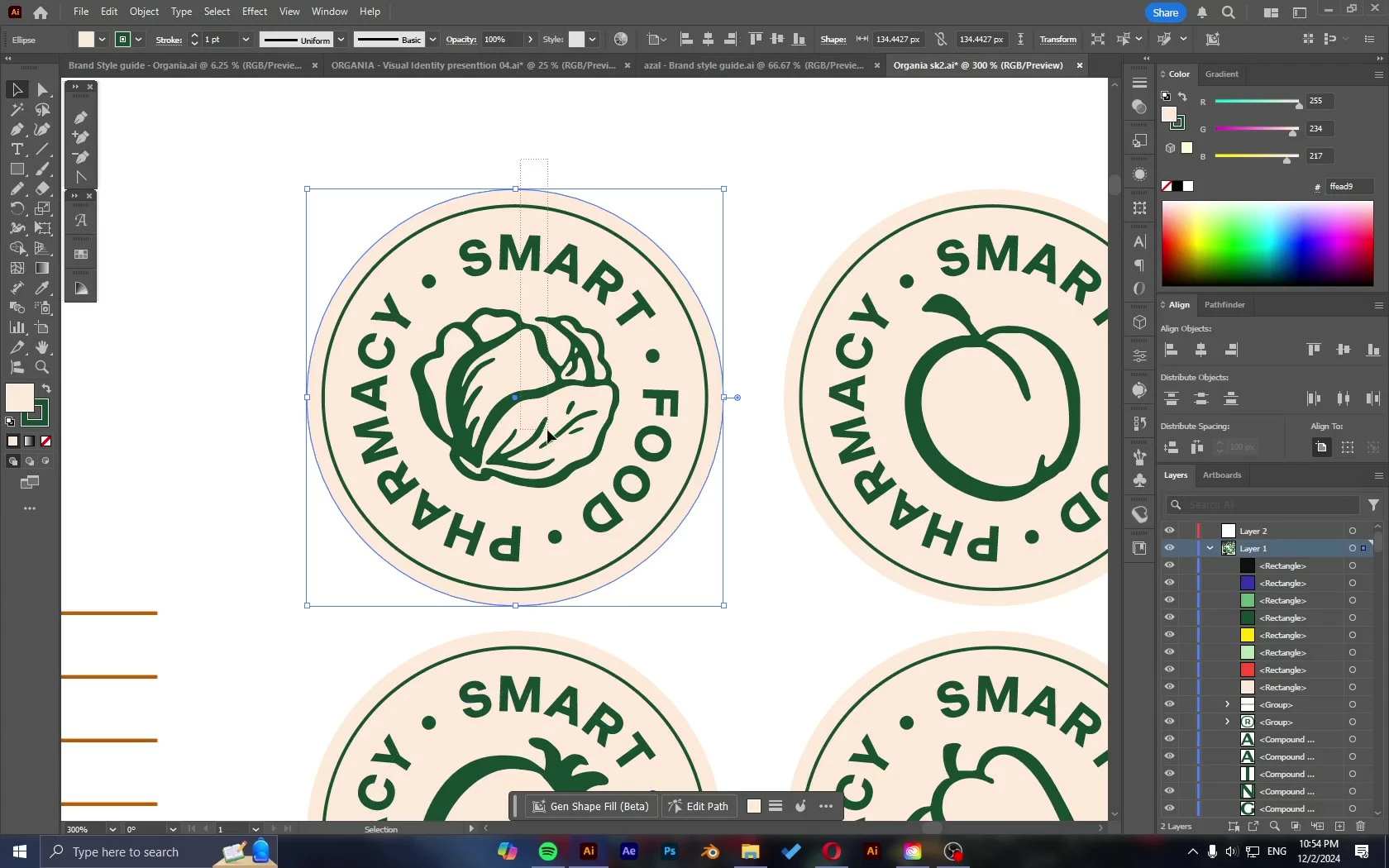
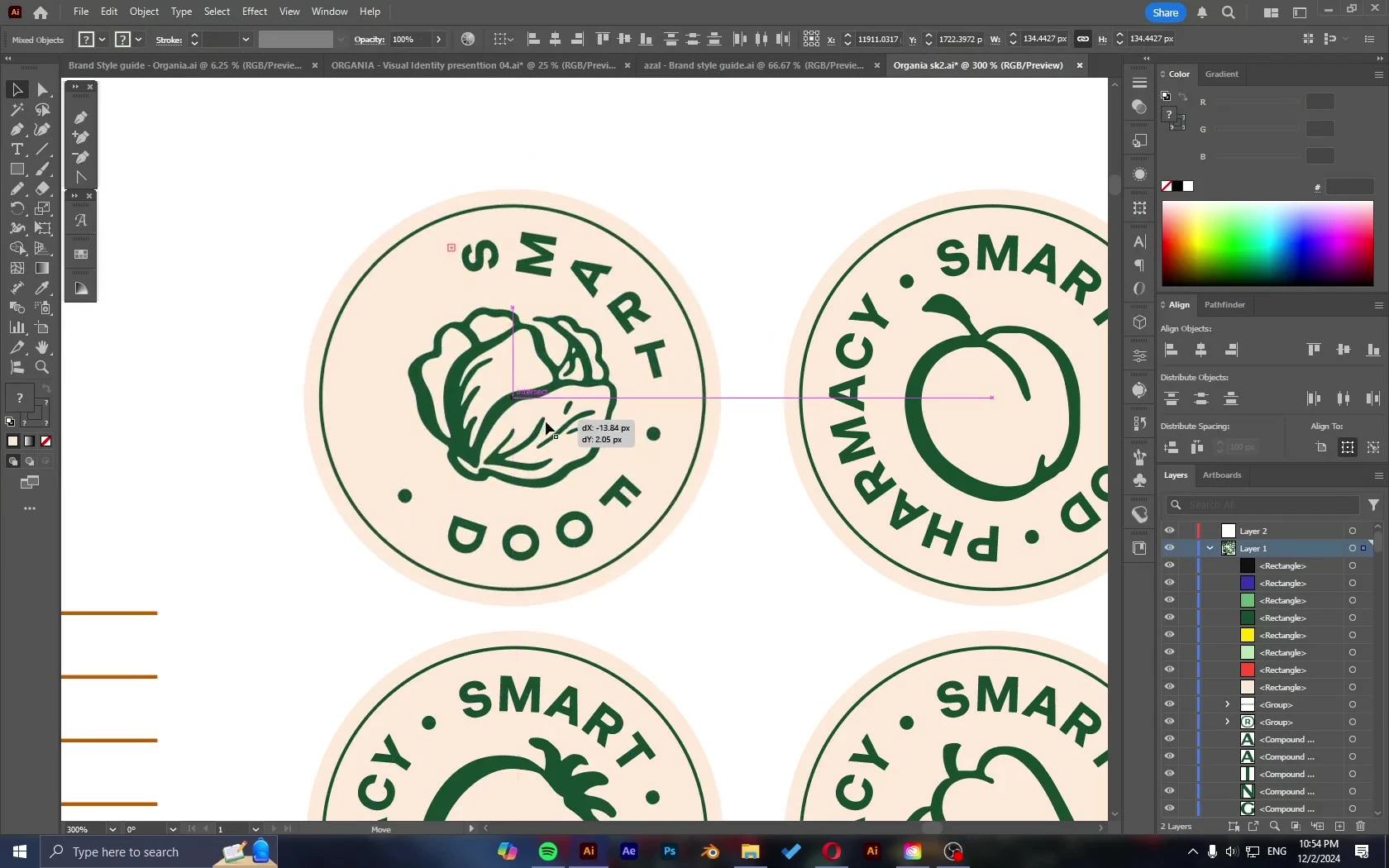
Type on a path text bugging

  • December 2, 2024
  • 1 reply
  • 118 views

I'm using Ai 29.1 - There're some texts on paths that I've created on previopus Ai versions. 
Now the issue is when i move these texts. the alignment of the text changes to be similar or exactly like (gravity) option, despite it's on (rainbow) option.
tried to change it from (type on a path options) but it gives same result for both (rainbow) and (gravity) options.
This topic has been closed for replies.

1 reply

Anubhav M
Community Manager
Community Manager
December 3, 2024

Hello @ahmeda93477642,

I'm sorry to learn about your situation. Our product team has resolved this issue in the latest version of Illustrator. However, for files created in previous versions, manual adjustments are necessary. I realize this may not be the most convenient, and I apologize for the trouble.

Please don't hesitate to contact us if you have further questions or require support. We will be glad to assist.


Anubhav

Participant
December 3, 2024

Hello Anubhav, 
Thanks for your reply.
I've mentioned that manually adjusting it doesn't help. I actually have to redo all of them again in order to get it right. and i don't know how do you call that "resolved" if i have to basically redo it.

Please just let me know if that would be fixed in the new version or should i just go and use an older version, because this is getting so annoying!

Anubhav M
Community Manager
Community Manager
December 4, 2024

Hello @ahmeda93477642,

Thank you for verifying the information. In this particular case, you will need to download an earlier version of Illustrator (https://adobe.ly/3BaLrp4) that will allow you to open the files without any issues. You can still use both versions of Illustrator since files created in the newer version do not have this issue anymore.

Please don't hesitate to contact us if you have further inquiries or require help. We will be glad to assist.


Anubhav