Known Participant
Feb 16, 2017 11:32 AM UTC
Answered

Type tool defaulting to Right to Left text alignment

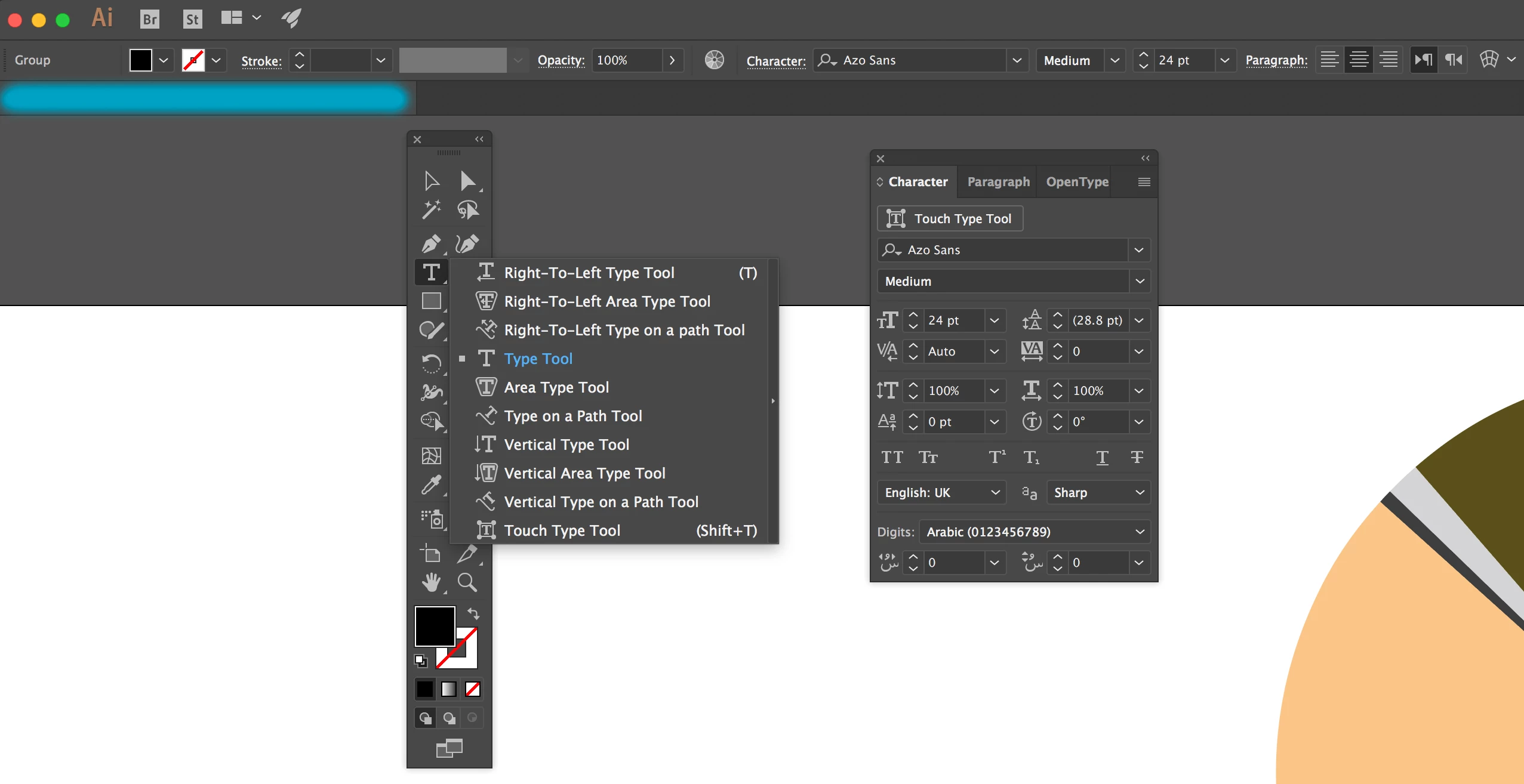
My Type tool has defaulted to setting text alignment Right to Left instead of Left to Right.

I have changed the language to English UK and clicked the align text button to left to right, but to no avail.

I have attached 2 images for reference.

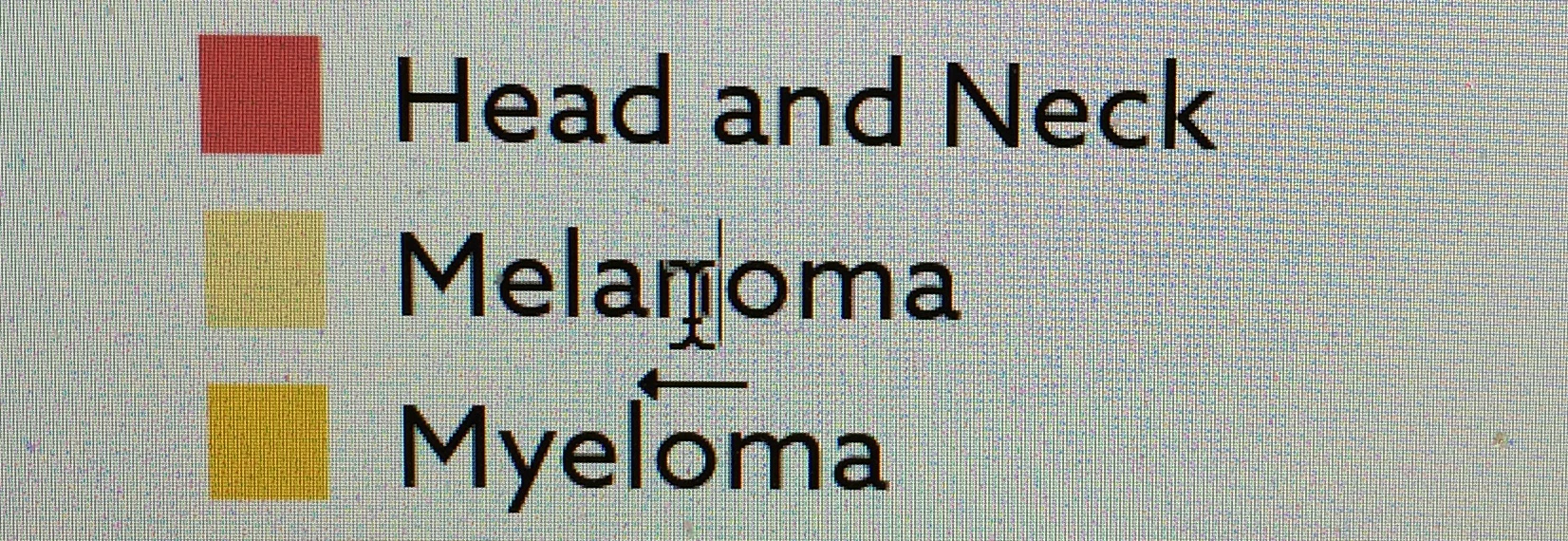
The second image shows the cursor tool but the arrow underneath points to the left rather than the right.
    This topic is closed to new replies. Start a new post to keep the conversation going.
    sheva17Correct answer
    Participant
    Apr 29, 2020 3:23 PM UTC

    Ive just fixed this!

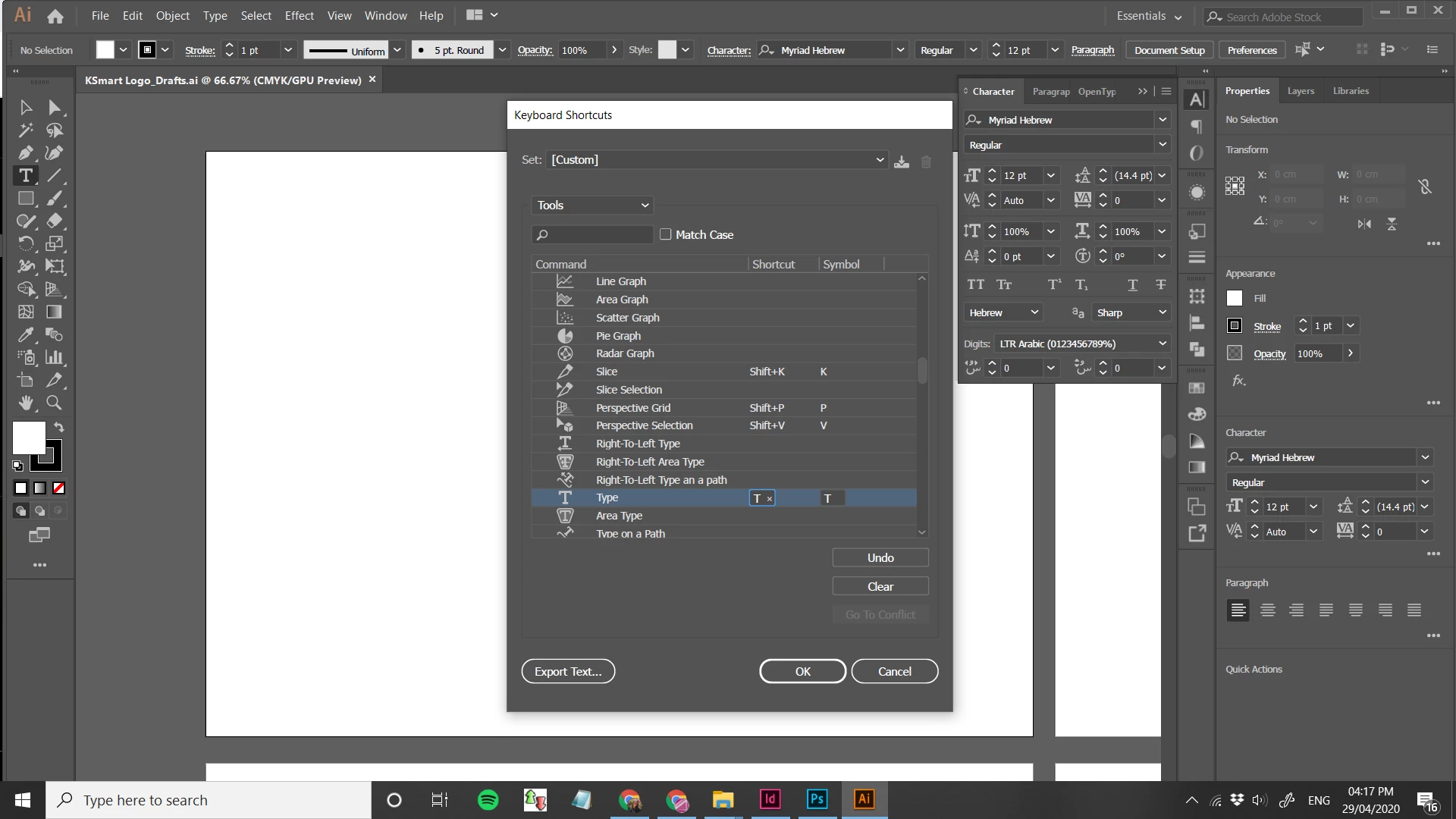
    In edit> keyboard shortcuts.

    I chaged the T shortcut to be for regular text tool.

    Hope this helps you all.


    17 replies

    Participant
    Mar 29, 2020 11:54 AM UTC

    Hello, I have sort of the same problem.
    I was wondering if by any chance there is a way to chnge it so when I press T it would change to the regular text tool instead of the right to left, thank you 🙂

    Translate
    sheva17Correct answer
    Participant
    Apr 29, 2020 3:23 PM UTC

    Ive just fixed this!

    In edit> keyboard shortcuts.

    I chaged the T shortcut to be for regular text tool.

    Hope this helps you all.


    Translate
    Participating Frequently
    May 4, 2020 12:10 AM UTC

    Unfortunately that only works for the text that is selected. Every single document that I import into in design comes in right to left reading and screws up the justification and the punctuation. I just upgraded to the latest in design cc 2020 and it's no longer doing it so evidently it was something embedded in in design.

    Translate
    Participant
    Jun 20, 2019 4:01 PM UTC

    I have this problem with type and paragraph justification working with an Illustrator file I received from Germany (I am in the US). I did a search and I see this problem happening all over the place with Photoshop, InDesign, etc... The solutions I see:

    - change the language from Arabic or Asian to English. This does not fix the problem for me. Language was set English UK. Setting to English US does nothing.

    - reset the type panel. This does not fix the problem for me.

    I copied the file into a new file. This does not fix the problem for me.

    I am using a legally registered, current, updated Illustrator 23.0.3 on PC/Windows. Are there other, more global things to reset?

    Translate
    Participating Frequently
    Oct 30, 2019 9:43 PM UTC

    I have this same problem. Started in May of this year 2019 I think... some jobs come up that way, some don't. Some I can create fine, and then when I import a word doc, it's now right-to-left -- cursor and binding. I don't have a "reset" option in my character box, I'm using CC 2019 indesign.

    Translate
    Simmer1
    Community Expert
    Community Expert
    Feb 16, 2017 11:51 AM UTC

    Hi,

    Have you tried resetting the Type Tool Panel?

    Thanks,

    Sim

    Translate
    Known Participant
    Feb 16, 2017 12:32 PM UTC

    Thanks that worked

    Translate
    Simmer1
    Community Expert
    Community Expert
    Feb 16, 2017 12:56 PM UTC

    Awesome!!

    I am glad I could help.

    Sim

    Translate