


December 4, 2025
Question

UI scaling issues

  • December 4, 2025
  • 2 replies
  • 188 views

Hi, 


I'm having issues with the ui scaling while using illustrator. The entire user interface is so small that it is unusable. I have tried changing the ui scaling and restarting illustrator but there is no change. I am using a monitor but the issue is the same on both displays. I have tried following other adode community post with similar issues but with no luck. Any ideas what I can try next?
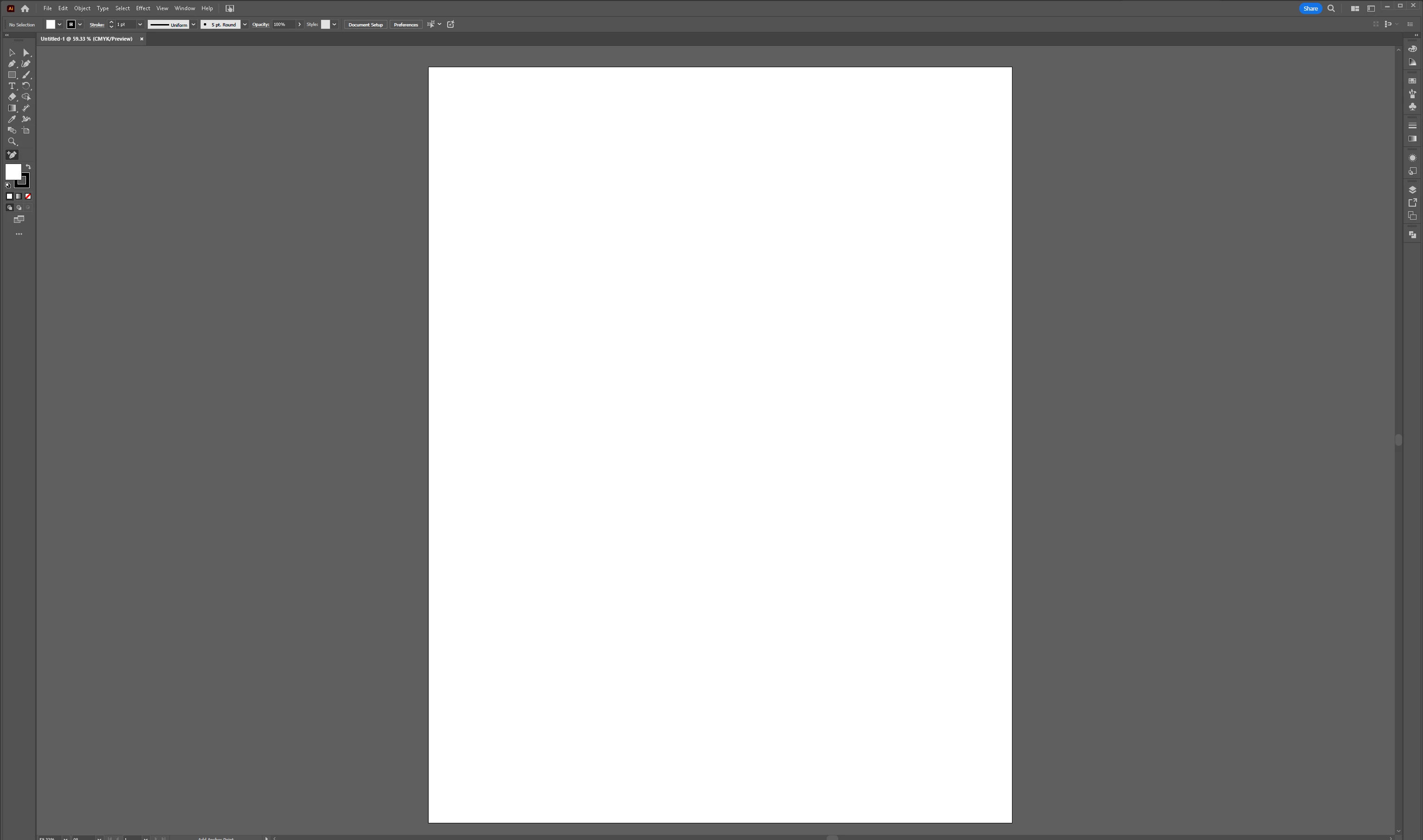
 

Screenshot 2025-12-03 183130.png

2 replies

Community Expert
December 9, 2025

What is the scaling percentage Windows is recommending you use for your monitor? I have a 17" Alienware notebook with a 3840x2160 resolution display. I have the Scale & Layout setting at 225% and the system actually recommends a 250% setting. In Illustrator's Preferences, under User Interface, I have the UI Scaling set to Small. The Scale & Layout setting in Windows Settings has a bigger effect.


I downloaded a copy of your screen shot image. It was sized at 3071x1813, which seems like a very odd size. Is that the native resolution of your computer monitor (or notebook display)? At that size I think a Windows Scale and Layout setting of 200% or 175% would probably work.

Monika Gause
Community Expert
Community Expert
December 4, 2025

Have you set up scaling in your Windows settings?

December 9, 2025

Hi. Yes, my windows scaling is set the recommended settings and this scaling is only an issue when using illustrator.