
Participant
November 4, 2024
Answered

Unable to change a shape's colour in Illustrator 2025

  • November 4, 2024
  • 2 replies
  • 577 views

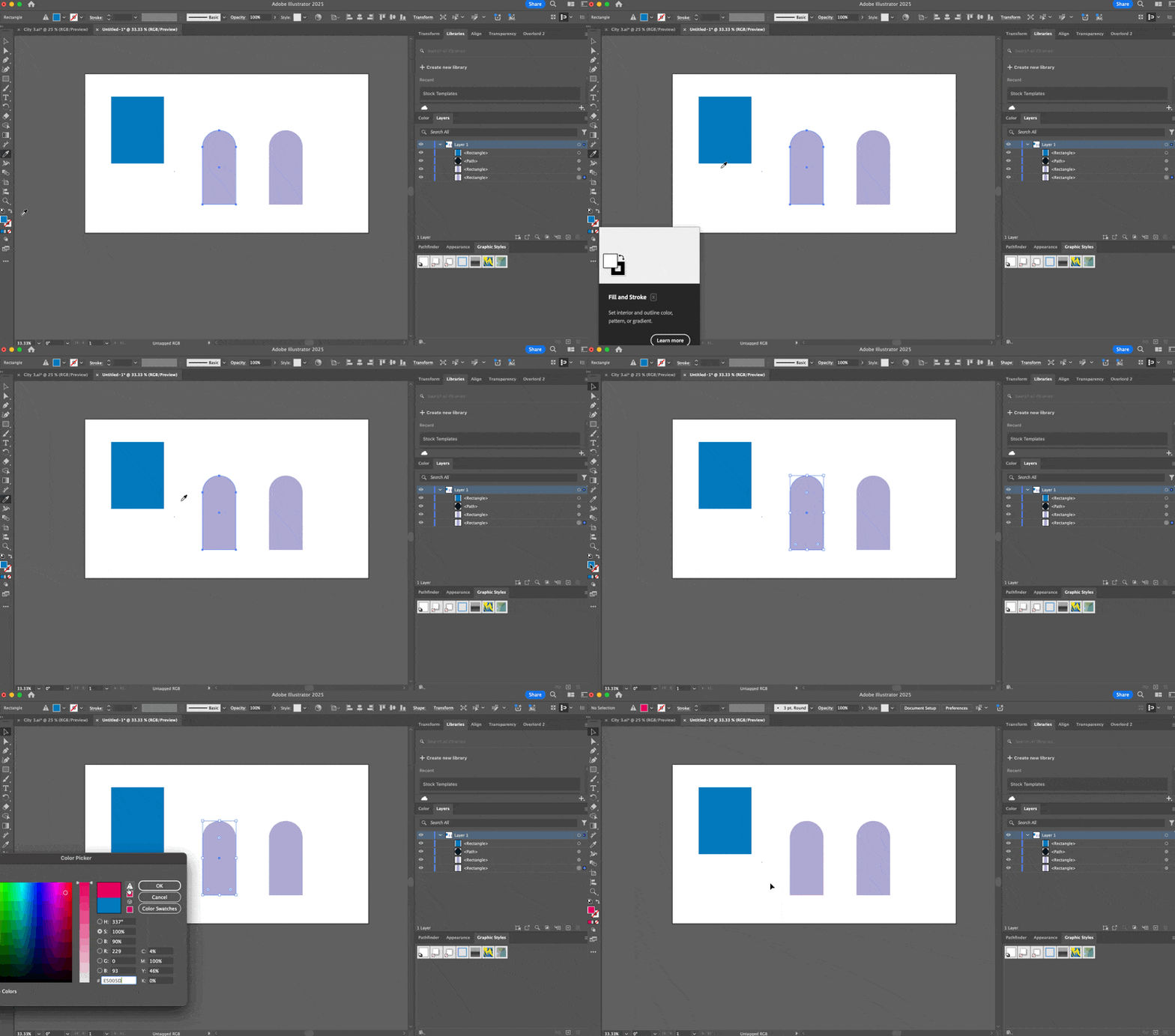
I'm unable to change the colour of existing shapes in an illustrator document, new shapes work as expected. Is this a known issue with the current version, or has anyone had this issue before?


The colour picker shows the correct colour and the shape is the correct colour when it's exported to After Effects, so it seems like it's related to how the shape is being rendered.


This topic has been closed for replies.
Correct answer Doug A Roberts

The object has some transparency or blend mode -- check the appearance panel with the object selected.

2 replies

Ton Frederiks
Community Expert
Community Expert
November 4, 2024

And check in the Appearance panel if the object has multiple fills, if so, target the top one.

Doug A Roberts
Community Expert
Doug A RobertsCommunity ExpertCorrect answer
Community Expert
November 4, 2024

The object has some transparency or blend mode -- check the appearance panel with the object selected.

Participant
November 4, 2024

Thanks @Doug A Roberts - you're right! I'd somehow added a second Fill to the object and my changes were only affecting the Fill at the bottom of the stack. I was able to delete that from the Appearance panel and it now works as expected.